SECURITY
Version 1.0, 02/2015. Copyright 2012 Hitron Technologies
116
Version 1.0, 02/2015. Copyright 2014 Hitron Technologies
116
Hitron CGNVM User’s Guide
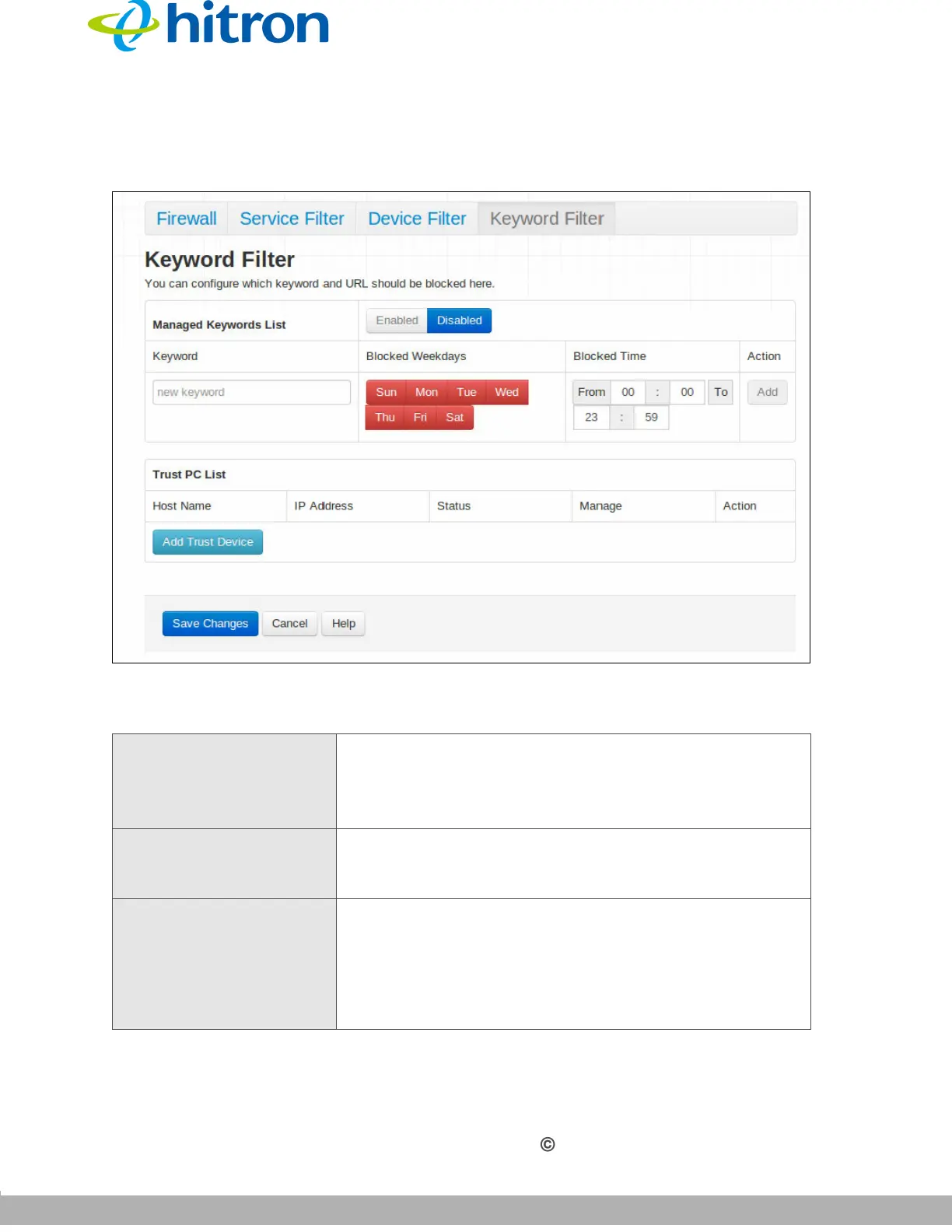
Click Seurity > Keyword Filter. The following screen displays.
Figure 51: The Security: Keyword Filter Screen
The following table describes the labels in this screen.
Table 40: The Security: Keyword Filter Screen
Managed Keywords List Use this field to turn keyword filtering on or off.
Select Enabled to turn keyword filtering on.
Select Disabled to turn keyword filtering off.
Keyword Enter the keyword that you want to block. The CGNVM
examines both the page’s URL (Internet address) and
its page content (text).
Blocked Weekdays Use these fields to specify the times at which the
keyword should be blocked. A red background indicates
that the rule will be applied (access will be blocked), and
a green background indicates that the device will not be
applied (access will not be blocked). Click a day to
toggle the rule on or off for the relevant day.



 To Next Page