WIRELESS
Version 1.0, 02/2015. Copyright 2012 Hitron Technologies
80
Version 1.0, 02/2015. Copyright 2014 Hitron Technologies
80
Hitron CGNVM User’s Guide
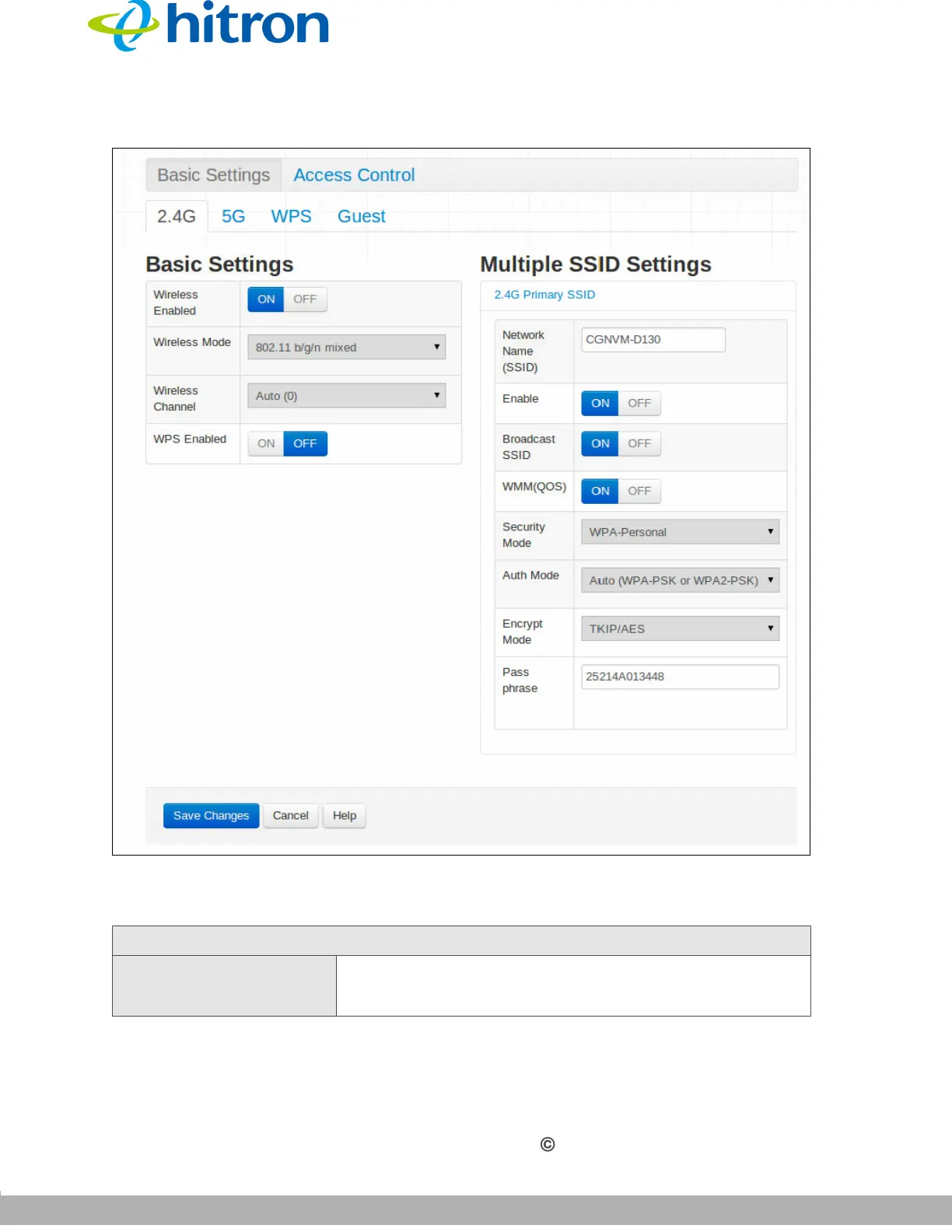
Figure 32: The Wireless: Basic Settings: 2.4G Screen
The following table describes the labels in this screen.
Table 23: The Wireless: Basic Settings: 2.4G Screen
Basic Settings
Wireless Enabled Select On to enable the 2.4GHz wireless network.
Select Off to disable the 2.4GHz wireless network.



 To Next Page