Version 1.0, 11/2016. Copyright 2012 Hitron Technologies
105
Version 1.0, 11/2016. Copyright 2016 Hitron Technologies
105
Hitron CODA-4x8x User’s Guide
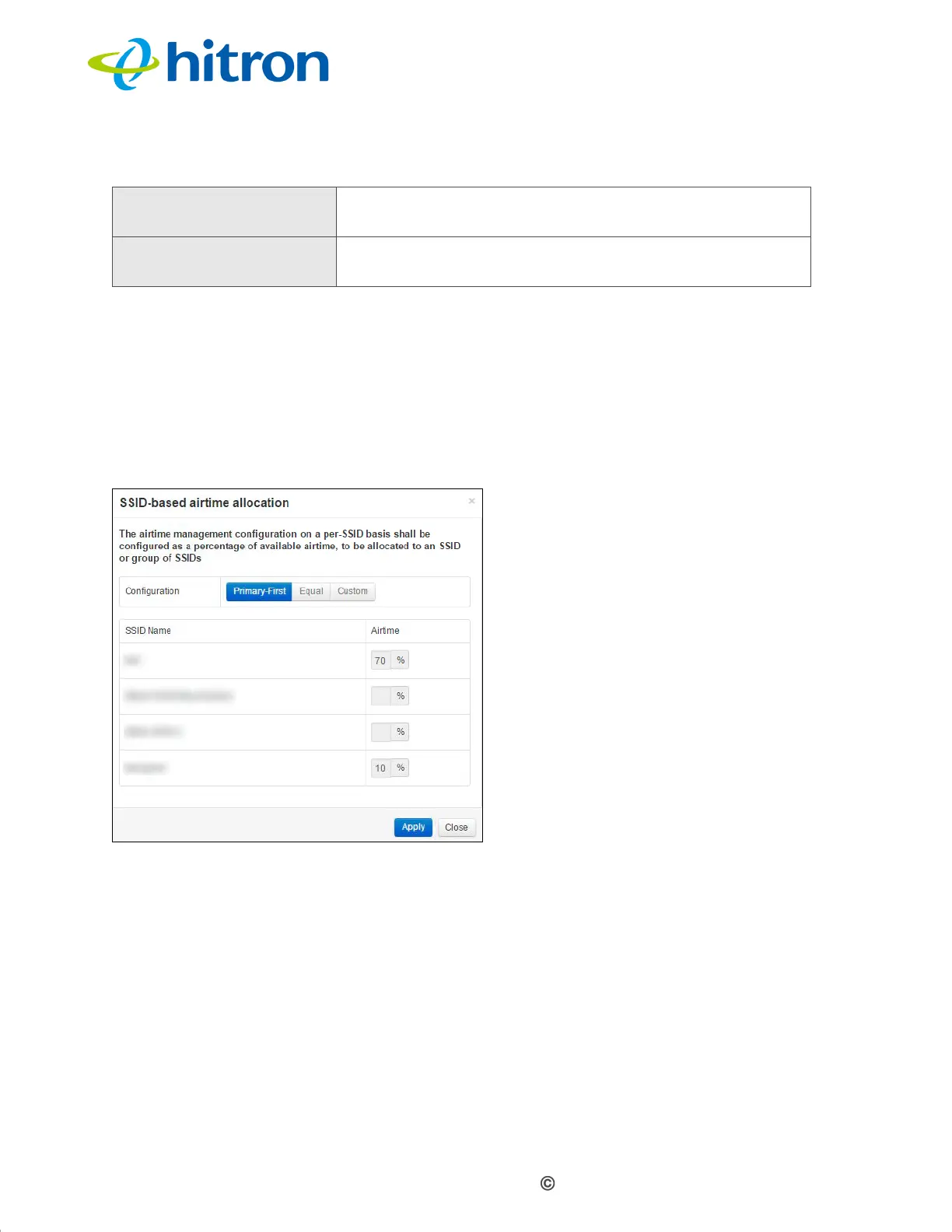
5.4.0.1 Configuring Airtime Allocation Policy
Use this screen to configure the percentage of available wireless transmission
resources that should be assigned to each of the CODA-4x8x’s wireless SSIDs.
Click SSID-based Airtime Allocation in the Wireless > ATF screen. The following
screen displays.
Figure 39: The Wireless: ATF: SSID-based Airtime Allocation Screen
Cancel Click this to return the fields in this screen to their last-
saved values without saving your changes.
Help Click this to see information about the fields in this
screen.
Table 28: The Wireless: ATF Screen (continued)



 To Next Page
 Loading...



