30 Chapter 3: Description of device
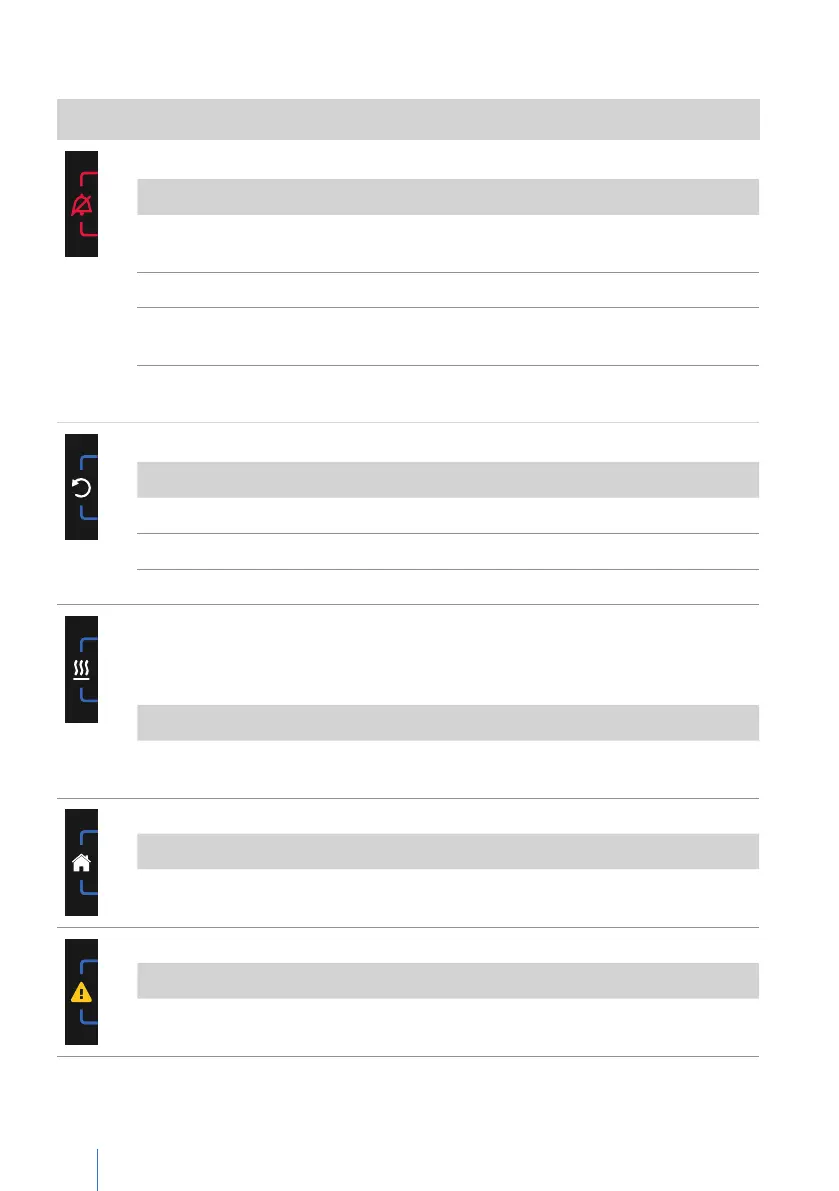
Explanation and functions of the softkeys
Symbol Meaning
Alarm key
Function
Condition Action
Confirmation of all current
alarms
Active alarms
Press briefly
Confirm no longer active alarms
Saved alarms Press briefly
Mute the audible alarm for 2
min (audio alarm pause)
Press briefly
Cancel the audible alarm
suppression
Audio alarm paused Press briefly
Escape key
Function Action
Exit current screen Press briefly
Exit selected parameter Press briefly
Cancel action Press briefly
Heater key
If an integrable humidifier is connected, the heating key is available:
• On the home screen and
• In the first level when the home screen icon is pressed on the home screen.
Function Action
Switch on/off heating for the integrable
humidifier
Press briefly
Home key
Function Action
Return to the home screen Press briefly
Error key
Function Action
Error list display Press briefly
Explanation of the toolbar icons


 To Next Page