54 Chapter 5: Device operation
Menu lock
The menu lock function can be used to
protect against the accidental changing
of device settings. It locks the following
operating elements:
• Home key
• Escape key
•
Turning and pressing the MFK exception:
if a notice window is displayed that
requests operation is performed via the
MFK, the MFK can be used as usual.
The following keys retain their full func-
tionality:
• Alarm key
• Heating key
• On/off button
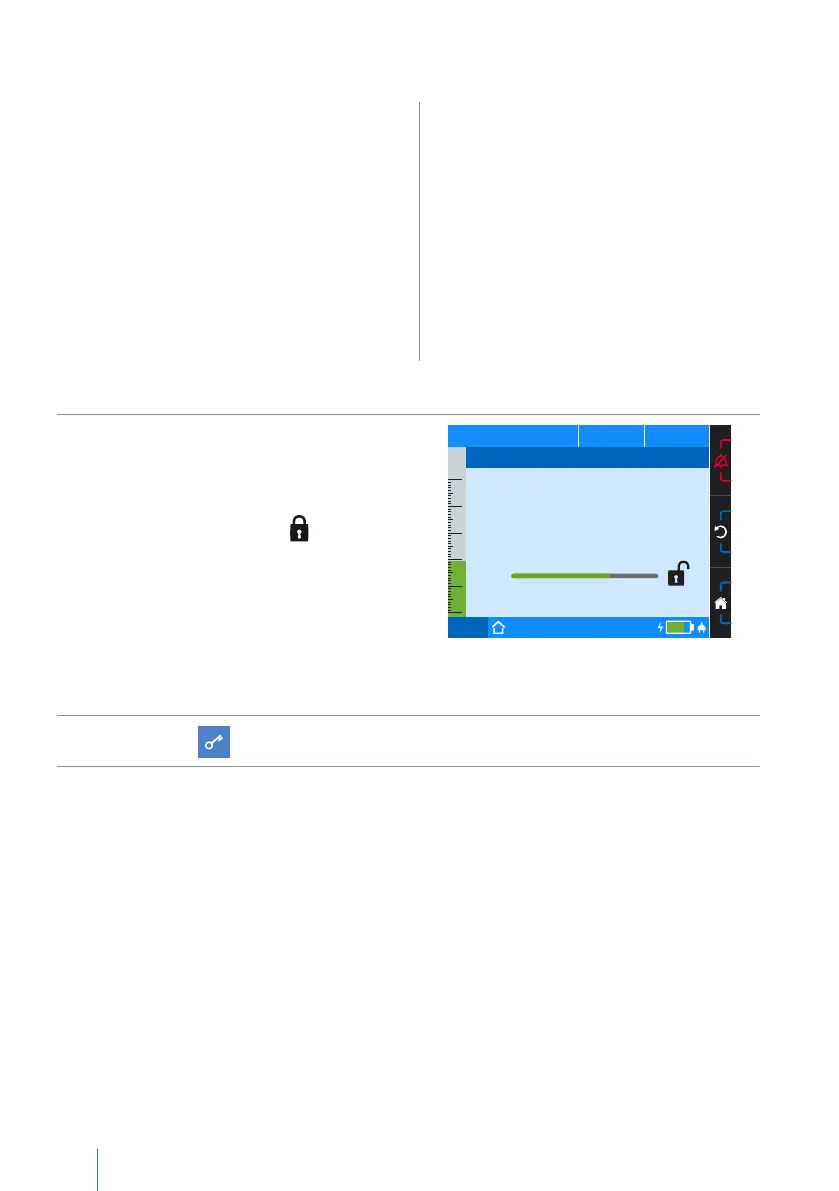
To activate the menu lock:
1.
Hold the MFK in the home screen
for longer than 1 second until
the window appears at the side.
Keep the MFK pressed until the progress
bar has completed and is displayed.
Then release the MFK.
Please note: If therapy is in progress,
the measured values screen will auto-
matically appear upon activating the
menu lock. The home screen will be
shown again once therapy is over.
PCV
75%
50
40
30
20
10
0
p
hPa f
bpm V
I
lI:E
Enable Menu Lock
To enable the menu lock keep
pressing the MFK.
2. The symbol will appear on the toolbar.


 To Next Page