38 Chapter 4: Commissioning
Standby operation
If device mains operation is switched on and respiration is switched off, the device
can be placed into standby operation. This means that the device automatically moves
into a sleep mode after the last operation. A standby screen will be displayed. If the
device has an internal battery, this will be charged and the power level will be shown.
The time at which the device will switch to standby operation can be modified using
the “Standby” parameter on the system screen. The default factory setting is 5 min. If
you do not want the device to switch to standby operation, set the parameter to “off”.
To exit standby operation, press a key or the MFK.
In the event of an alarm, standby also stops and the home screen is displayed.
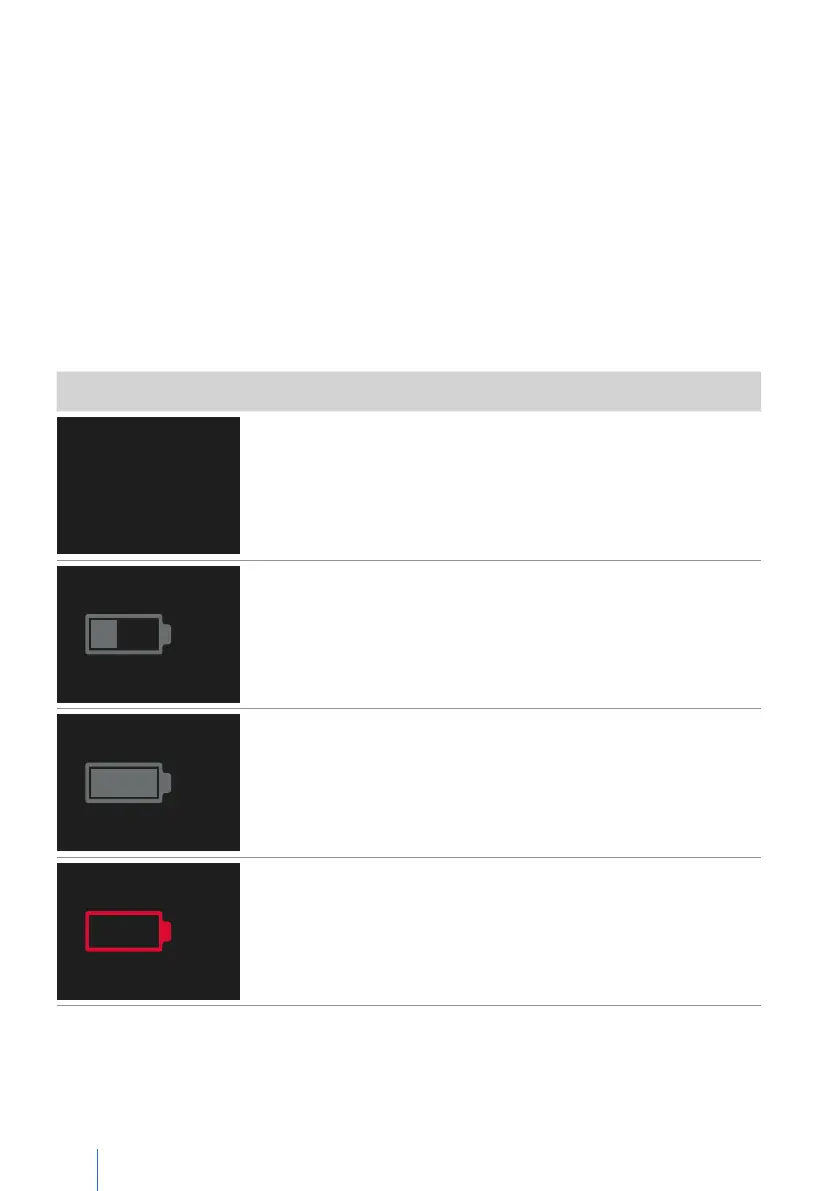
Standby screen Meaning
No battery in the device
charging...
45%
Battery charging
100%
Battery fully charged
Replace internal battery
• Defective battery or
• Battery capacity too low or
• Battery incompatible


 To Next Page