uuGauges and DisplaysuDriver Information Interface
168
Enables you to show another speed unit on the driver information interface and set
the displayed measurements to read in either km/h or mph.
Press and hold the left selector wheel when you select on the driver information
interface. Each time you do this, the unit will change from km/h to mph or vice
versa. After this, a confirmation screen will appear for a few seconds.
2 Driver Information Interface Warning and Information Messages P. 130
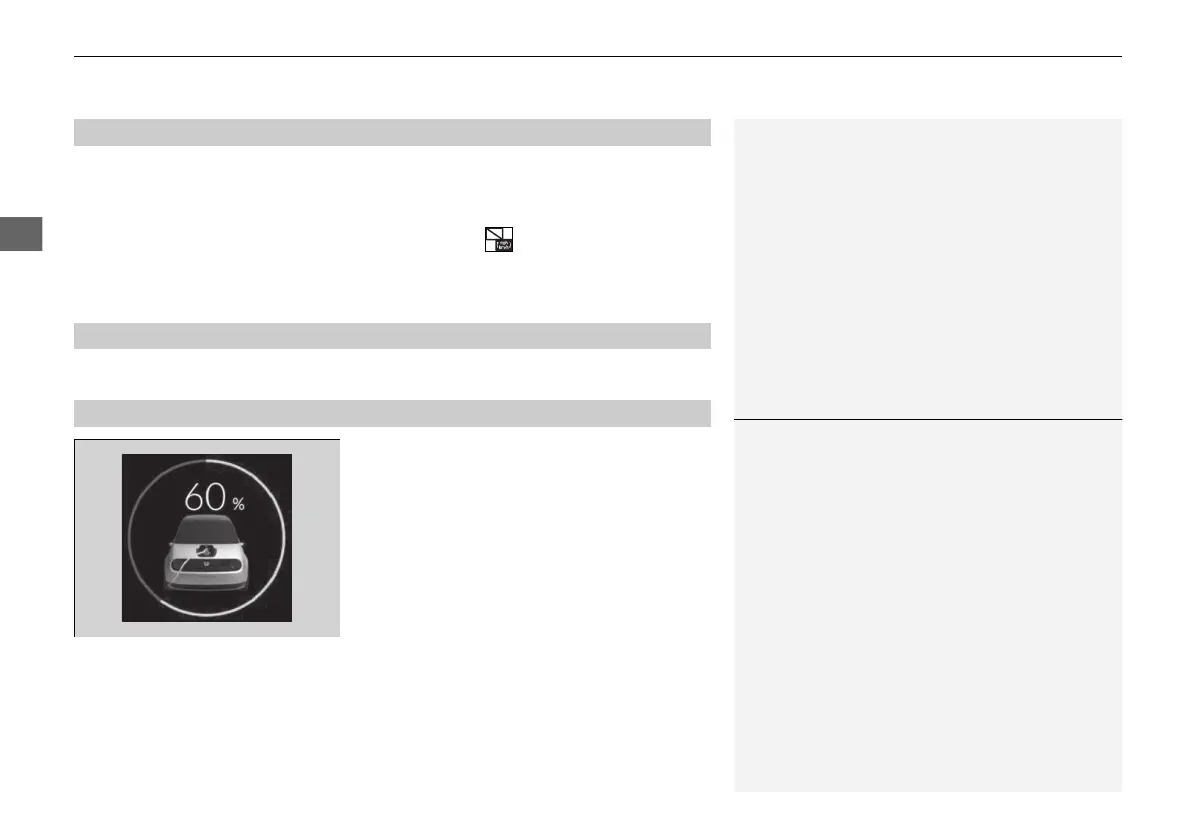
Displays the current status of the High Voltage
battery.
The colour of the circle represents the current
High Voltage battery status.
• Green: Charging
• Amber: High Voltage battery is running low
(approximately 15% left)
• White: When other than the above or when
fully charged
■
Unit Change
■
Information
■
Remaining Battery
1Remaining Battery
If amber is displayed, charge the High Voltage battery
as soon as possible.
20 2EX JSS (KE KG)-32TYF6000.book 168 ページ 2020年3月6日 金曜日 午後6時58分













 To Next Page