20
Setting up the lawn mower
3. Testing the Start points
Through this testing, you can check the start points that you added in [2.Mowing start points].
NOTE:
- Perform each test when the lawn mower is connected to the docking station.
3-
1
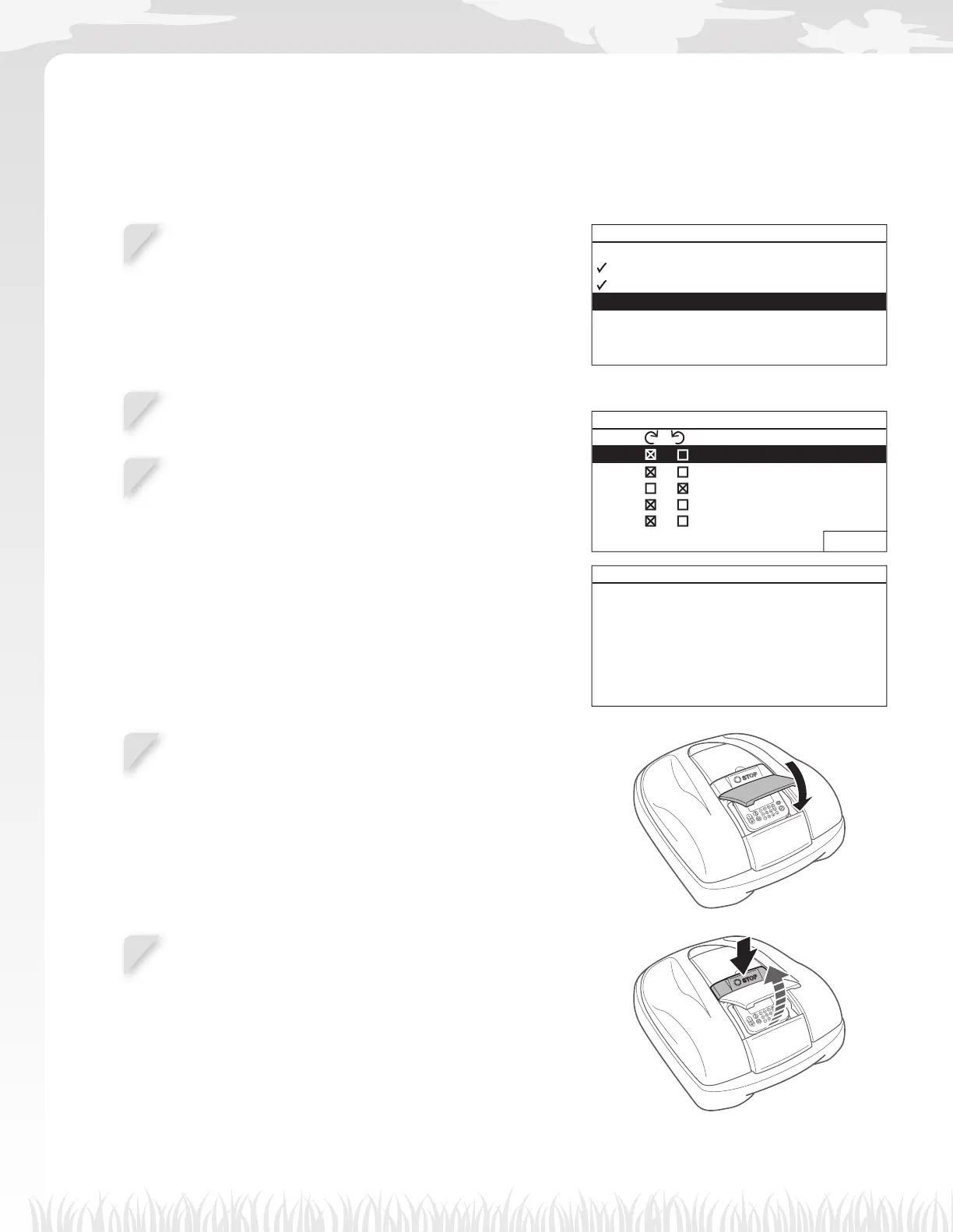
Select [3.Test start points] and press the H button
to check the start points.
Setup wizard
1.Lawn layout
2.Mowing start points
3.Test start points
4.Work timer
3-
2
Select a start point number and press the H button.
The information of the selected start point is displayed.
EX: HRM520
Test start points 5/7
Point / (0 - 2600 ft)
1 / 1080 ft
2 / 1150 ft
3
/ 560 ft
4
/ 0 ft
5
/ 0 ft
0 Home
NEXT
Test start points
Point1
Location CW 1080 ft
Close cover to start
3-
3
Confi rm the setting information of the selected start
points.
3-
4
Close the control panel cover.
The lawn mower starts towards the selected start point.
When the test is correctly fi nished, the lawn mower rolls
slowly from the minimum to the maximum exit angle, and a
beep is emitted from the lawn mower.
3-
5
Press the manual STOP button.
The control panel cover pops up.
The message “Test return home” appears on the display.



 To Next Page