3 PREPARATION
21
Setting up the lawn mower
3-
6
Select [Yes] or [No] to the question of the test result and
press H button.
If you select [Yes], go to step 3-7.
If you select [No], the message “Do you want to modify the
start point?“ is displayed and you can modify the start point
settings.
NOTE:
- For details on the start point settings, see step 2-3
of “2. Setting the mowing start points” (M page 19).
Test start points
Test return home
Yes No
3-
7
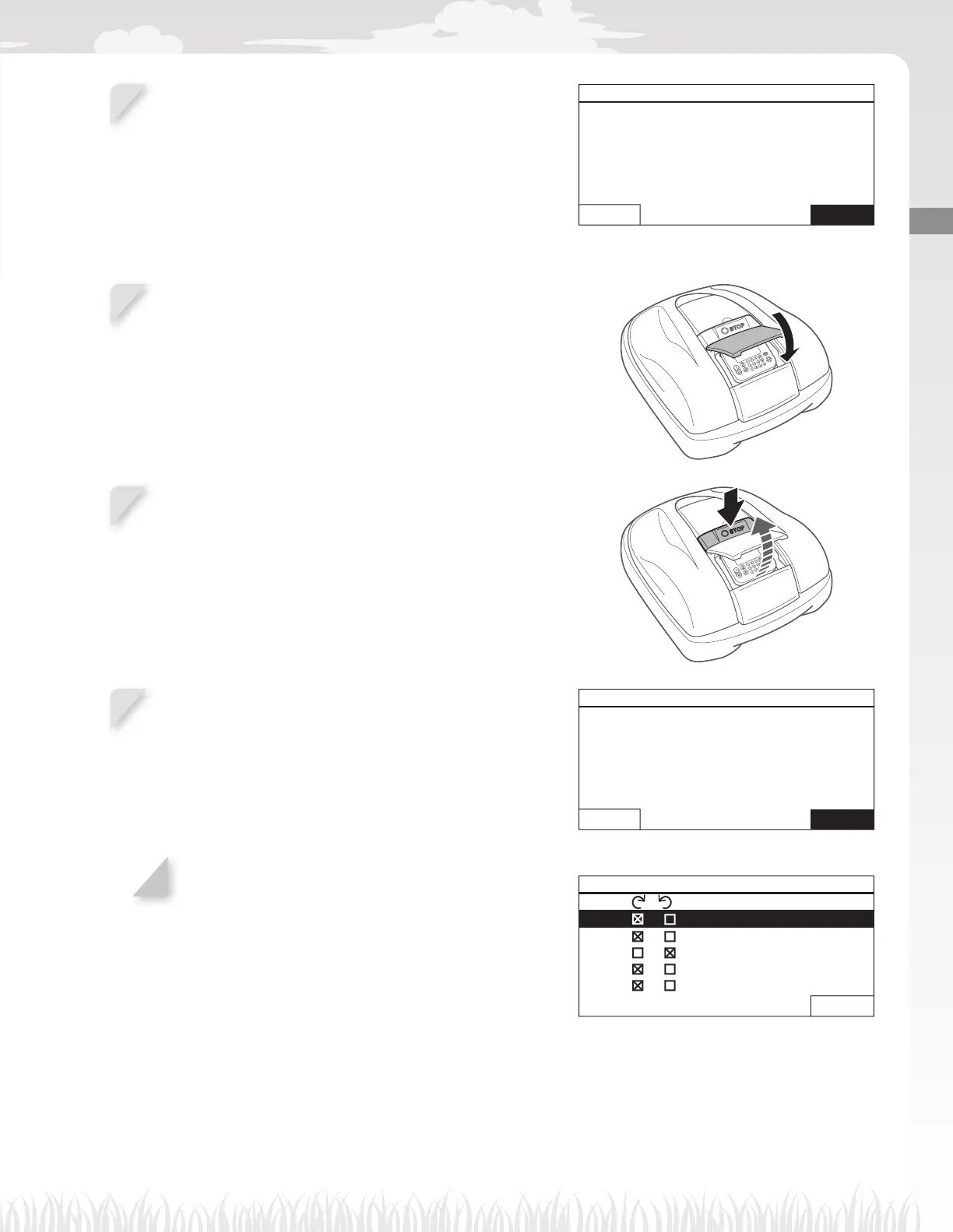
Close the control panel cover.
The lawn mower returns to the docking station.
3-
8
When the lawn mower is docked at the docking station,
press the manual STOP button.
The control panel cover pops up.
3-
9
Select [Yes] or [No] to the question of the test result and
press H button.
If you select [Yes], Mowing start points screen is displayed
to confi gure the start point settings.
If you select [No], go to step 3-10
Test start points
Do you want to modify the
start point?
Yes No
3-
10
After the start point test, select [NEXT] and press the H
button.
The setup wizard top screen is displayed and [3.Test start
points] is checked.
NOTE:
- If you want to test the start points once, select this
menu again. You can test the start points through
the setup wizard.
EX: HRM520
Test start points 5/7
Point / (0 - 2600 ft)
1
/ 1080 ft
2
/ 1150 ft
3
/ 560 ft
4
/ 0 ft
5
/ 0 ft
0 Home
NEXT



 To Next Page