4 MENU SETTINGS
37
Setting the lawn mower operation
Home screen J [2.Lawn setup] J [1.Auto mode] J
[3.Advanced setting] J [4.Narrow passage]
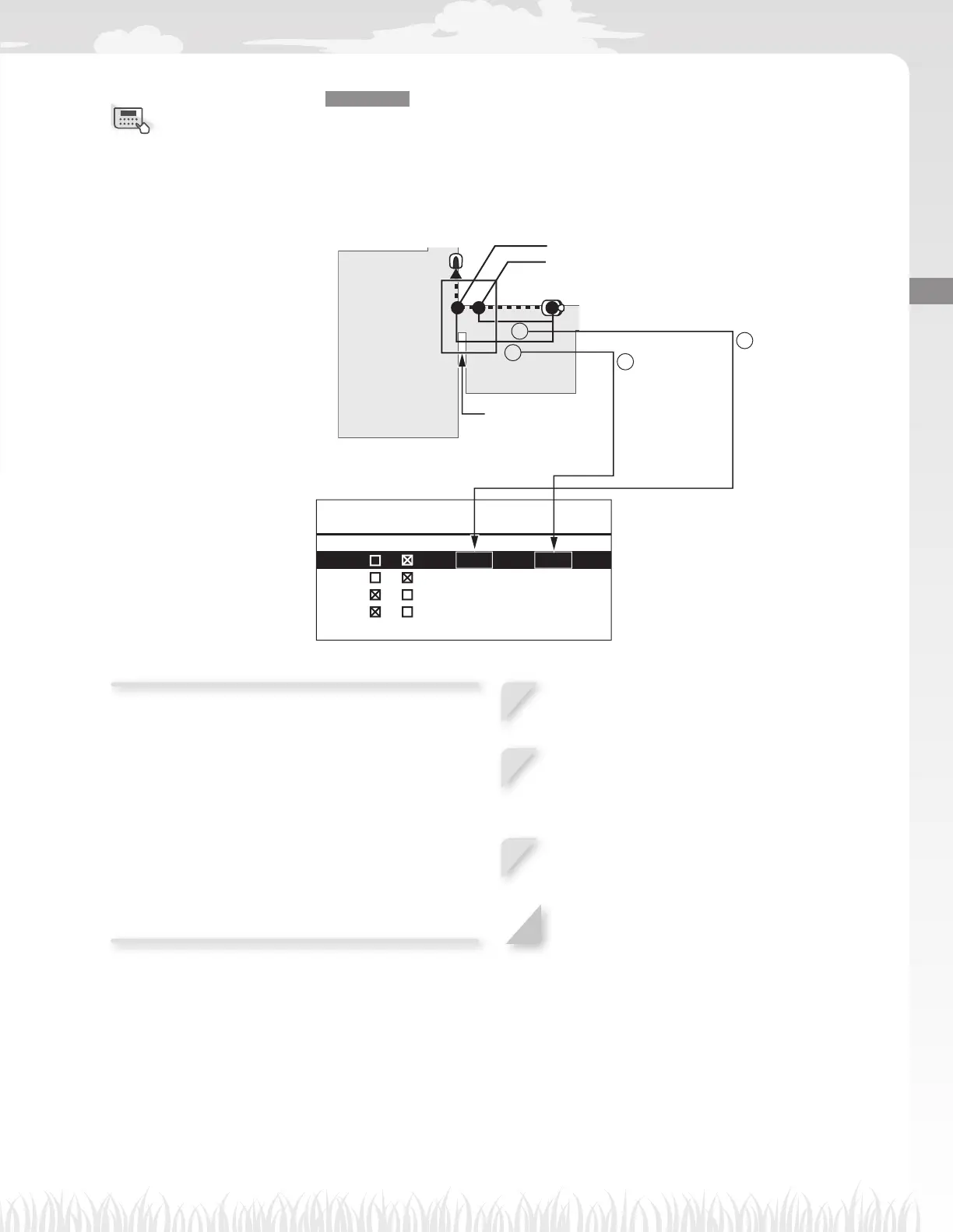
If there are narrow passages in your lawn, you can confi gure the settings of the narrow
passages to let the lawn mower pass through them toward the starting point.
17:01 Fri
Narrow passage
CW / CCW From - To
1 / 6 6 - 7 9 ft
2 / 1 3 1 - 1 6 4 ft
3 / 0 - 0 ft
4 / 0 - 0 ft
End of the narrow passage
Start of the narrow passage
Narrow passage
A
B
B : Distance
between the
docking station
and the end
of the narrow
passage.
A : Distance
between the
docking station
and the start
of the narrow
passage.
Confi gure the distance of the narrow passages
from the docking station to let the lawn mower pass
through them.
NOTE:
- Specify the distance from start to end of each
narrow passage from the docking station.
- This setting is for going toward the starting point. If
you want to confi gure the setting for returning to the
docking station, you need to set it in the Homing
setup. For details, see “Homing setup” (M page 41).
1
Select a number from 1 to 4 which you want
to confi gure and press the H button.
2
Select CW or CCW and press the H button.
And enter the values of the distance from
start to end of each narrow passage and
press the H button.
3
Press the H button.
4
Press the G button to return to the previous
screen.
Menu screen



 To Next Page