Honeywell | 26
6 Electrical Assembly
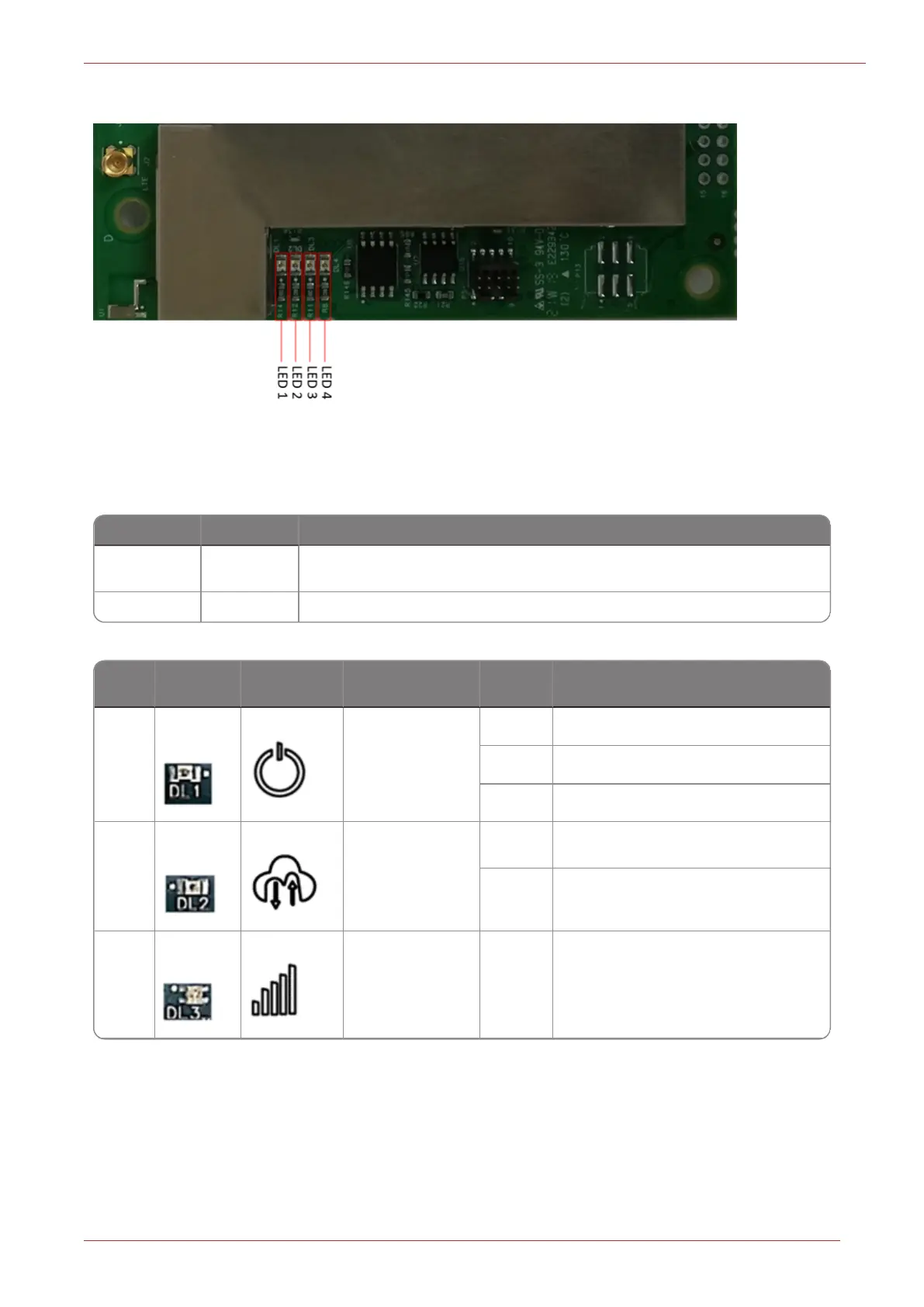
6.5 LED Indicators
Figure 6.1 - LED Indicators
Item code i3018 is used to enable/disable LED display through MasterLink desktop application.
Item Code Value Description
i3018 Enable
Enable LED functionality (LED will function as described in below
table).
i3018 Disable Disable LED functionality (All LEDs will be OFF).
LED
Color
Codes
Symbol Description State Detail Description
1
Green
Power Indic-
ation and Net-
work
Connectivity
Status
OFF Sleep or power off.
Blink Trying to connect (cellular).
ON Connected to network (cellular).
2
Green
Data Con-
nection
OFF Not data flow to cellular host.
Blink
Data flow between host and device
over cellular interface, no fixed
blink rate.
3
Green
Network Con-
nectivity and
Signal Strength
OFF Not connected to network.



 To Next Page