Honeywell | 50
8 Configuring CloudLink 5G Modem
ITEM Number Parameter Parameter Description
3157 Last battery alarm time
3145 BLE Passkey
3146 External Voltage
3147 Alarm Call Retries
3158 Security certificate issue time
3159 Security certificate expiry time
8.5 Device Configuration
8.5.1 Configuration by Group
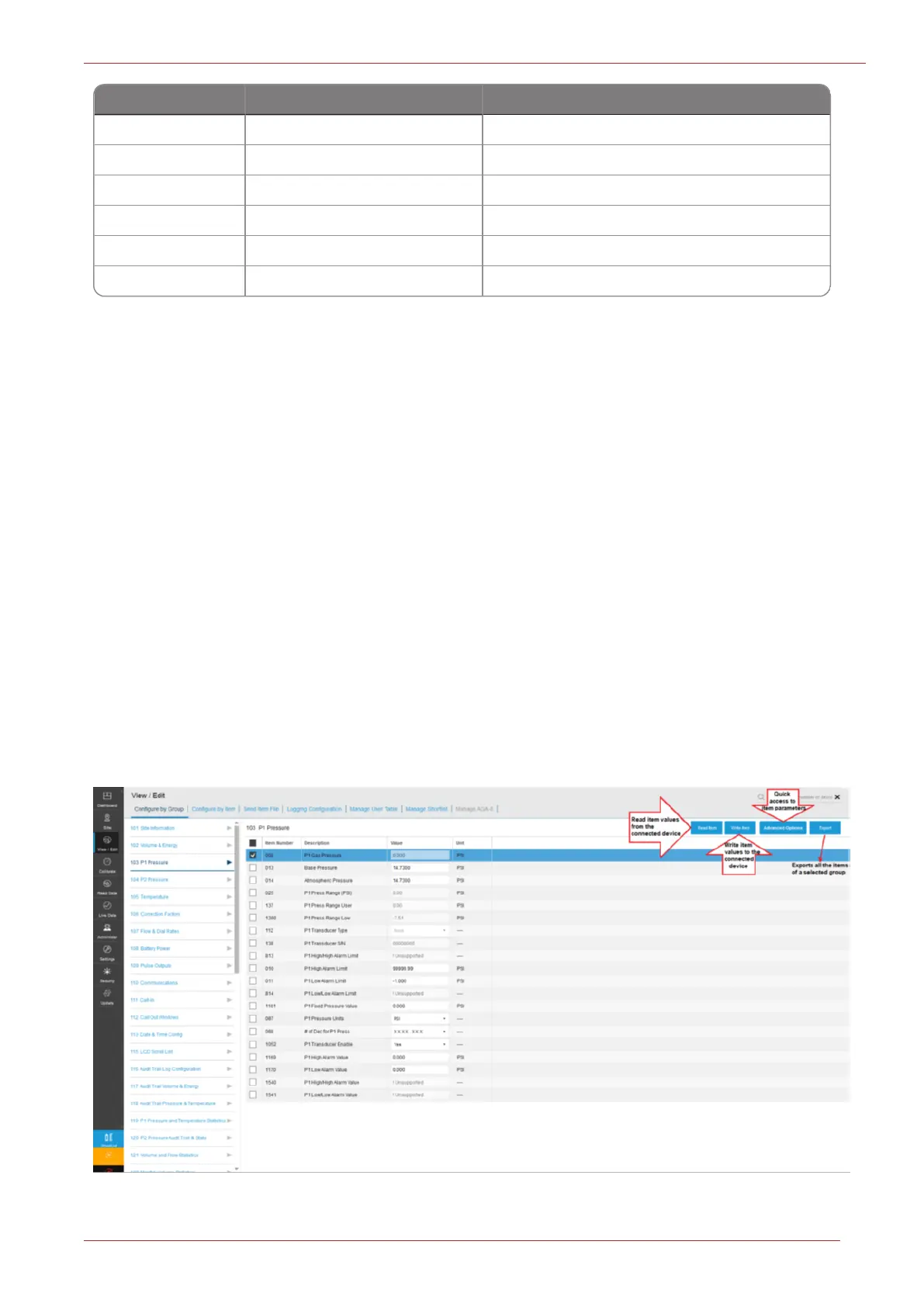
MasterLink must be connected to an instrument for this function to work. Configure by Group tab
displays groups categorized by items corresponding to connected instrument. Instrument items
(which vary per type of instrument) can be grouped by function. The Configure by Group tab dis-
plays the item values that apply to the type of connected instrument after grouping them by func-
tion. For example, all items related to pressure calibration are displayed on one screen.
When connected to an instrument, you can click on the Read button to read item values from the
connected instrument.
To change item values:
1. Click on the desired function group (panel on left) to see the group items (panel on right).
2. Select an item by clicking the check box next to it.
3. Enter a value for the selected item number, and click on Write Item button.



 To Next Page