Honeywell | 29
7 Firmware Upgrade Over-The-Air (FOTA)
7 Firmware Upgrade Over-The-Air (FOTA)
This chapter describes the configurations required to perform the Firmware Upgrade Over-The-Air
(FOTA).
7.1 Steps to Upgrade Firmware
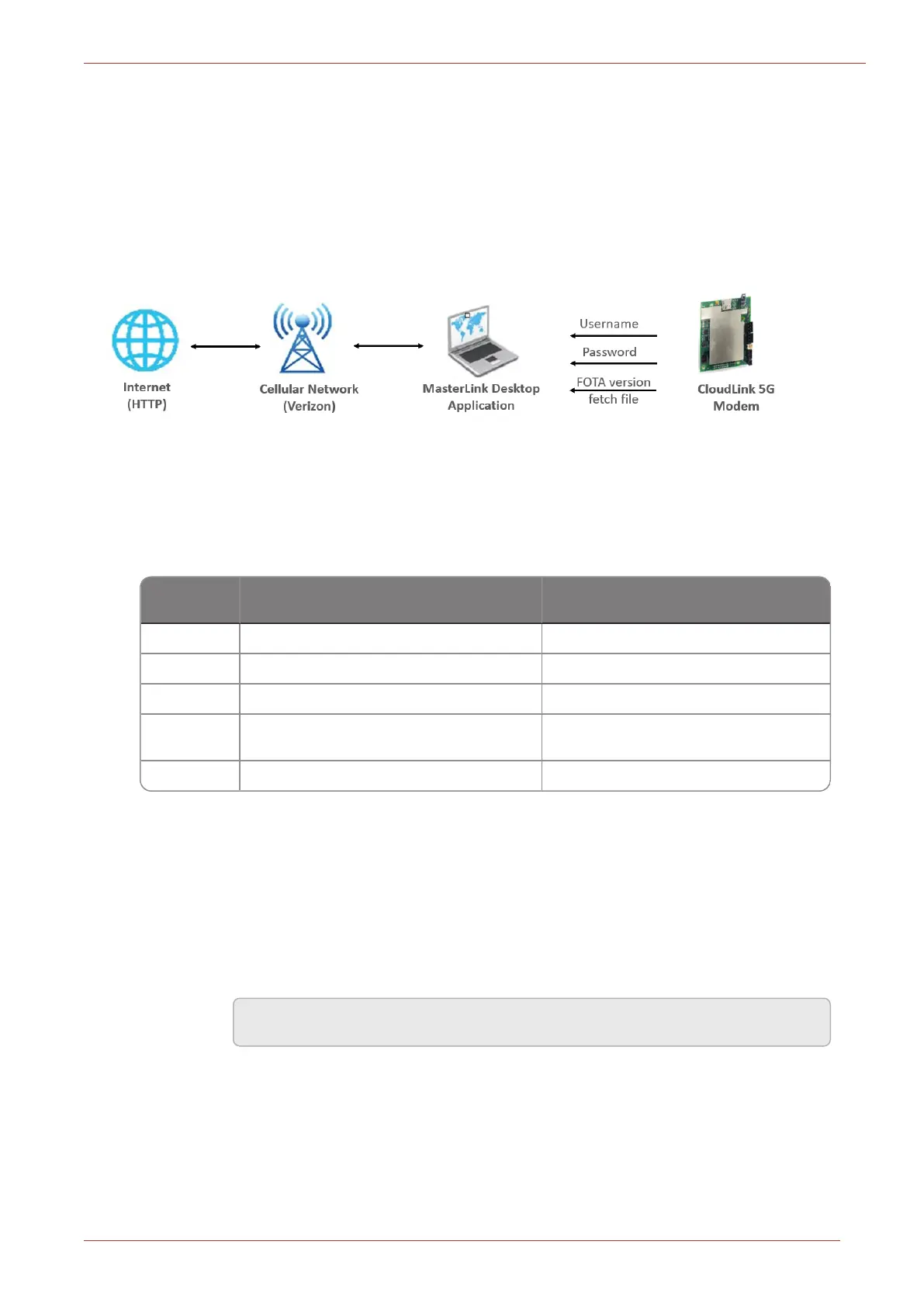
Figure 7.1 - Firmware Upgrade Over-The-Air (FOTA)
Follow the below instructions to perform Firmware Upgrade Over-The-Air (FOTA):
1. Configure the below item values to initiate the FOTA:
Item Num-
ber
Item Description Example
3180 CloudLink FOTA Enable
3179 CloudLink On Demand FOTA Enable
3227 Cellular FOTA HTTP Host Name http://192.168.0.XXXX:portnumber
3230
Last Application FW Updated Date
Over FOTA
MM-DD-YY
3232 FOTA Path for Application Version File FOTA/AppVersion.txt
2. Using the MasterLink application, FOTA upgrade process can be done in the following two
ways:
a. Case Scenario 1: (Default 30-day period)
i. Enable i3180 Value.
ii. Give the HTTP host name in item number i3227. For example
"http://192.168.0.100:4403/", where 192.168.0.100 is the HTTP server IP
address and 4403 is the HTTP port number.
Note: The IP address varies with user-to-user.
iii. Write the latest Application FW version number in the AppVersion.txt file and
place it in the HTTP server.
iv. Initiate a call from the device (EC350).



 To Next Page