Honeywell | 35
8 Configuring CloudLink 5G Modem
8.3.2 Sites
The 'Sites' screen lists all sites configured in the MasterLink application. A Site refers to a field
instrument such as:
1. Accutest 10. ERX350 + CloudLink
2. CloudLink 11. Mini
3. CNI4 12. Mini-AT
4. EC350 13. Mini-Max
5. EC350 + CloudLink 14. PT Modbus
6. ECAT 15. Pulse Accumulator
7. ER 16. TCI
8. ERX 17. Turbo Corrector
9. ERX350 18. Turbo Monitor
The user can also add a new site, as well as edit or remove an existing site. From the 'Sites' screen,
users can connect to a device deployed on the field.
This section describes the steps to configure and add a site to MasterLink. It also explains how to
connect and communicate with existing sites.
8.3.3 Adding a New Site
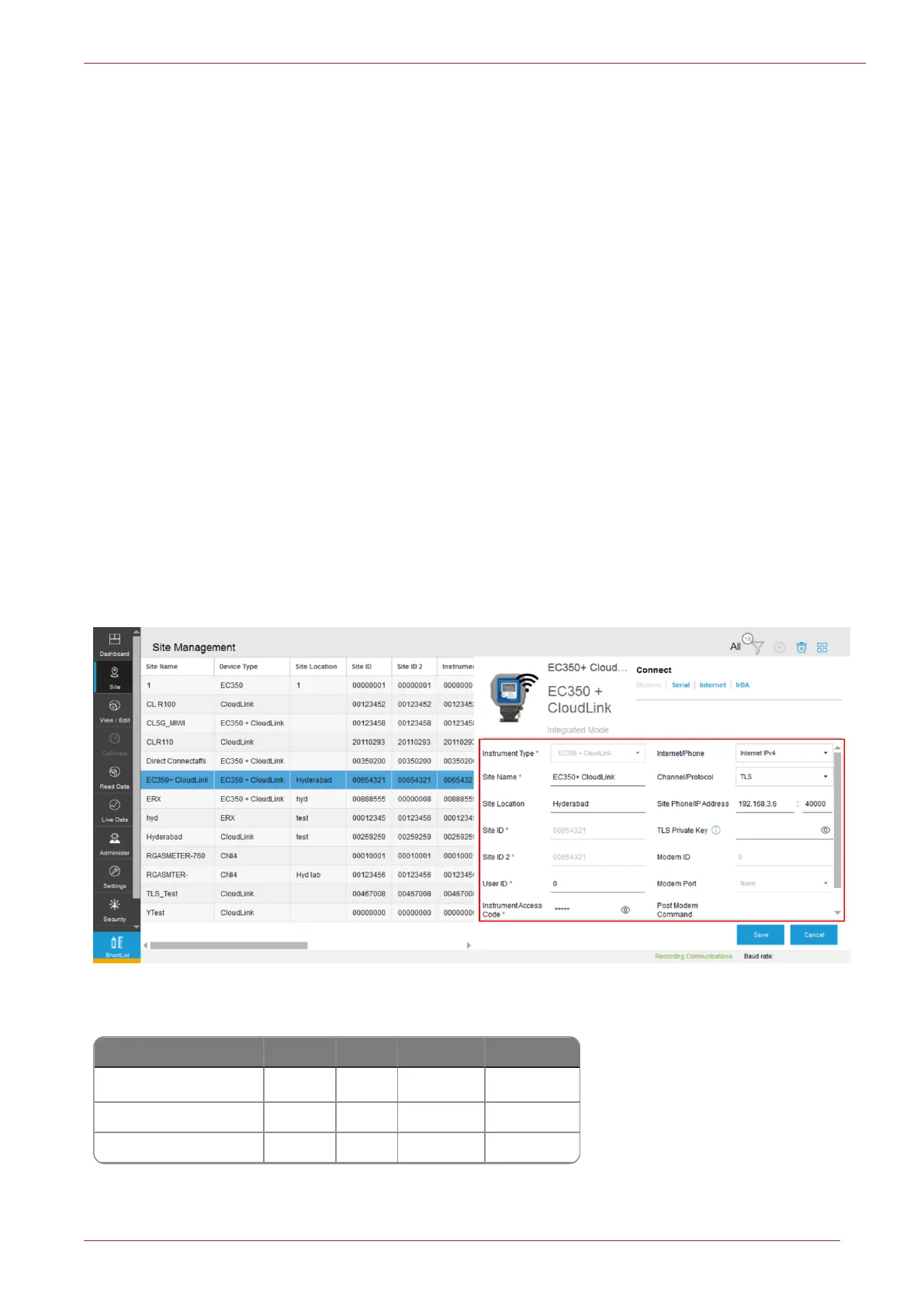
In the 'Site Management' screen, you can configure and connect to site.
Site can be connected and configured over the following interfaces based on deployment (device
type).
Serial IrDA Modem Internet*
Accutest
ü û ü ü
CloudLink
ü û û ü
CNI4
ü û û ü



 To Next Page