Honeywell | 54
8 Configuring CloudLink 5G Modem
Item
Code
Value
Description
3064 Enable
To write APN name in item number 3023 provided by the service
provider.
3064 Disable
Write is restricted for APN name in item number 3023.
4. CloudLink 5G modem automatically reboots once you disconnect it from the MasterLink
desktop application after doing the above changes (step 2)..
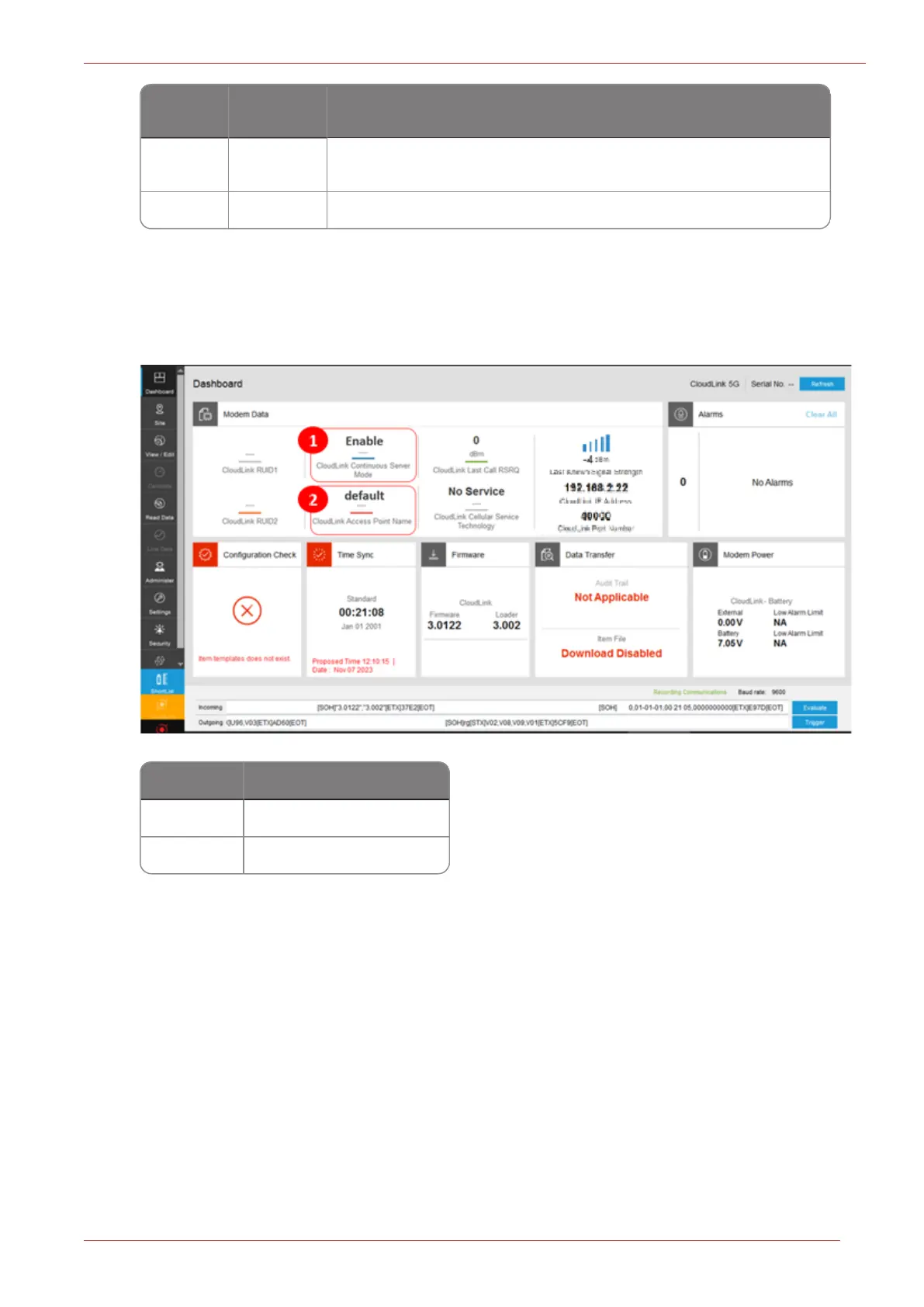
5. After powering on the device, connect it to the MasterLink. When the dashboard loads, you
should see continuous server mode enabled, as shown below:
Number Description
1 Device is in Server mode.
2 Check the APN name.
8.7.1 eDRX Mode
eDRX (Extended Discontinuous Reception) feature enables the user to put the Radio module in
CloudLink 5G modem in a sleep state for a predefined period, during which the modem won't be
available to receive any incoming data. Thus, the modem consumes less energy and thereby its bat-
tery life is extended. These sleep intervals are usually of shorter periods and would not increase the
latency of the incoming data.
For more information on how to configure eDRX mode for CloudLink 5G modem in the MasterLink
application, see MasterLink User’s Guide.



 To Next Page