EasyManua.ls Logo

Hootoo HT-ND006 - User Manual

Hootoo HT-ND006
43 pages
Print Icon
To Next Page IconTo Next Page
Loading...
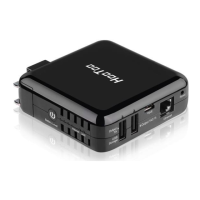
HooToo 300M Mini Router
ONLINE GUIDE
Model NO.: HT-ND006
Question and Answer IconNeed help?

Do you have a question about the Hootoo HT-ND006 and is the answer not in the manual?

Summary

2. Connection

2.1 Hardware Connection

Step-by-step guide for physically connecting the router to your network.

2.2 PC TCP;IP Settings

Configures computer's network settings for router access.

3. Log Into The Router

3.1 Log In

Steps to access the router's web-based utility.

4. Features & Configuration

4.1 Quick Setup

Guides through initial router setup modes like Router and WISP.

4.1.1 Router Mode

Details the configuration steps for using the router in Router mode.

4.1.2 WISP Mode

Details the configuration steps for using the router in WISP mode.

4.3 Network Settings

4.3.1 WAN Settings

Configures the internet connection type (PPPoE, Static IP, Dynamic IP).

4.4 WLAN Settings

4.4.1 Basic Settings

Configures wireless network name (SSID), channel, and mode.

4.4.2 Security Settings

Sets wireless security encryption and password for network protection.

4.5 LAN Settings

4.5.1 LAN Settings

Configures the router's local area network IP address and subnet mask.

4.5.2 DHCP Server

Manages the automatic assignment of IP addresses to connected devices.

4.9 System Tools

4.9.3 Factory Reset

Resets all router settings to their original factory defaults.

5. FAQs

Summary

2. Connection

2.1 Hardware Connection

Step-by-step guide for physically connecting the router to your network.

2.2 PC TCP;IP Settings

Configures computer's network settings for router access.

3. Log Into The Router

3.1 Log In

Steps to access the router's web-based utility.

4. Features & Configuration

4.1 Quick Setup

Guides through initial router setup modes like Router and WISP.

4.1.1 Router Mode

Details the configuration steps for using the router in Router mode.

4.1.2 WISP Mode

Details the configuration steps for using the router in WISP mode.

4.3 Network Settings

4.3.1 WAN Settings

Configures the internet connection type (PPPoE, Static IP, Dynamic IP).

4.4 WLAN Settings

4.4.1 Basic Settings

Configures wireless network name (SSID), channel, and mode.

4.4.2 Security Settings

Sets wireless security encryption and password for network protection.

4.5 LAN Settings

4.5.1 LAN Settings

Configures the router's local area network IP address and subnet mask.

4.5.2 DHCP Server

Manages the automatic assignment of IP addresses to connected devices.

4.9 System Tools

4.9.3 Factory Reset

Resets all router settings to their original factory defaults.

5. FAQs

Hootoo HT-ND006 Specifications

General IconGeneral
Frequency Bands2.4 GHz, 5 GHz
Ports1 x USB 2.0
SecurityWPA/WPA2
FeaturesTravel Router
Ethernet Ports1 x 10/100Mbps

Related product manuals