25
4.5. LAN Settings
4.5.1. LAN Settings
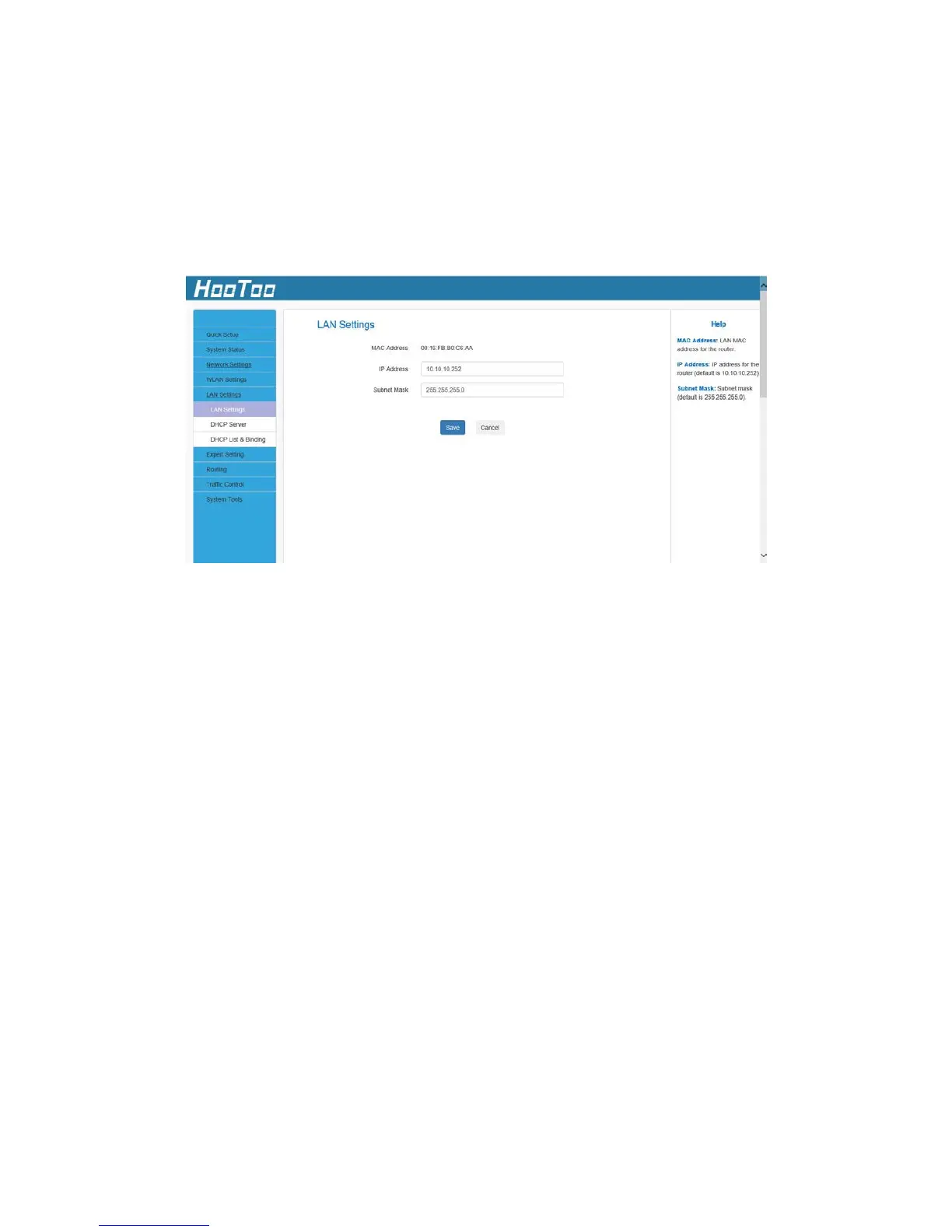
Here you can configure the LAN IP Address and Subnet Mask. This IP
address is used to access the device settings through a web browser.
Make sure to keep track of any changes you apply to this page.
Configuration Procedure:
1. Change the IP address to the one you wish to use, for example
10.10.10.252.
2. Click Save to save your settings.
Note
:
1. Default IP address and subnet mask are, respectively, 10.10.10.252
and 255.255.255.0.
2. Make sure to keep track of any changes you apply to this page. If
you change the Router LAN IP address, it is necessary to connect to
the new IP address and log in again. Also, you must set the default
gateway addresses of all LAN PCs to this new IP address.
3. The router LAN IP address and WAN IP address cannot be on the
same IP segment. If they are then the router will not be able to
access the Internet.



 To Next Page