29
Start/End Port: Enter the start/end port number within the ranges
forwarded from the external ports to set the server or Internet
applications.
IP Address: Enter the IP address of the PC where you want to set the
applications.
Protocol: Select the protocol (TCP/UDP/Both) for the application.
Enable: Activate this rule.
Note:
1. Make sure your WAN IP address (Internet IP address) is a public IP
address. Private IP addresses are not routed on the Internet.
2. Make sure you enter the correct service port numbers.
3. To ensure that your server computer always has the same IP
address, assign a static IP address to your PC.
4. Operating System built-in firewall and some anti-virus programs
may block other PCs from accessing resources on your PC. So it is
advisable to disable them before using this feature.
When finished, click Save to save your settings.
For example: if your WAN IP address is 202.33.56.88, when accessing
your FTP server from external network, your friends only need to enter
ftp://202.33.56.88:21 in their browsers.
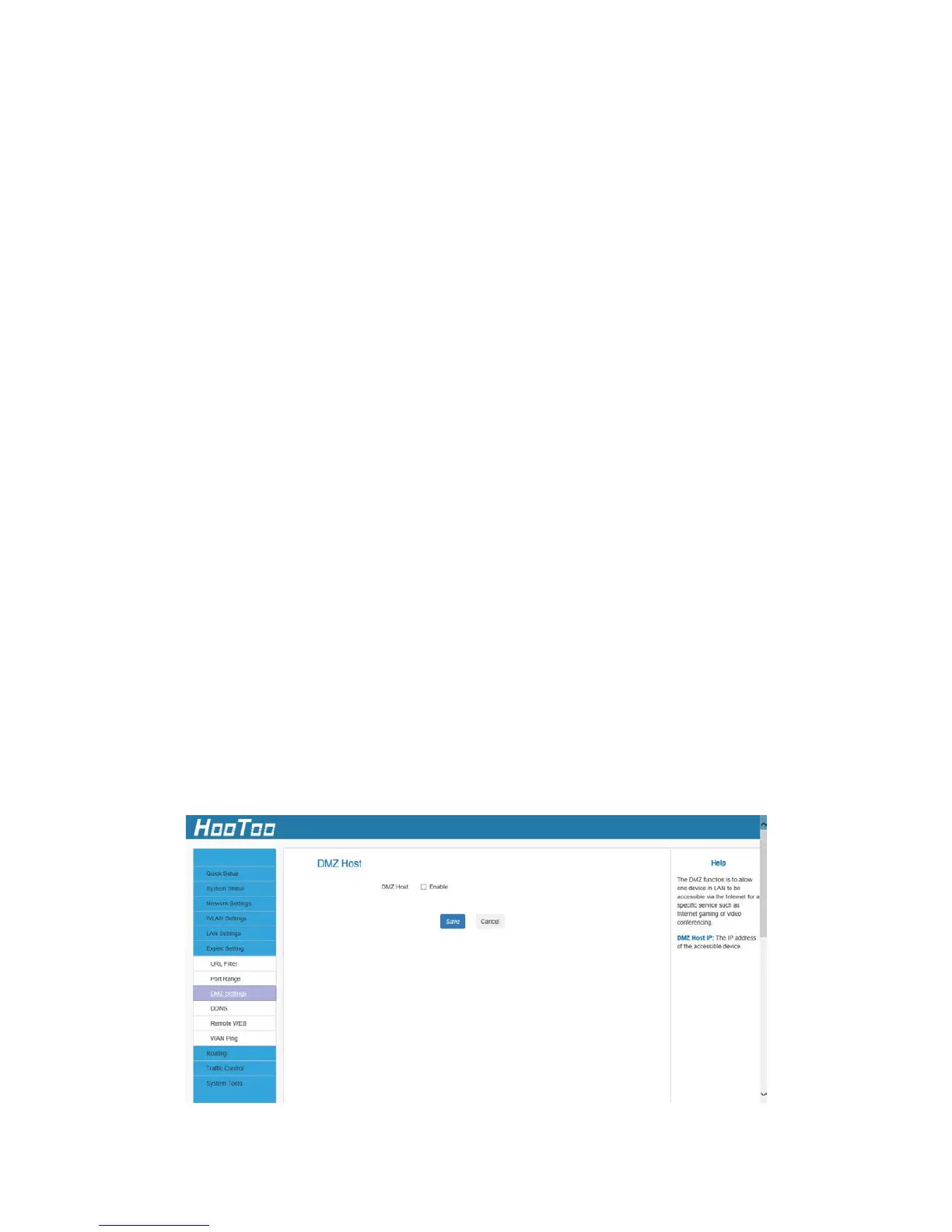
4.6.3 DMZ Settings
The DMZ function allows one computer in the LAN to be exposed to the
Internet for a special-purpose service such as online gaming or video
conferencing.



 To Next Page