27
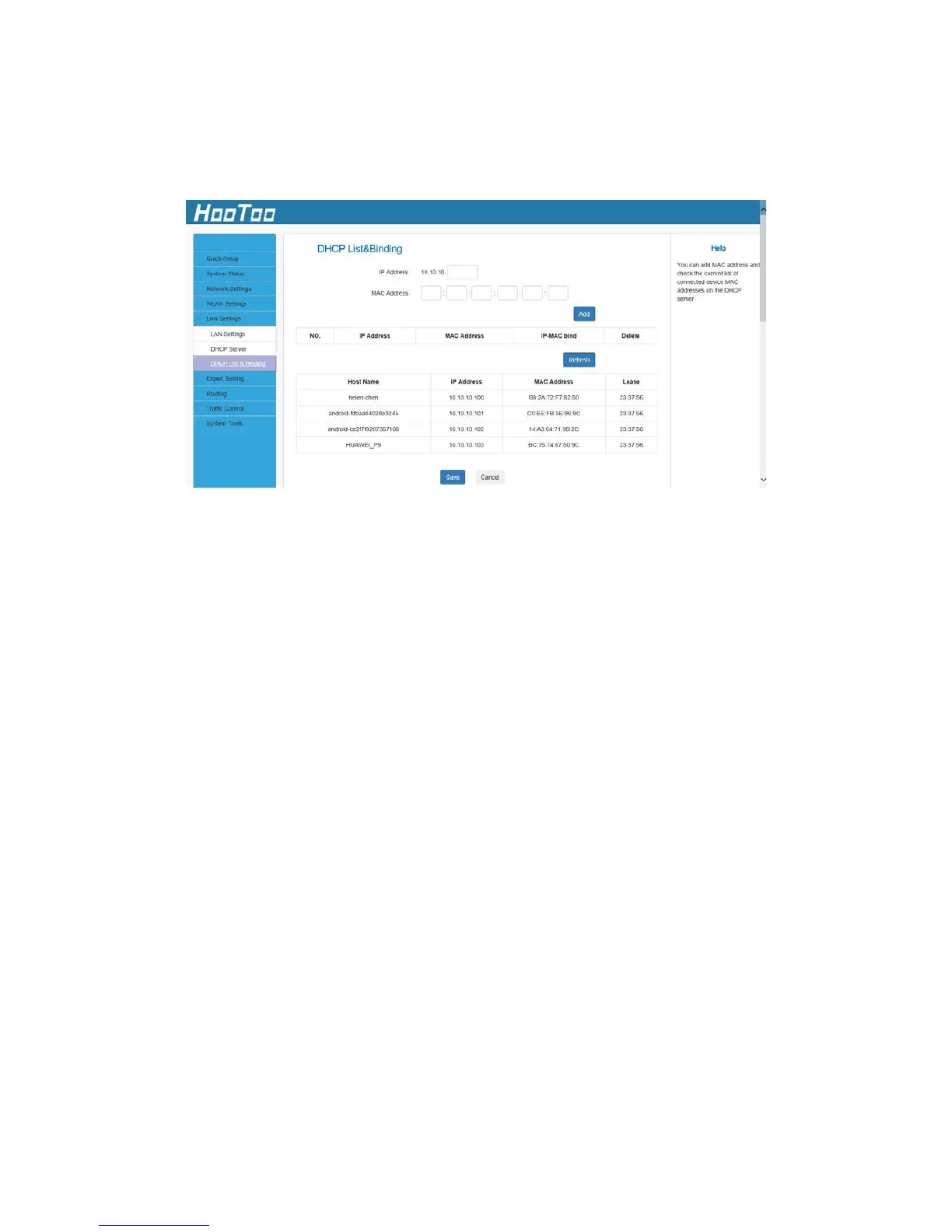
4.5.3. DHCP List & Binding
Here you can view the DHCP dynamic client list: host name, IP address,
MAC address, and lease time information.
Note:
1. You can know whether there are unauthorized connections by
viewing the client list.
2. You can specify a reserved IP address for a PC in the LAN. That PC
will always receive the same IP address each time it accesses the
DHCP server. Reserved IP addresses can be assigned to servers that
require permanent IP settings.
3. If the IP address you have reserved for your PC is currently used by
another client, then you will not be able to obtain a new IP address
from the device DHCP server, instead, you will have to manually
specify a different IP address for your PC to access the Internet.
For PCs that have already obtained IP addresses, you may need to
perform the Repair action to activate the configured static IP addresses.
4.6 Expert Settings
4.6.1 URL Filter
This section is to set URL filtering access. Check the checkbox to enable
this function. Select one policy from the drop-down menu and enter a
policy name in the field. You can set the access restriction parameters
(e.g. the fixed IP range, times, and days).



 To Next Page