4
function will start working for 2 minutes.
PWR
Power Adapter.
Don’t use a different power adapter than the
included one.
2.
Connection
2.1 Hardware Connection
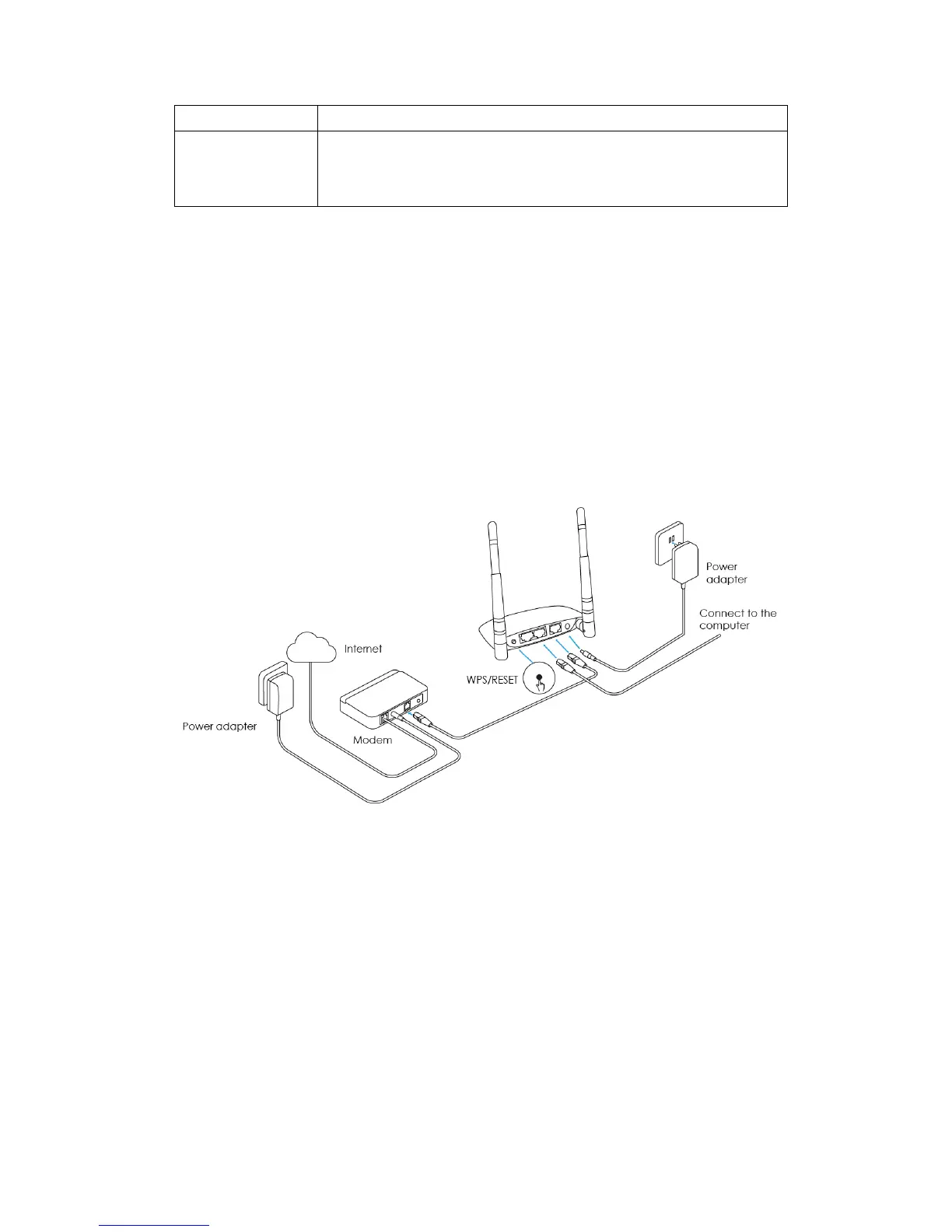
Please follow the following steps to set up the router:
1. Please connect your modem to the router's WAN port via the
Ethernet cable.
2. Use another cable to connect your computer’s Ethernet port with
the router LAN port.
3. Connect the router power adapter.
Note: Before connecting, please make sure that you can surf the
internet on your computer.



 To Next Page