11
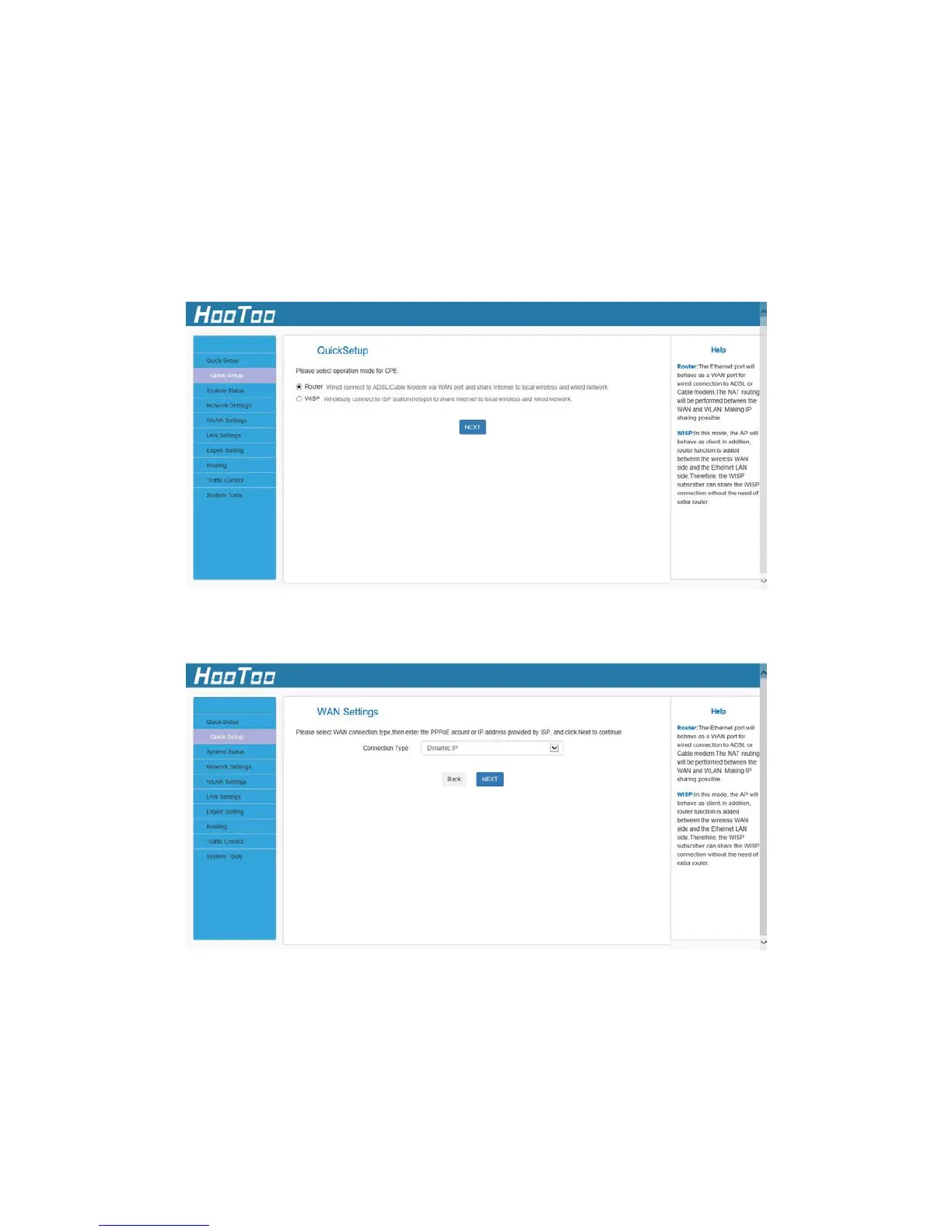
4.1.1. Router
In Router mode, a wired connection can be made to an ADSL or Cable
Modem via the WAN port to share the Internet to local wireless and
wired networks.
1. If you want to set the adapter in Router mode, choose Router, and
then click the “NEXT” button.
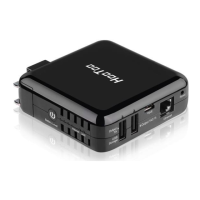
2. Choose the connection type then click the “NEXT” button.
Static IP: If your broadband ISP provides you a static IP, please select
Static IP mode.
Dynamic IP: If your ISP uses DHCP server, please select DHCP and your
ISP will automatically assign these values to you (includes
the DNS server).



 To Next Page