20
recommended to use the default MTU value. In case any of the
following circumstances occurs, you may modify the MTU value.
You have problems connecting to your ISP or other Internet service,
and either your ISP or our technical support suggests changing the
MTU value.
You use a VPN and encounter serious performance problems.
You used a program to optimize MTU performance, and you have
connectivity or performance problems.
If you suspect an MTU problem, try changing the MTU to 1400. If this does
not help, gradually reduce the MTU from the maximum value 1500
until the issue disappears.
The common MTU sizes and applications are listed in the table below.
MTU Application
1500 Typical for connections that do not use PPPoE or a VPN.
1492 Used in PPPoE environments.
1472 Maximum size to use for pinging.
(Larger packets are fragmented)
1468 Used in some DHCP environments.
1436 Used in PPTP environments or with a VPN.
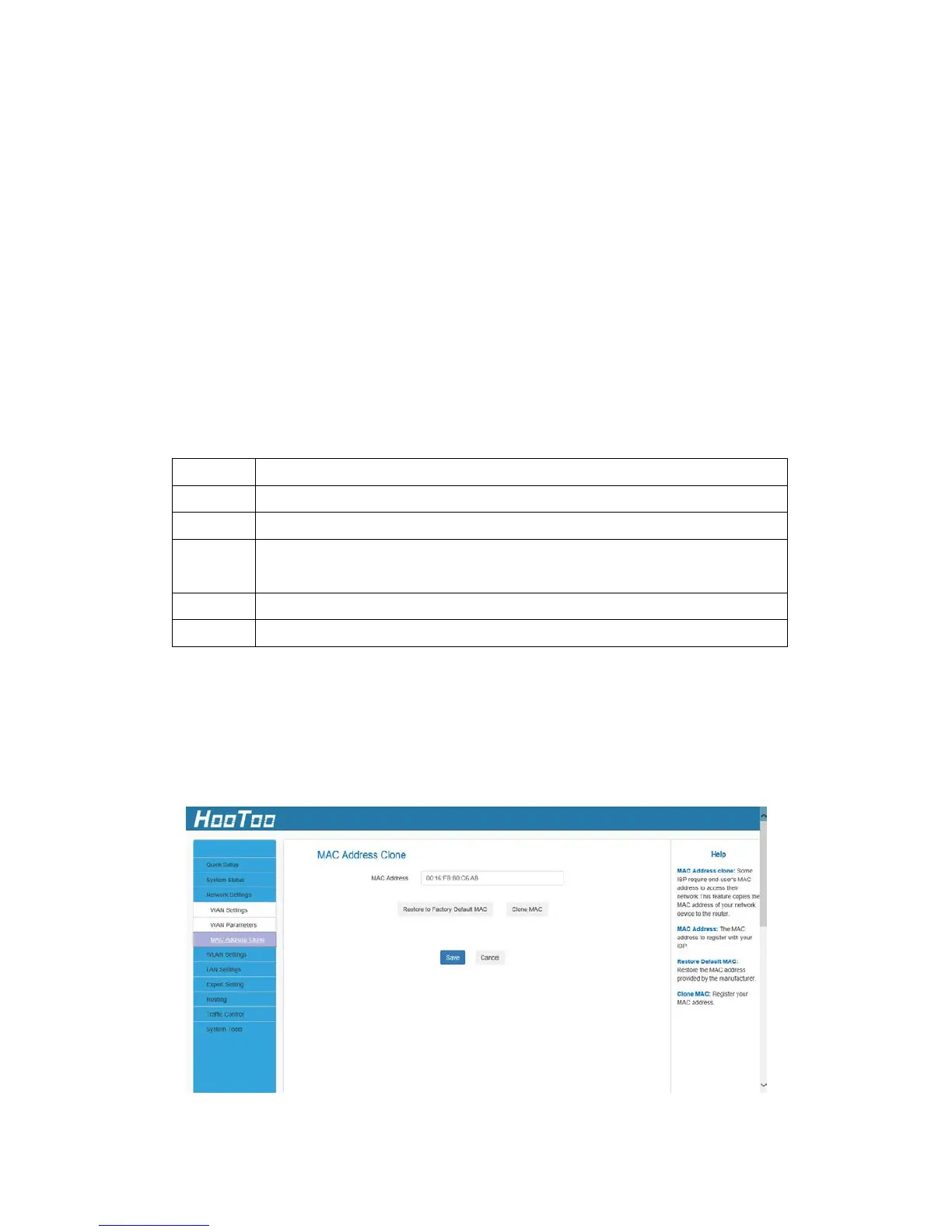
4.3.2. MAC Address Clone
Some ISPs (Internet Service Providers) require the end user's MAC
address to access their network. This feature copies your current PC
MAC address onto the router.



 To Next Page