26
4.5.2. DHCP Server
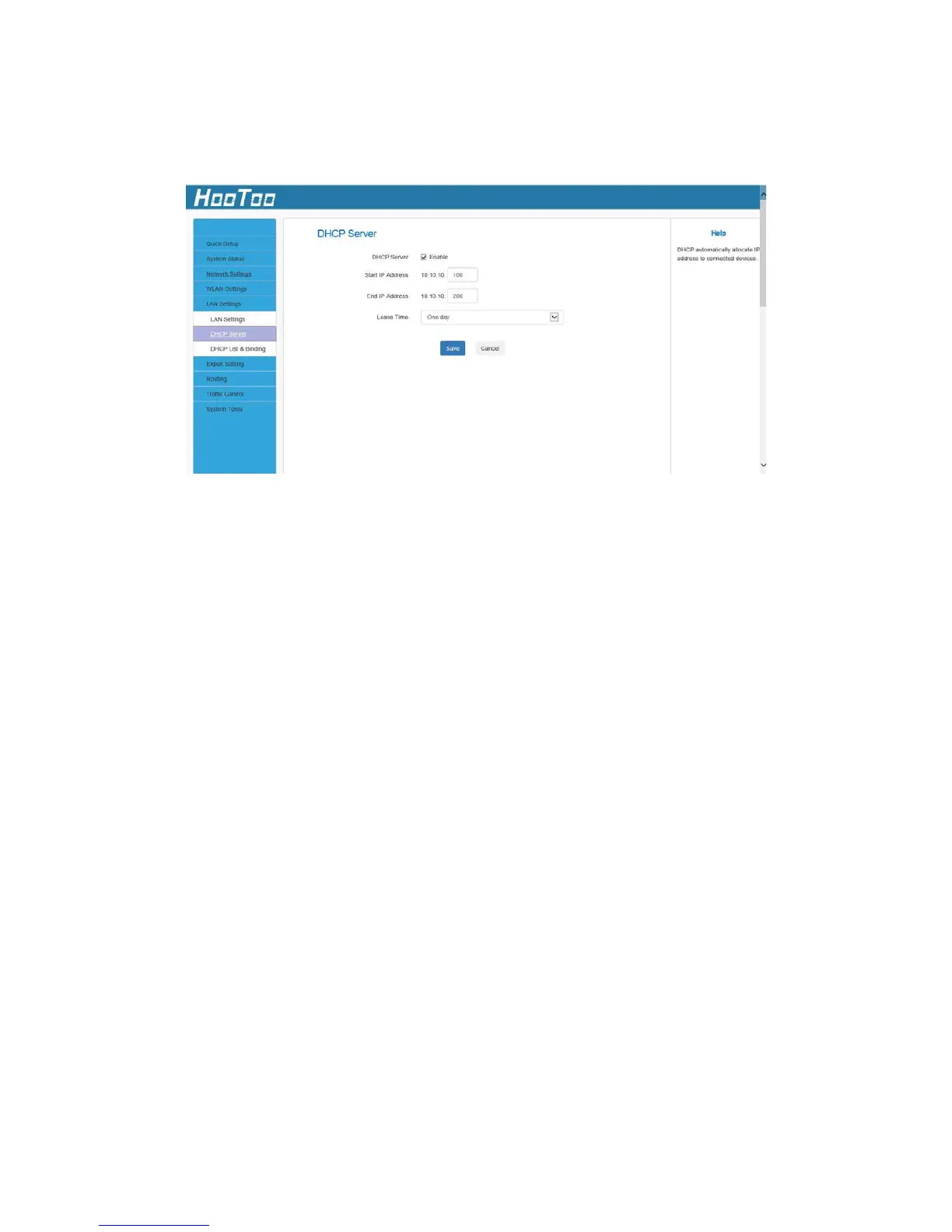
Here you can change the DHCP IP address pool and lease time.
DHCP Server Configuration:
1. DHCP Server: Enable/disable the DHCP server.
2. Start IP/End IP: Specify Start/End IP addresses of the IP address pool.
These addresses should be part of the same IP address subnet as the
router LAN IP address.
3. Lease Time: Time length for the IP address to be assigned to each
device before it is refreshed.
4. Click Save to save your settings.
Note:
1. By default, the router performs as a DHCP server. Do not disable the
DHCP server feature unless you want to manually configure TCP/IP
settings for all PCs on your LAN.
2. Lease time will be renewed automatically upon expiration. No
additional configuration are needed.
3. If you are not an advanced user, the default DHCP server settings
are recommended.



 To Next Page