21
Restore Default MAC
Router WAN MAC factory reset.
Clone MAC
Click this button to copy your PC MAC
address onto the router. You can also
manually enter the MAC address that you
want to use. Note that it is necessary to use a
computer whose MAC address is allowed by
your ISP.
To restore default MAC address:
1. Click Restore Default MAC.
2. Click Save to save your settings.
To copy your PC MAC address onto the router.
1. Click Clone MAC.
2. Click Save to save your settings.
To manually enter the MAC address allowed by your ISP:
1. Enter the MAC address allowed by your ISP.
2. Click Save to save your settings.
4.4. WLAN Settings
4.4.1 Basic Settings
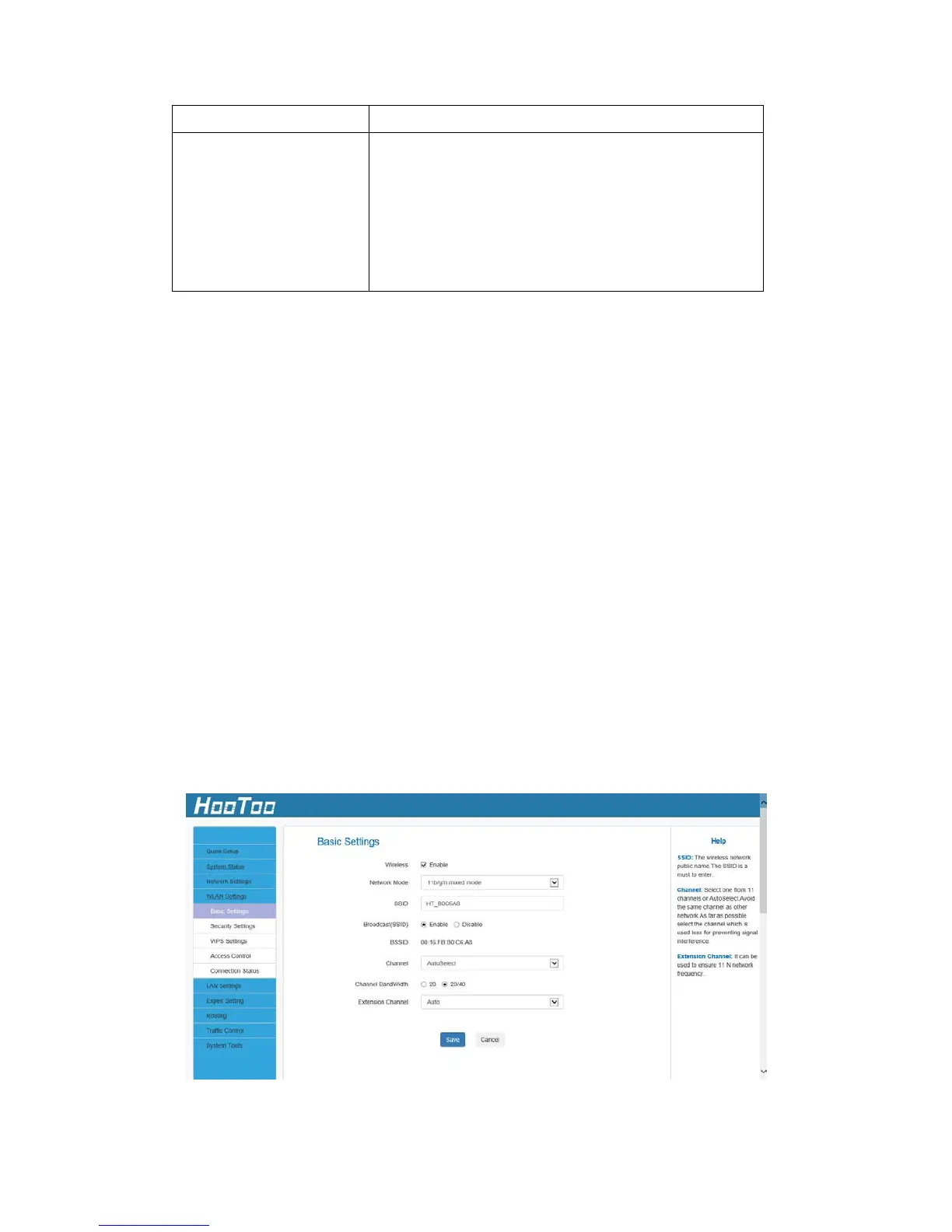
Here you can configure the basic wireless settings of the router.



 To Next Page