5
2.2 PC TCP/IP Settings
Prior to logging into the router, please make sure your computer is set to
"Obtain an IP address automatically" and "Obtain DNS server address
automatically" (from the device).
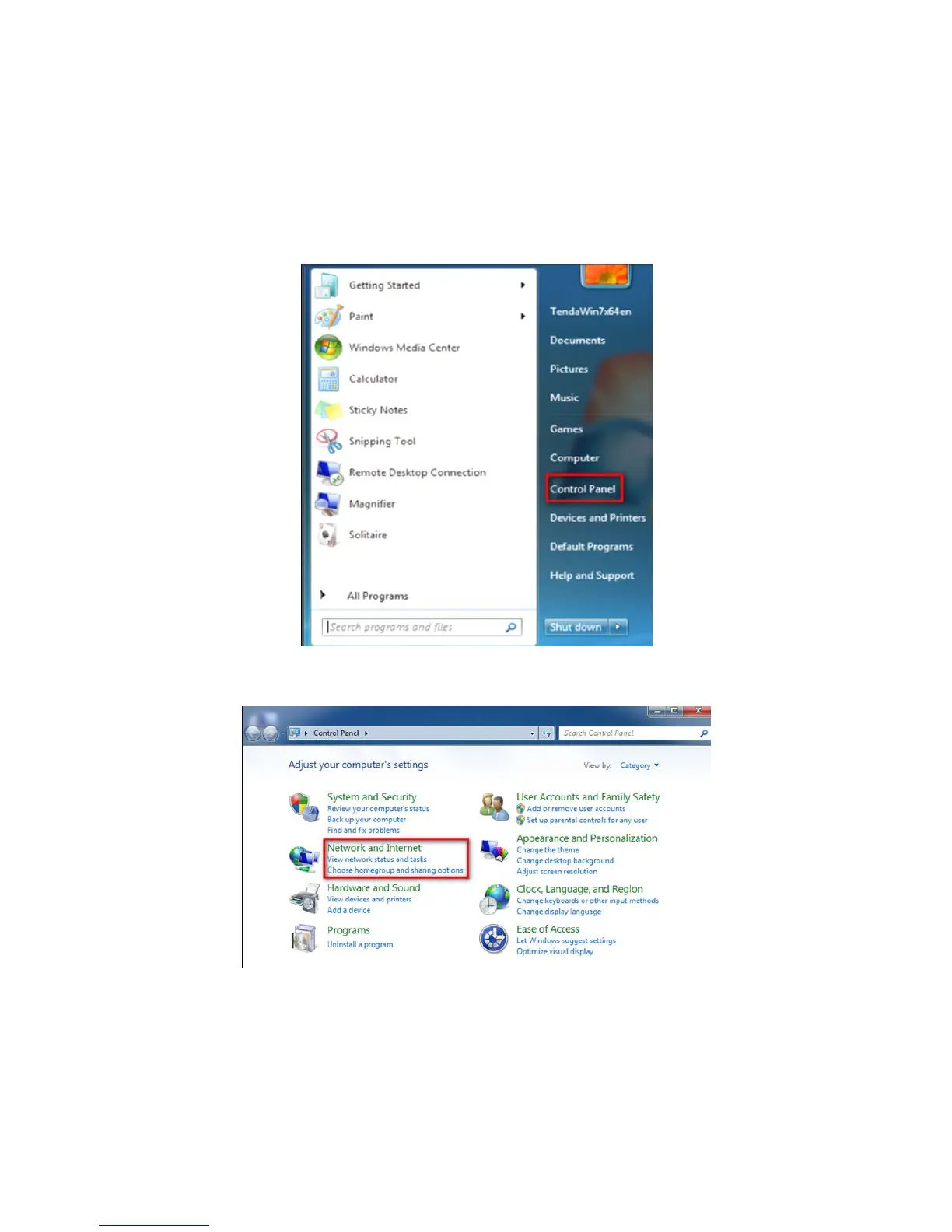
1. Click Start, then select Control Panel.
2. Click Network and Internet.



 To Next Page