12
PPPoE: Inquire with your ISP to make sure you can use PPPoE. Enter your
username and password provided by your ISP.
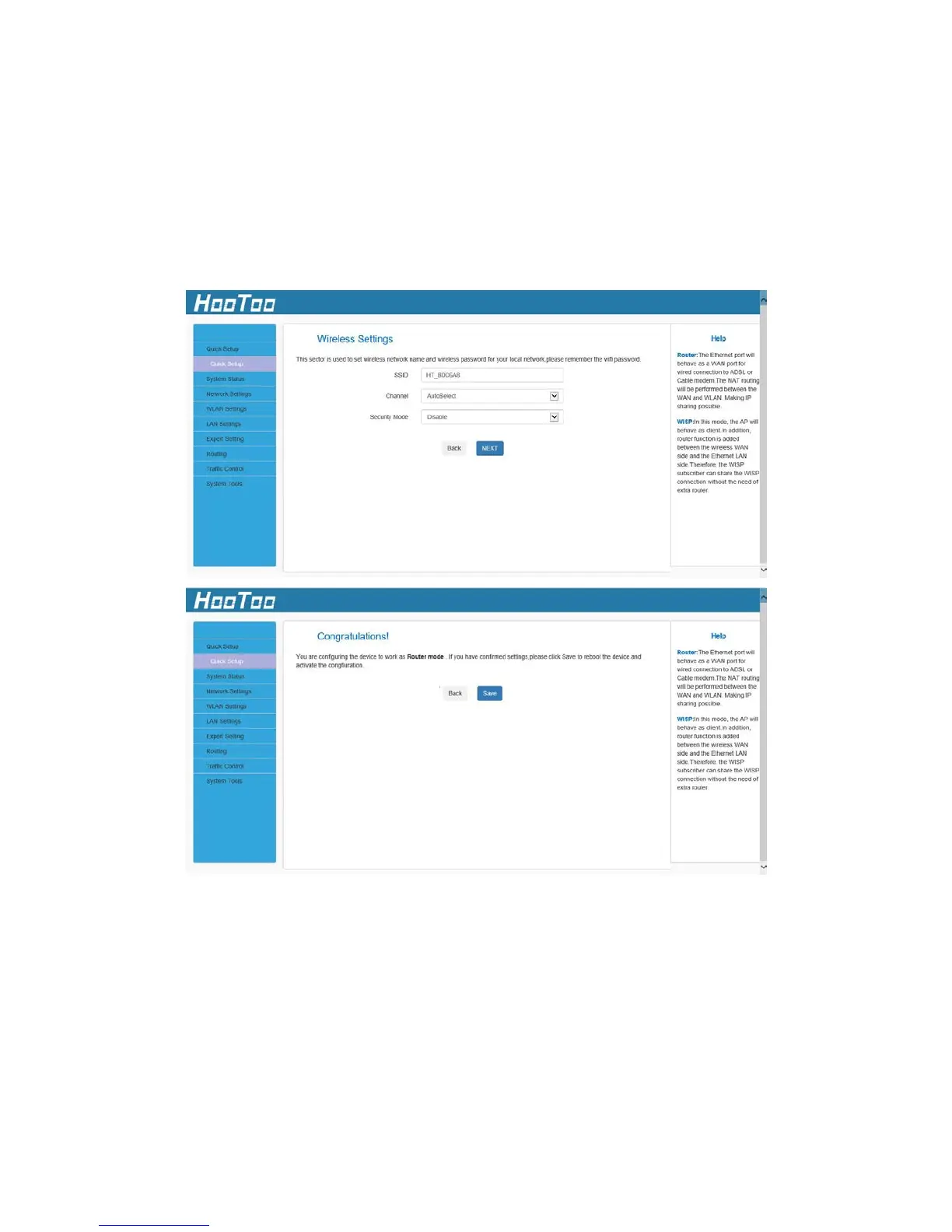
3. In Wireless Settings, set the wireless name and wireless password for
your local network. Then click the “NEXT” button. You have
configured the adapter to work as a router. Click the “Save” button
to confirm the settings.
4.1.2. WISP
In WISP mode, wirelessly connect to an ISP station/hotspot to share
Internet to local wireless and wired networks.
1. If you want to set the adapter in WISP mode, choose WISP, then
click the “NEXT” button.



 To Next Page