33
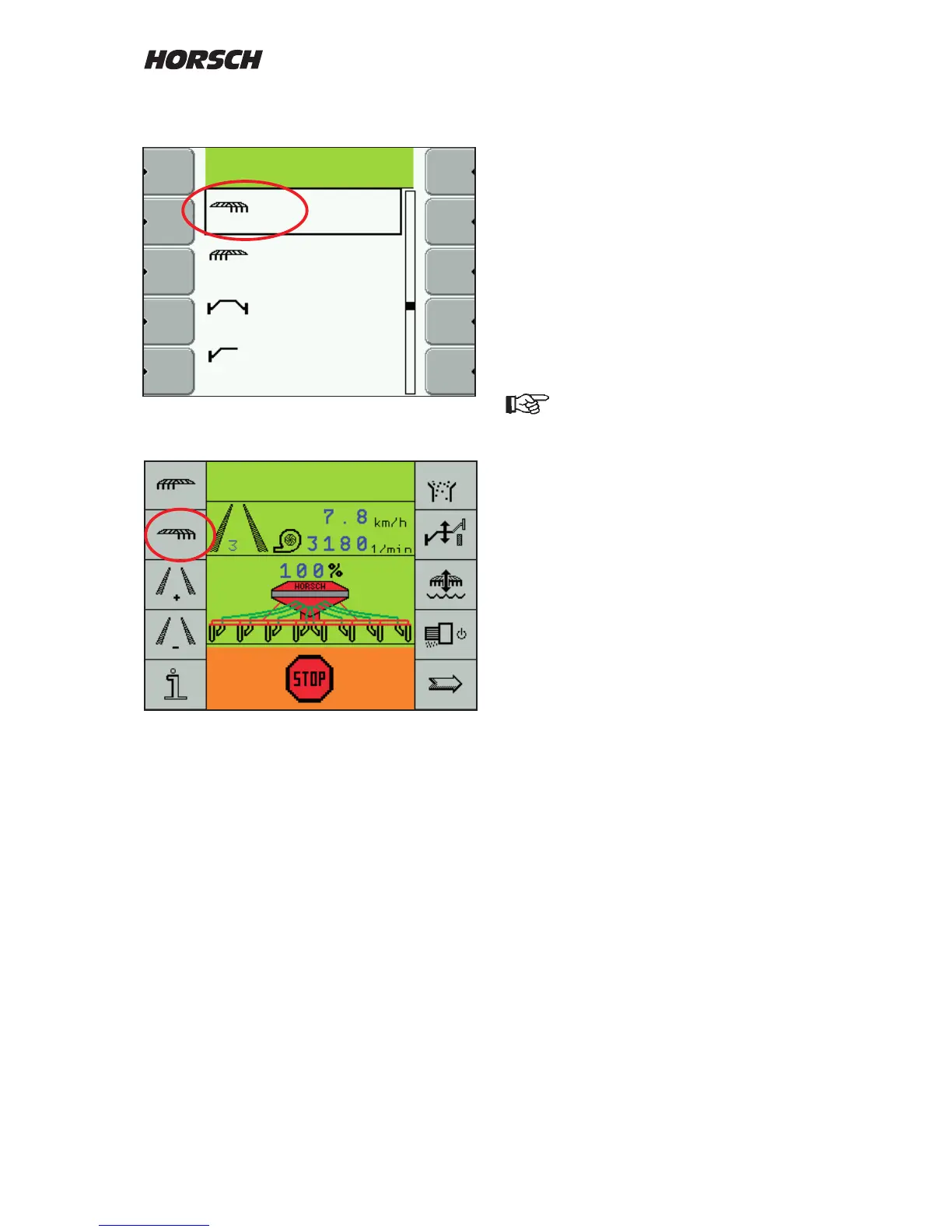
Press the "Enter" key. A list with all possible
functions appears.
After selecting all functions the work screen may
appear e.g. in this conguration.
Half width control
If a half width control is installed you must select
LINAK or WINGS as control, depending on the
system.
Tram line system
In the tram line system one must choose
between "Magnet" and "Motor".
The magnetic valves are switched on by
permanent current.
The motors receive 3 seconds current to close
the valves and are energized for 3 seconds in
opposite direction to open the valves
If the wrong system is selected, the
magnetic valves may destroy diodes or
the motors may be subjected to
permanent current and damaged.
The setting must not be changed!
Seed ow monitoring
If the machine is equipped with a seed ow
monitoring system, you should select "yes" at
this point.
After conrming the input with "Enter" another
line to enter the number of seed ow sensor is
displayed.
Number of sensors
Enter the number of installed seed ow sensors.
If less sensors are entered then there are
installed, the other sensors will not be taken
into account.



 To Next Page