46
39.Stand-by
If enabled in the menu, the stand-by function allows the stove to be automatically turned off and on once the room
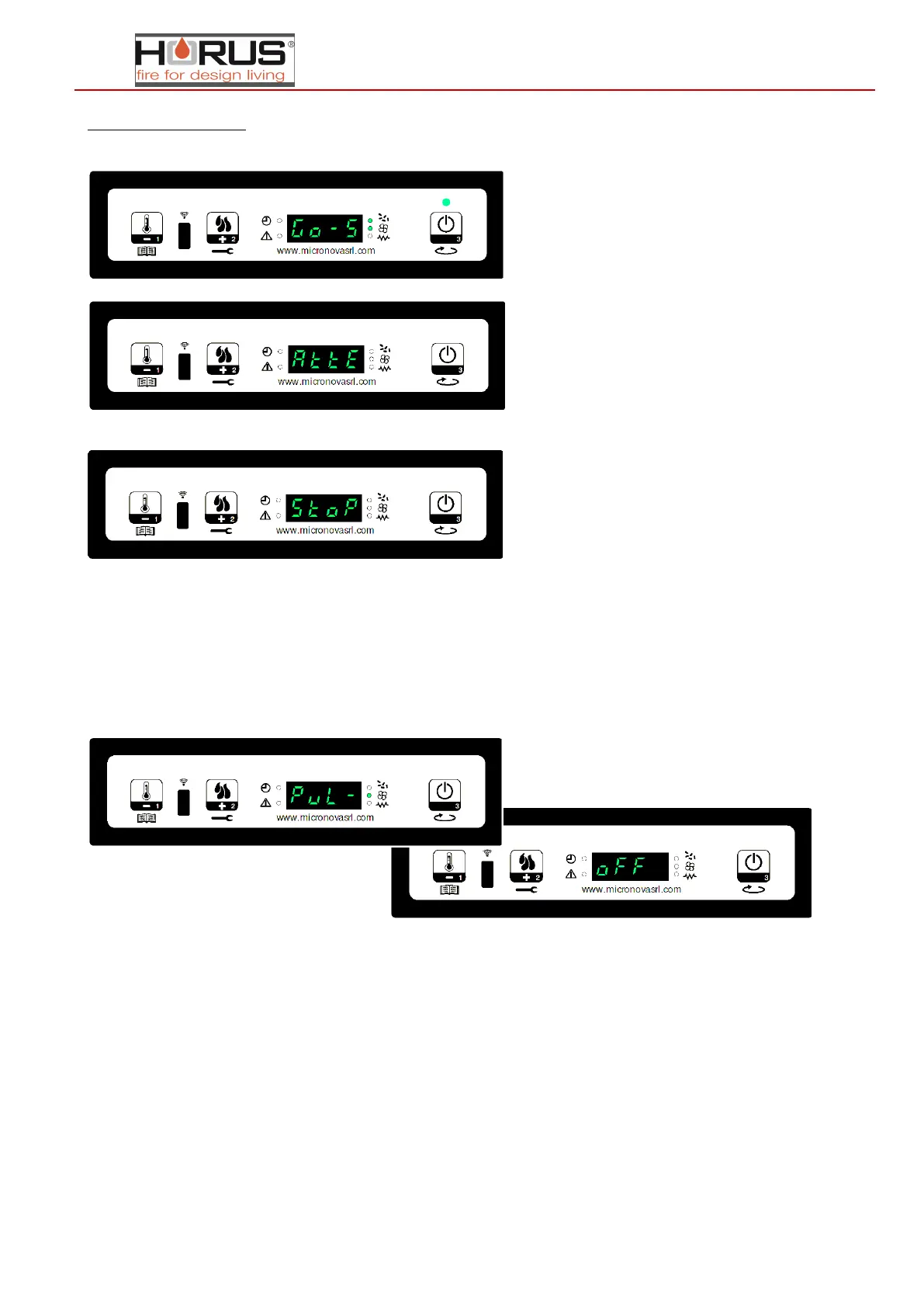
temperature setting has been reached plus a pre-determined amount of time has passed, followed by "Go-standby" appearing
on the screen.
The display shows "Wait cooling" and the stove goes into the shutdown phase.
Once the stove is off in stand-by, the display shows "Stop eco temp good". The screw feeder is off (screw feeder LED off), the
exchanger is off (exchanger LED off) as is the smoke exhaust fan.
When the room temperature drops below the setting, the stove starts the re-ignition procedure.
40.Turning off the stove
To turn off the stove, just hold down the P3 button. The display will show "Final-clean". The screw feeder motor stops (screw
feeder LED off) and the ON/OFF LED flashes.
Once cooling is complete, the
stove switches to OFF
-


 To Next Page