32
SWEEP
IN
GAIN
Model
8754A'
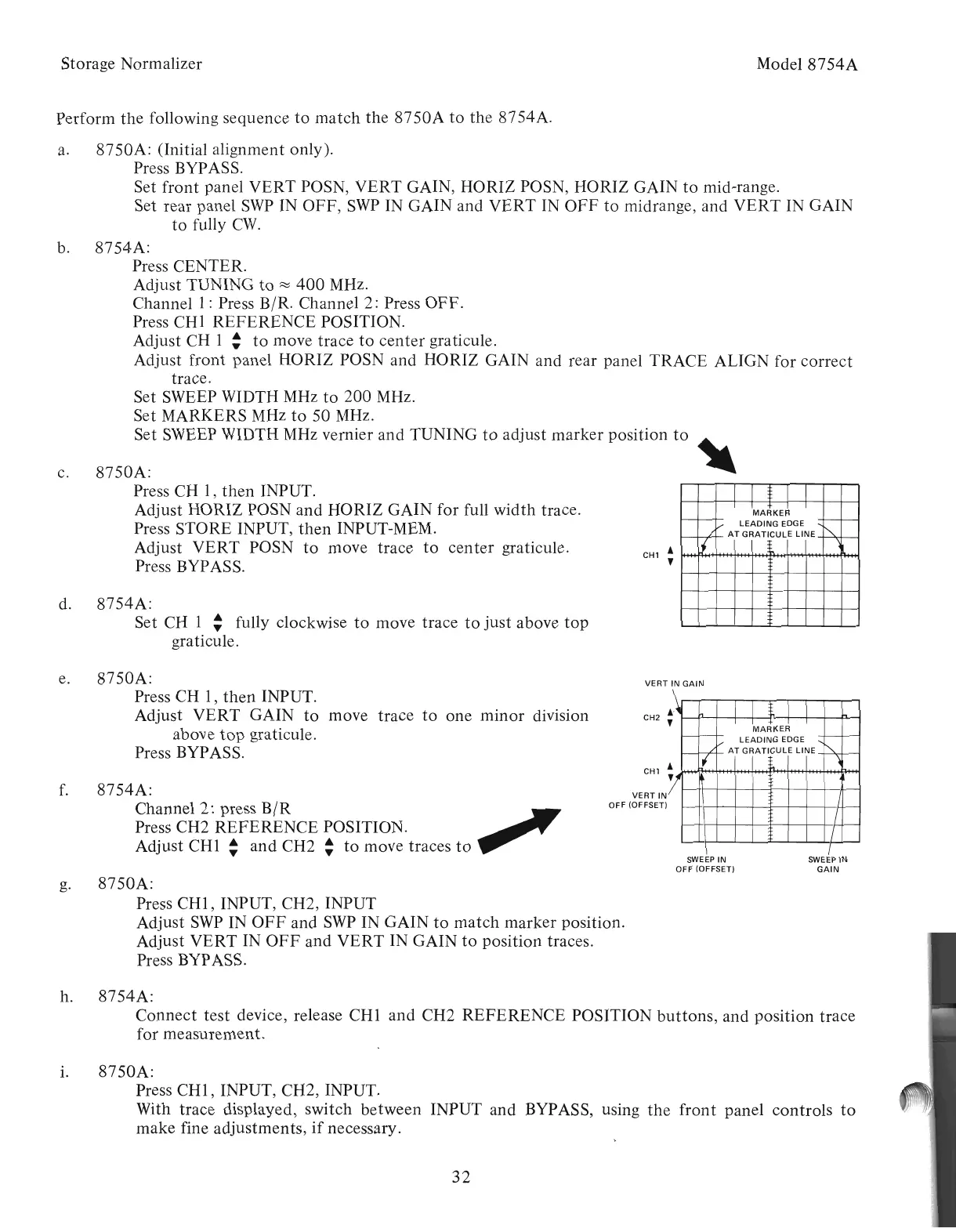
MARKER
LEADING
EDGE
AT
GRATICULE
LINE
SWEEP
IN
OFF (OFFSET)
VERT
IN
GAIN
VERTIN
OFF (OFFSET)
8754A:
Channel 2: press
B/R
fill""
Press CH2
REFERENCE
POSITION.
Adjust
CHI:
and
CH2 :
to
move traces
to
8754A:
Set CH I : fully clockwise
to
move trace
to
just
above
top
graticule.
8750A:
(Initial alignment only).
Press BYPASS.
Set
front
panel
VERT
POSN,
VERT
GAIN, HORIZ POSN, HORIZ GAIN
to
mid-range.
Set rear panel
SWP
IN
OFF,
SWP
IN GAIN and
VERT
IN
OFF
to
midrange, and
VERT
IN GAIN
to
fully
C\V.
8754A:
Press CENTER.
Adjust TUNING
to
~
400
MHz.
Channel
I:
Press B/R. Channel 2: Press
OFF.
Press CHI
REFERENCE
POSITION.
Adjust CH I :
to
move trace
to
center
graticule.
Adjust
front
panel HORIZ POSN and HORIZ GAIN and rear panel TRACE ALIGN for
correct
trace.
Set SWEEP WIDTH MHz
to
200
MHz.
Set MARKERS
~1Hz
to
50 MHz.
Set SWEEP WIDTH MHz vernier
and
TUNING
to
adjust
marker
position
to
~
8750A:
~
Press CH
I,
then
INPUT.
Adjust HORIZ POSN
and
HORIZ GAIN for full
width
trace.
Press STORE INPUT,
then
INPUT-MEM.
Adjust
VERT
POSN
to
move trace
to
center
graticule.
Press BYPASS.
Storage Normalizer
f.
h.
8754A:
Connect
test
device, release CHI
and
CH2
REFERENCE
POSITION
buttons,
and position trace
for measurement.
i.
8750A:
Press
CHI,
INPUT, CH2, INPUT.
With trace displayed, switch
between
INPUT and BYPASS, using
the
front
panel
controls
to
make fine adjustments,
if
necessary.
g.
8750A:
Press
CHI,
INPUT, CH2, INPUT
Adjust
SWP
IN
OFF
and
SWP
IN GAIN
to
match
marker
position.
Adjust
VERT
IN
OFF
and
VERT
IN GAIN
to
position traces.
Press BYPASS.
e.
8750A:
Press CH
I,
then
INPUT.
Adjust
VERT
GAIN
to
move trace
to
one
minor
division
above
top
graticule.
Press BYPASS.
d.
c.
a.
b.
Perform
the
following sequence
to
match
the
8750A
to
the
8754A.
Artisan Technology Group - Quality Instrumentation ... Guaranteed | (888) 88-SOURCE | www.artisantg.com



 To Next Page