Meet
the
HP
8904A
1-21
Main
versus
Preset
Save Registers
are Retained
Special Functions
are Turned
Off
The HP
8904A
always provides you with at least
two
methods for
returning its operation to the Main Selection Level. It
is
important
that you are aware
of
the effects that each
of
these methods has on
the status
of
the
HP
8904A’s
settings.
1.
Press the blue
SHIFT
key
and
then the
PRESET
key.
Both the
MAIN
key and the
PRESET
key return you to the Main Selection Level.
The
PRESET
key however, resets the HP
8904A’s
functions to their
pre-defined power-up condition, including the Special Function
settings and Floating ground.
2.
Press the blue
SHIFT
key, the
RECALL
key, the
1
key
and
then
press the
ENTER
key.
Note that the HP
8904A’s
Save Register
settings are retained whether you use the
MAIN
key or the
PRESET
key (or even if the instrument is powered down).
3.
Switch the
HP
8904A’s
power
OFF
for
a
few seconds and then
back
ON.
Since Special Function
0
was turned
off
when you
pressed the
PRESET
key, the HP
8904A
now powers-up to the
Main
Selection Level rather than the state it was in.
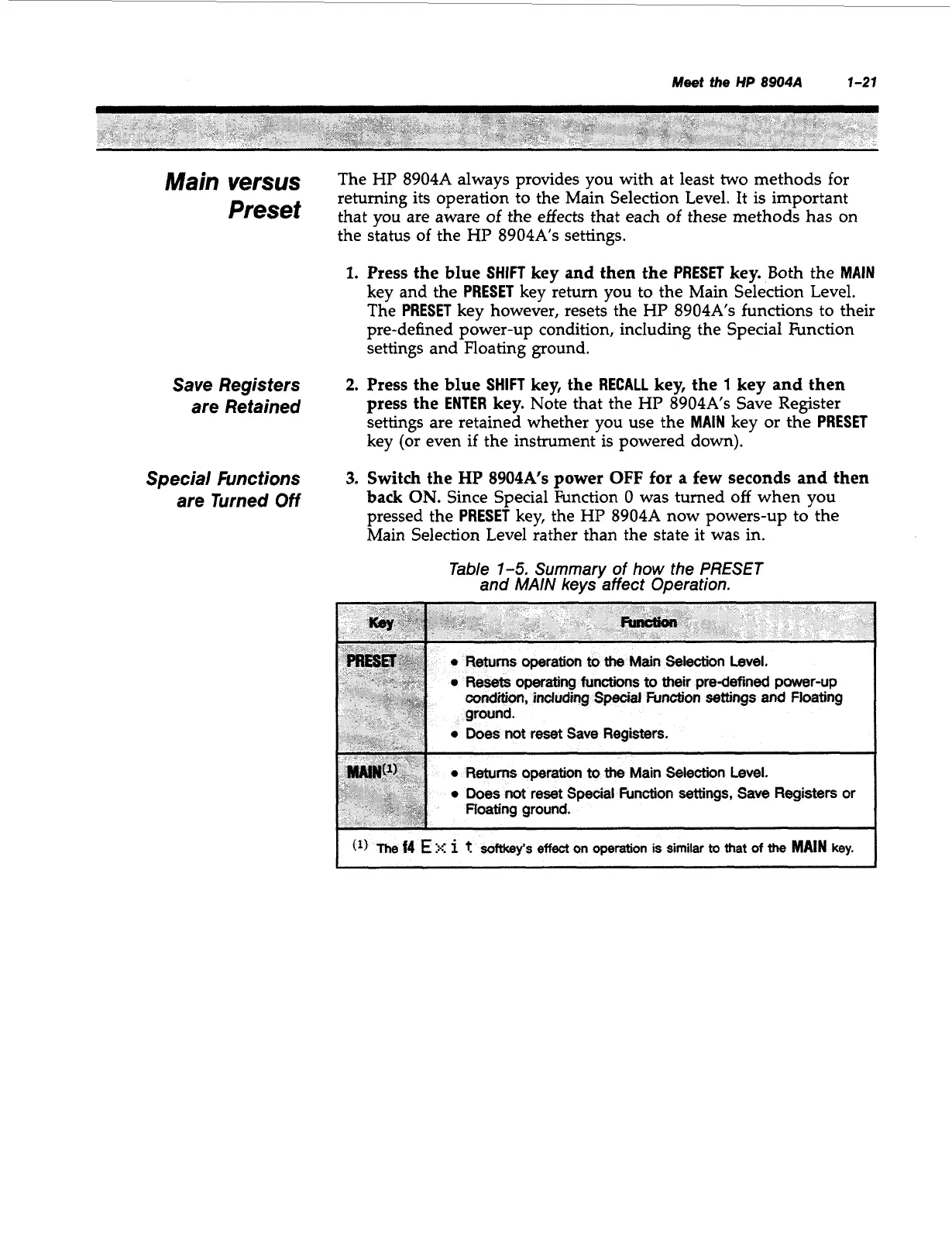
Table
1-5.
Summary
of
how the
PRESET
and
MAIN
keys affect Operation.
uding
Special
hrnction
settings
and
Floating
08s
not
reset
Save
Registers.
Artisan Technology Group - Quality Instrumentation ... Guaranteed | (888) 88-SOURCE | www.artisantg.com



 To Next Page