Modul8te
or
Sum
the
Sign8is
2-9
13.
Press the
'L
key.
14.
Press the
NEXT
key, the blue
SHIFT
key, the
DESTN
key
and
the
AM
key.
15.
Press the
AMPTD
key
and
enter
90%.
16.
Press the
LAST
key.
Notice that Channel
As
amplitude setting
has now been changed from the
2.5V
you originally set to the
3V
(DSB)
setting.
Remember
When the
DSB
modulation mode is selected, the amplitude
of
the
carrier (Channel
A)
is
determined
by
the
DSB
amplitude setting.
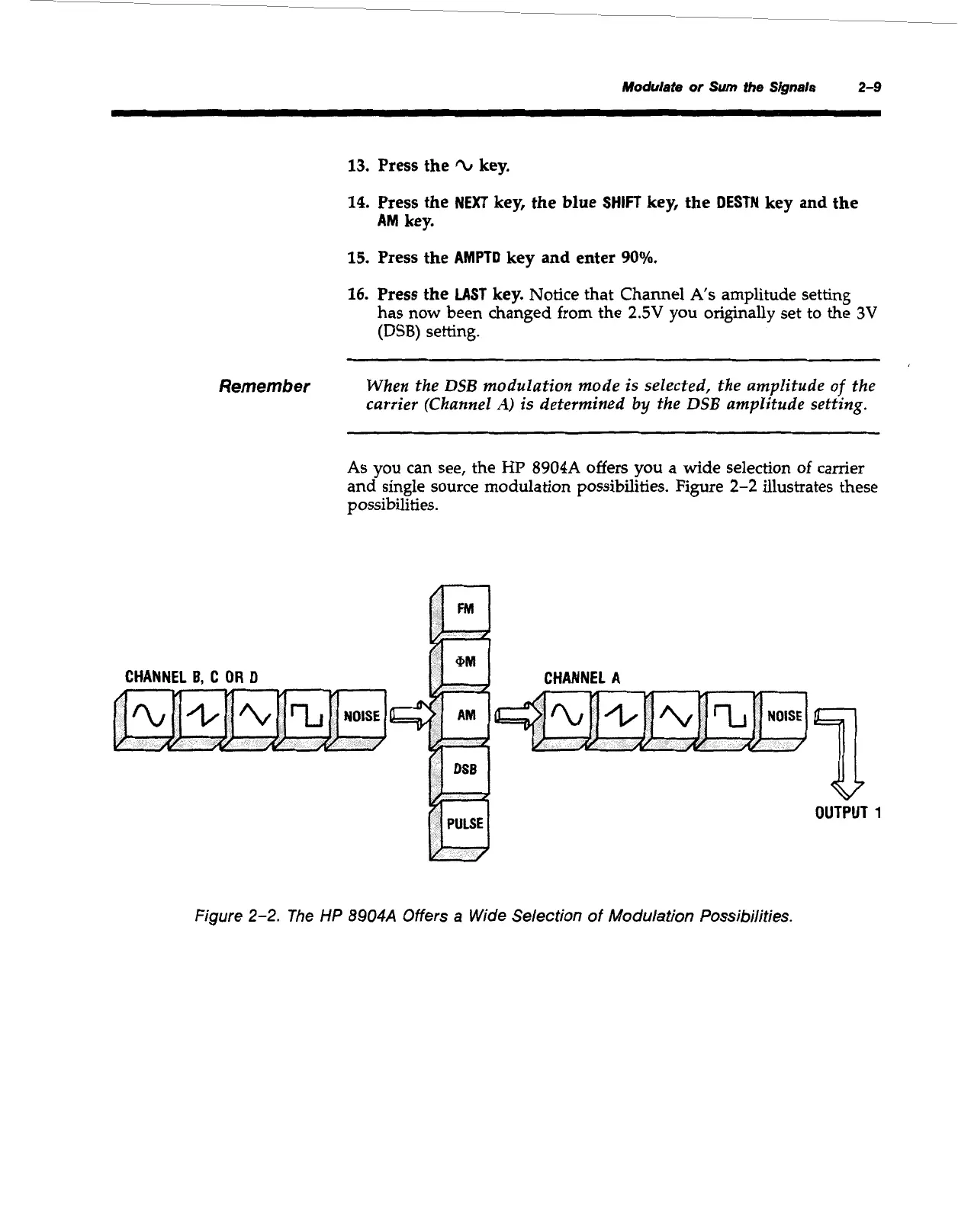
As
you
can see, the
HP
8904A
offers you a wide selection
of
camer
and single source modulation possibilities. Figure
2-2
illustrates these
possibilities.
1
OUTPUT
1
Figure
2-2.
The
HP
8904A
Offers
a
Wide Selection of Modulation Possibilities.
Artisan Technology Group - Quality Instrumentation ... Guaranteed | (888) 88-SOURCE | www.artisantg.com



 To Next Page