2-18
Modulate
or
Sum
the Signals
Sum
Channel
D
5.
Press the
NEXT
key to access the Channel
D
Configuration
with
A
and
C
display.
6.
Press the blue
SHIFT
key, the
DESTN
key and the
1
key.
7.
Press the
AMPTD
key and enter
300
mV.
8.
Press the
FREQ
key and enter
10
kHz.
(Adjust the oscilloscope
if
necessary to get a stable display.)
I
I
I
I
I
I
I
I
I
I
I
I
I
I
1
I
I
I
I
I
f
I I
I
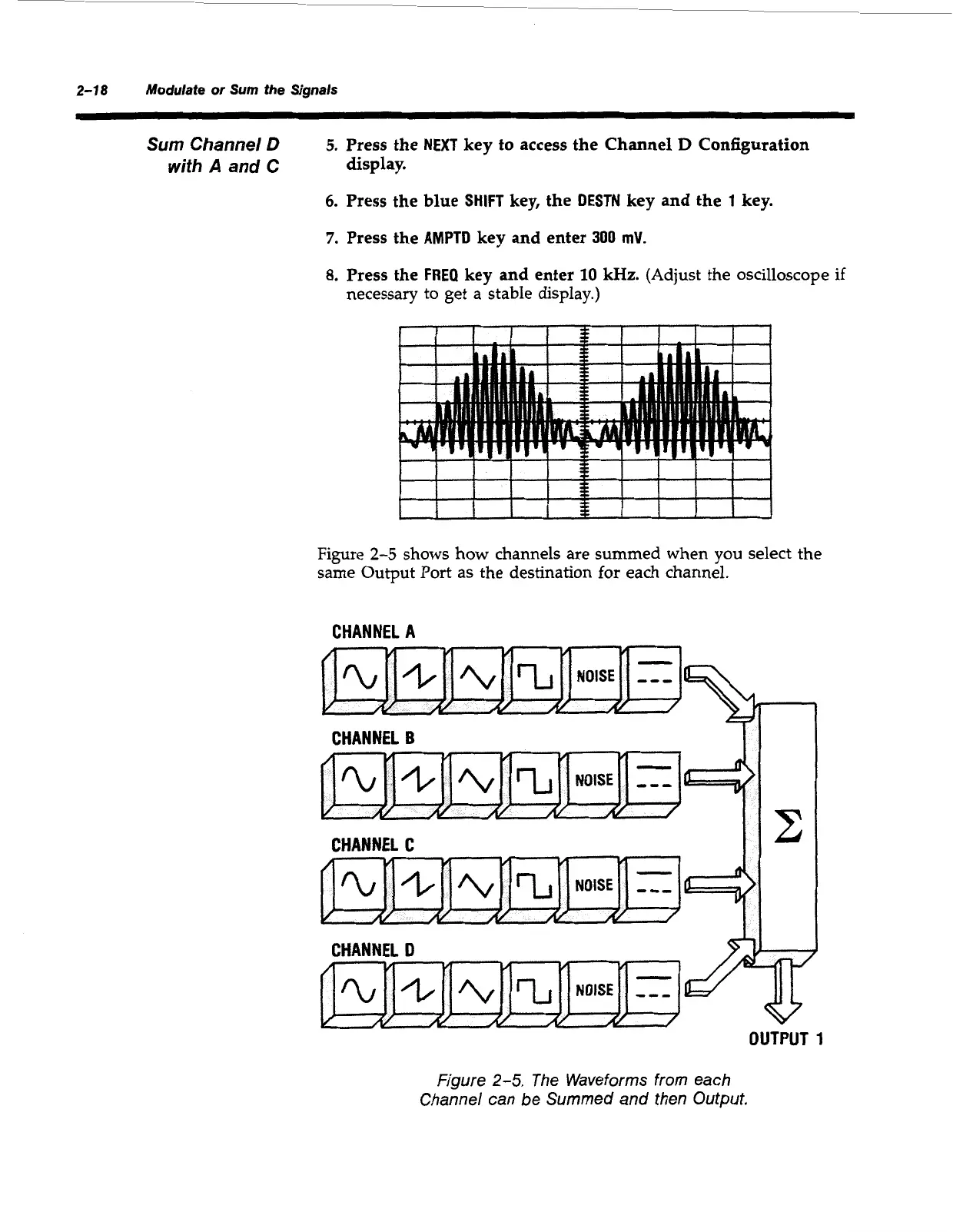
Figure
2-5
shows how channels are summed when you select the
same Output Port
as
the destination for each channel.
CHANNEL
A
CHANNEL
B
II
CHANNEL
C
II*
r
/v
CHANNEL
D
OUTPUT
1
Figure
2-5.
The Waveforms from each
Channel can be Summed and then Output.
Artisan Technology Group - Quality Instrumentation ... Guaranteed | (888) 88-SOURCE | www.artisantg.com



 To Next Page