5-8
Hop the Output
Signal
How
to
Fast
Hop
Channel
A
The
HP
8904A
allows you to fast hop between the parameters you
have entered (at switching speeds
of
up to
8
,us)
using the rear-panel
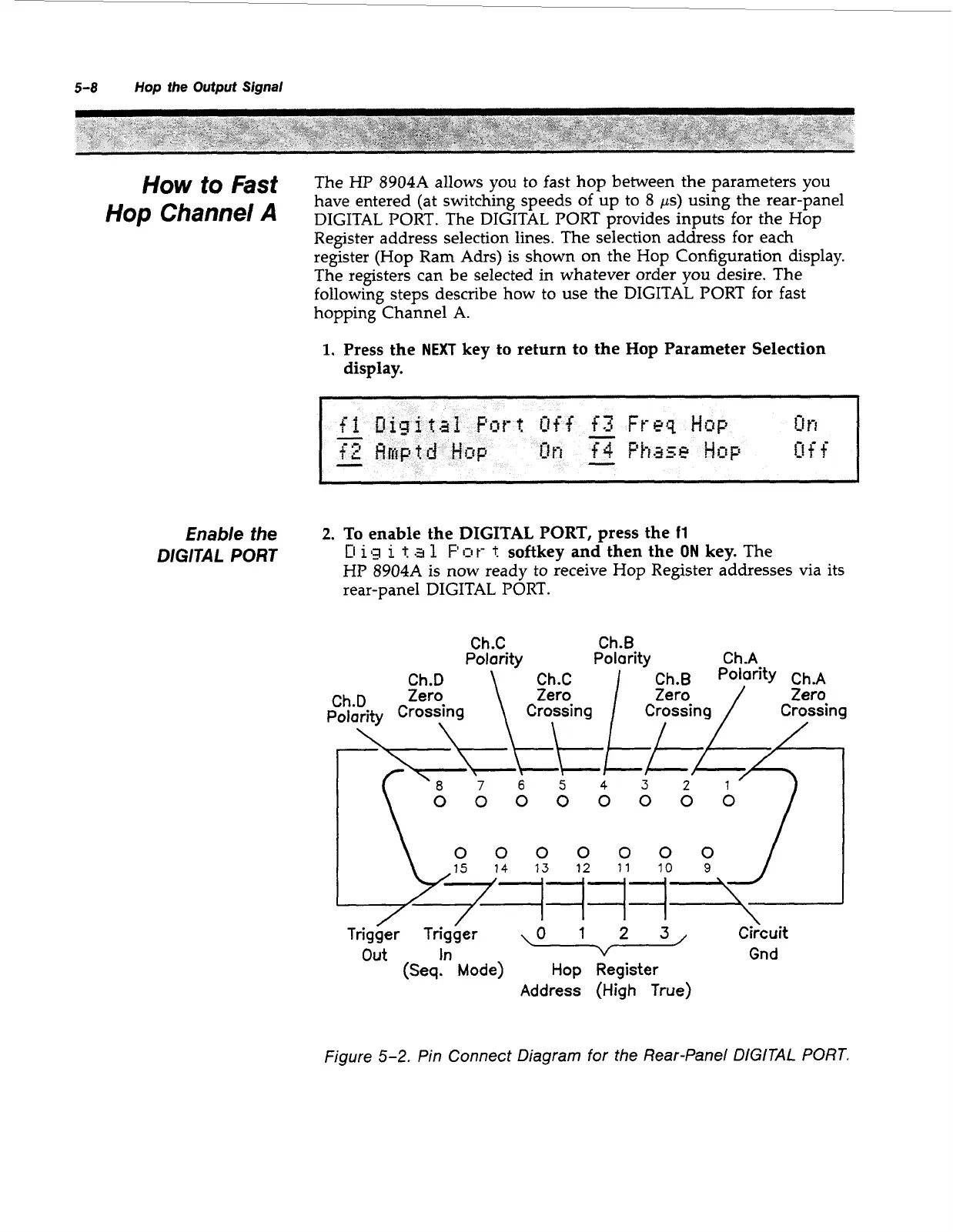
DIGITAL PORT. The DIGITAL PORT provides inputs for the Hop
Register address selection lines. The selection address for each
register (Hop Ram Adrs) is shown on the Hop Configuration display.
The registers can be selected in whatever order you desire. The
following steps describe how to use the DIGITAL PORT for fast
hopping Channel A.
1.
Press the
NEXT
key to return to the Hop Parameter Selection
display.
Enable
the
DIGITAL
PORT
2.
To enable the
DIGITAL
PORT, press the
11
D
i
13
i
t
a
1
F'
Q
t-
t
softkey and then the
ON
key.
The
HP
8904A
is now ready to receive Hop Register addresses via its
rear-panel DIGITAL PORT.
Ch.C Ch.B
Polarity Polarity
Ch.A
Trigger
Trigger
\o
1
2
3,
out
In
v
Gnd
(Seq.
Mode)
Hop
Register
Address
(High
True)
Figure
5-2.
Pin Connect Diagram for the Rear-Panel DiGiTAL
PORT.
Artisan Technology Group - Quality Instrumentation ... Guaranteed | (888) 88-SOURCE | www.artisantg.com



 To Next Page