Model
8904A
Performance Tests
on
QOOO
HP
8904A
1
Q
MULTIFUNCTION
SYNTHESIZER
OUTPUTS
1
HIGH
DIGITAL
MULTIMETER
INPUT
OSCILLOSCOPE
~
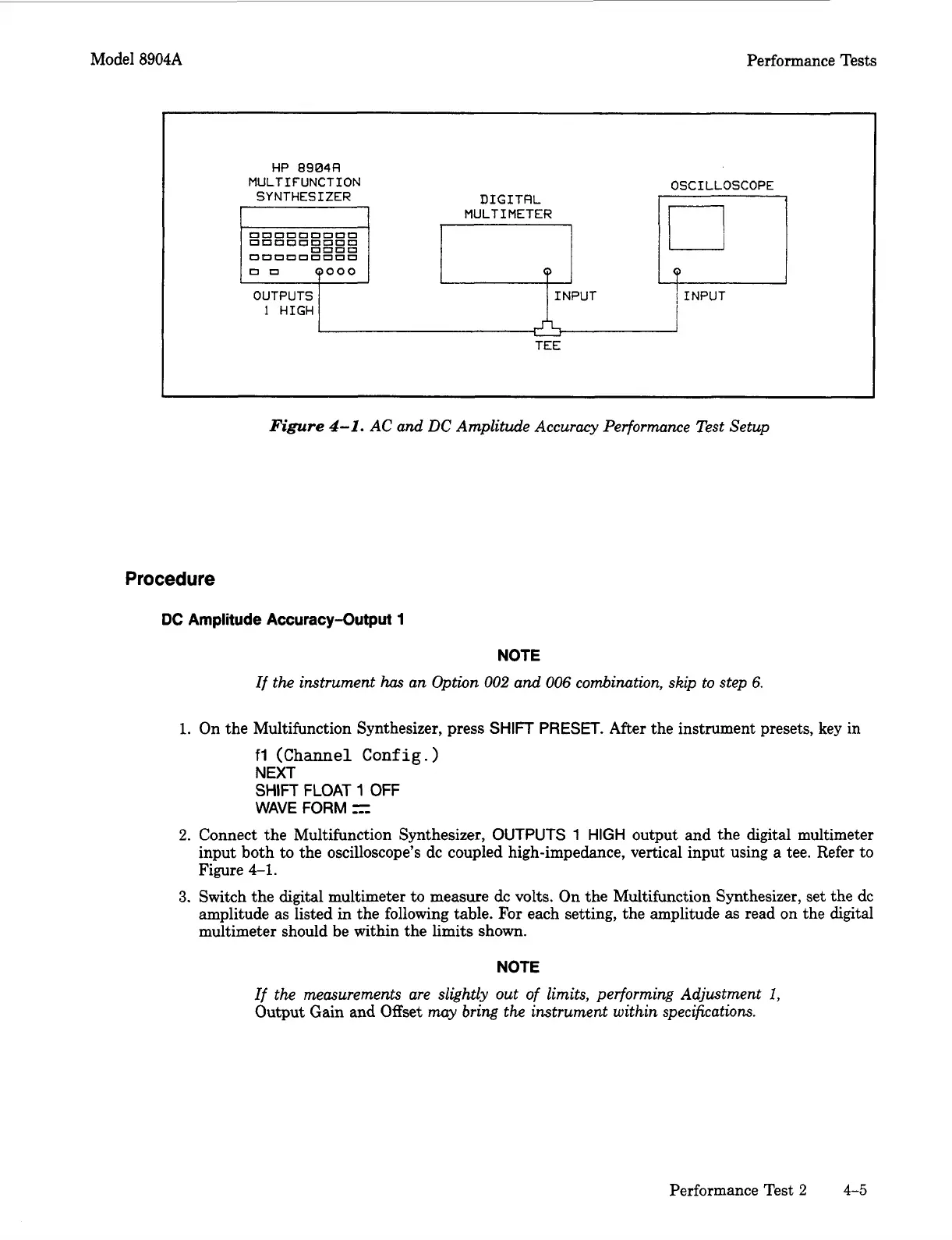
Figure
4-1.
AC and DC Amplitude Accuracy Performance Test Setup
Procedure
DC
Amplitude Accuracy-Output
1
NOTE
If the instrument
has
an Option
002
and
006
combination, skip to step
6.
1.
On the Multifunction Synthesizer, press
SHIFT
PRESET.
After the instrument presets, key in
fl
(Channel
Config.
)
NEXT
SHIFT
FLOAT
1
OFF
WAVE
FORM
z-
2.
Connect the Multifunction Synthesizer,
OUTPUTS
1
HIGH
output and the digital multimeter
input both to the oscilloscope’s dc coupled high-impedance, vertical input using a tee. Refer to
Figure
4-1.
3.
Switch the digital multimeter to measure
dc
volts. On the Multifunction Synthesizer, set the dc
amplitude as listed in the following table. For each setting, the amplitude as read on the digital
multimeter should be within the limits shown.
NOTE
If the measurements are
slightly
out of limits, performing Adjustment
I,
Output Gain and Offset
may
bring
the instrument within specifications.
Performance Test
2
4-5
Artisan Technology Group - Quality Instrumentation ... Guaranteed | (888) 88-SOURCE | www.artisantg.com



 To Next Page