Model
8904A
Performance Tests
HP
estm
-
MULTIFUNCTION
SYNTHESIZER
I
nonnnnnnn
nnooooonn
nnon
I
I
onnnnnnnn
nn
yo00
OUTPUTS
1
HIGH
THERMAL
CONVERTER
n
DIG ITRL
n
I
DC
OUTPUT
INPUT
I
I
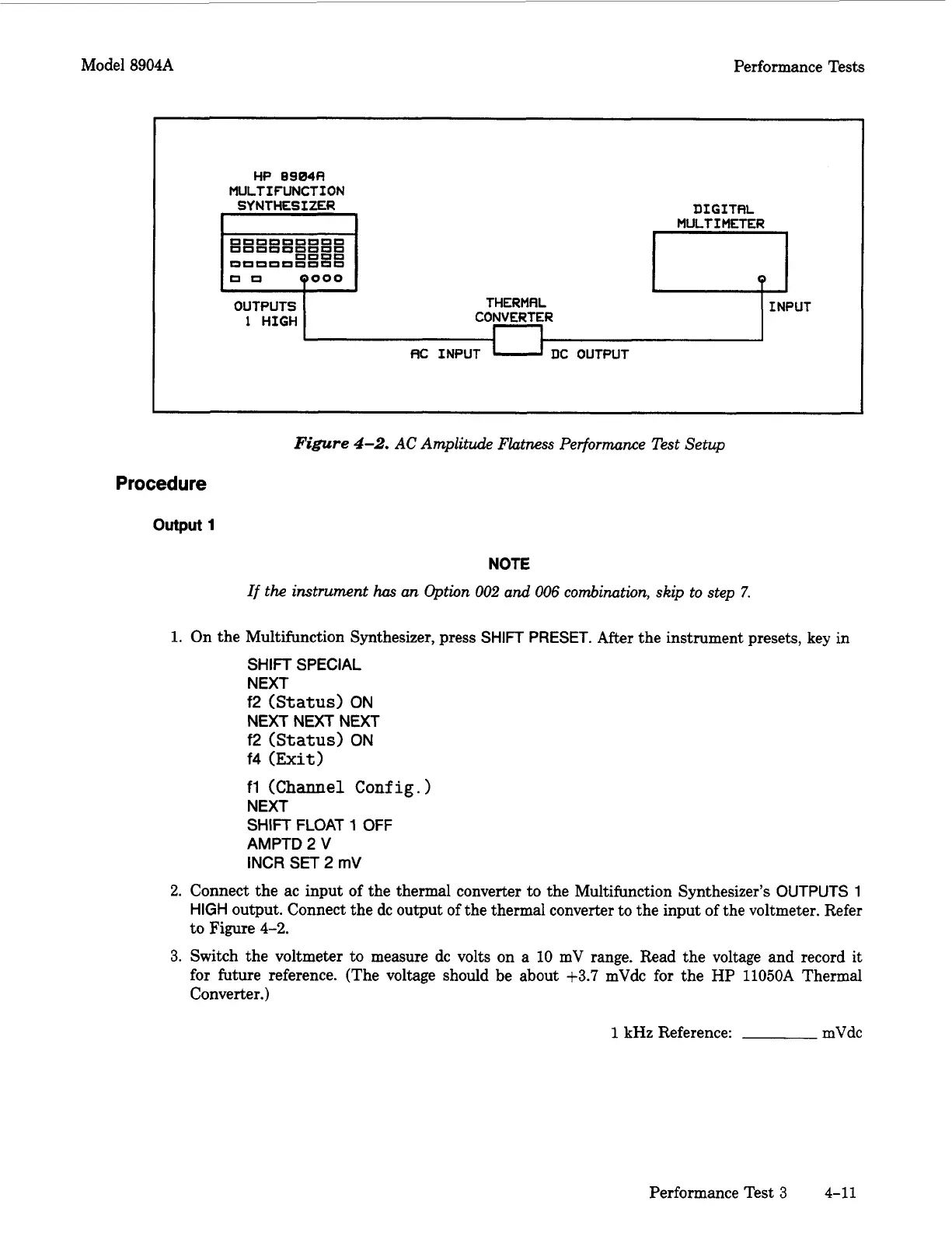
Figure
4-2.
AC
Amplitude Flatness Performance Test Setup
Procedure
output
1
NOTE
If
the instrument
has
an Option
002
and
006
combination, skip to step
7.
1.
On the Multifunction Synthesizer, press
SHIFT
PRESET.
After
the instrument presets, key in
SHIFT
SPECIAL
NEXT
f2
(Status)
ON
NEXTNEXTNEXT
f2
(Status)
ON
f4
(Exit)
fl
(Channel
Config.
)
NEXT
SHIFT
FLOAT
1
OFF
AMPTD
2
V
INCR
SET
2
mV
2.
Connect the ac input of the thermal converter to the Multifunction Synthesizer’s
OUTPUTS
1
HIGH
output. Connect the dc output of the thermal converter to the input of the voltmeter. Refer
to Figure
4-2.
3.
Switch the voltmeter to measure dc volts on a
10
mV range. Read the voltage and record it
for future reference. (The voltage should be about
+3.7
mVdc for the
HP
11050A
Thermal
Converter.)
1
kHz Reference: mVdc
Performance Test
3
4-11
Artisan Technology Group - Quality Instrumentation ... Guaranteed | (888) 88-SOURCE | www.artisantg.com



 To Next Page