Model
8904A
Performance Tests
output
2
7.
On the Multifunction Synthesizer, press
SHIFT
PRESET.
After the instrument presets, key in
SHIFT
SPECIAL
NEXT
f2
(Status)
ON
NEXT NEXT NEXT
f2
(Status)
ON
f4
(Exit)
fl
(Channel
Config.)
NEXT NEXT
SHIFT
FLOAT
2
OFF
AMPTD
2
V
INCR SET
2
mV
8.
Connect the ac input of the thermal converter to the Multifunction Synthesizer’s
OUTPUTS 2
HIGH
output. Connect the dc output of the thermal converter to the input of the voltmeter. Refer
to Figure
4-2.
9.
Read the voltage and record it for future reference (as
was
done in step
3.)
1
kHz Reference: mVdc
10.
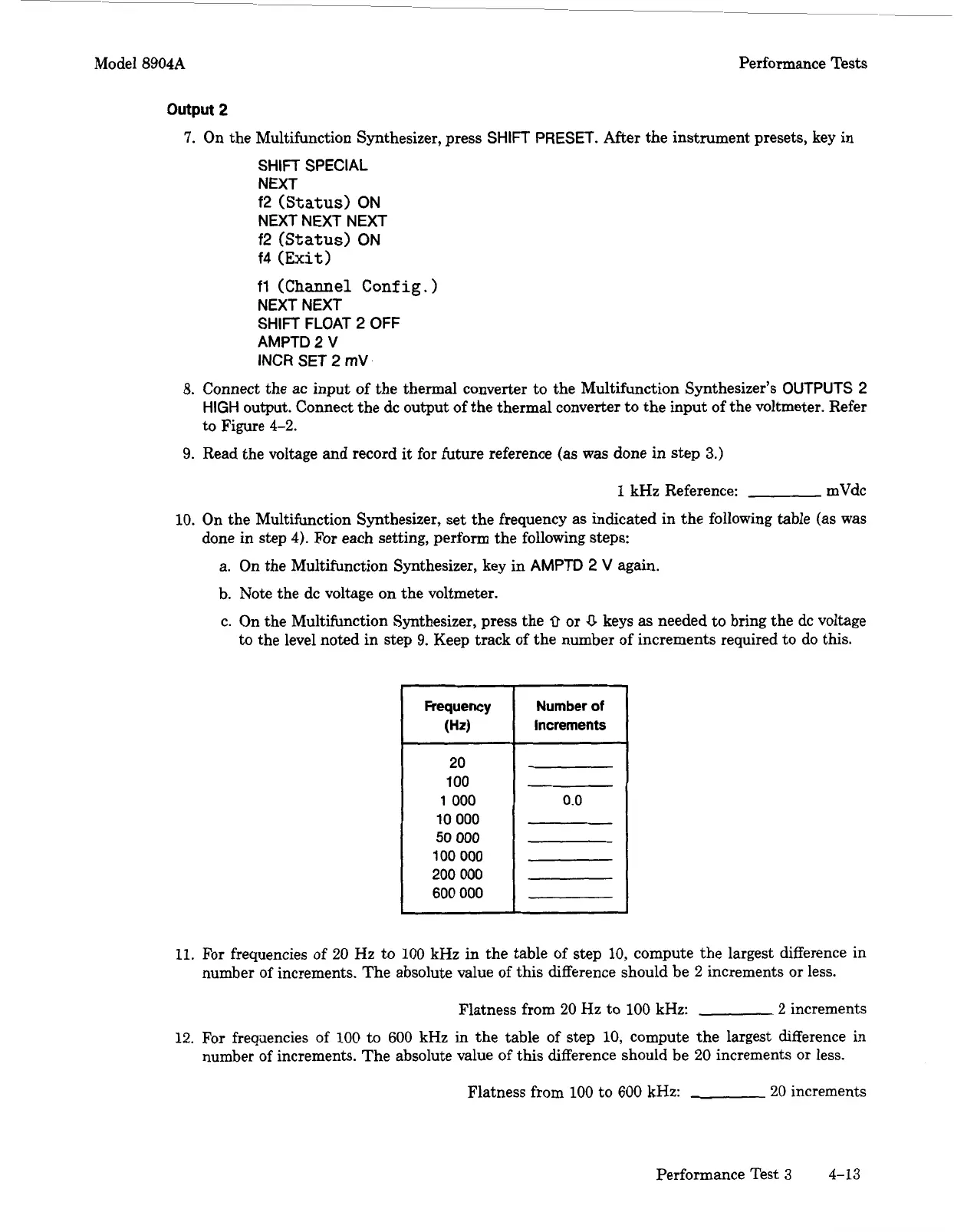
On the Multifunction Synthesizer, set the frequency as indicated in the following table
(as
was
done in step
4).
For
each setting, perform the following steps:
a. On the Multifunction Synthesizer, key in
AMPTD
2
V
again.
b. Note the dc voltage on the voltmeter.
c. On the Multifunction Synthesizer, press the
0
or
0
keys
as
needed to bring the dc voltage
to the level noted in step
9.
Keep track of the number of increments required to do this.
Frequency Number
of
increments
20
100
1
000
10
000
50
000
100
000
200
000
600
000
0.0
11.
For
frequencies of
20
Hz to
100
kHz in the table of step
10,
compute the largest difference in
number of increments. The absolute value of this difference should be
2
increments or less.
Flatness from
20
Hz
to
100
kHz:
2
increments
12.
For frequencies of
100
to
600
kHz in the table of step
10,
compute the largest difference in
number of increments. The absolute value of this difference should be
20
increments or less.
Flatness
from
100
to
600
kHz:
20
increments
Performance Test
3
4-13
Artisan Technology Group - Quality Instrumentation ... Guaranteed | (888) 88-SOURCE | www.artisantg.com



 To Next Page