EasyManua.ls Logo

HP 8904A - Page 89

HP 8904A
281 pages
Print Icon
To Next Page IconTo Next Page
To Previous Page IconTo Previous Page
Loading...
1-70
Meet
the
HP
8904A
Select
a
Waveform
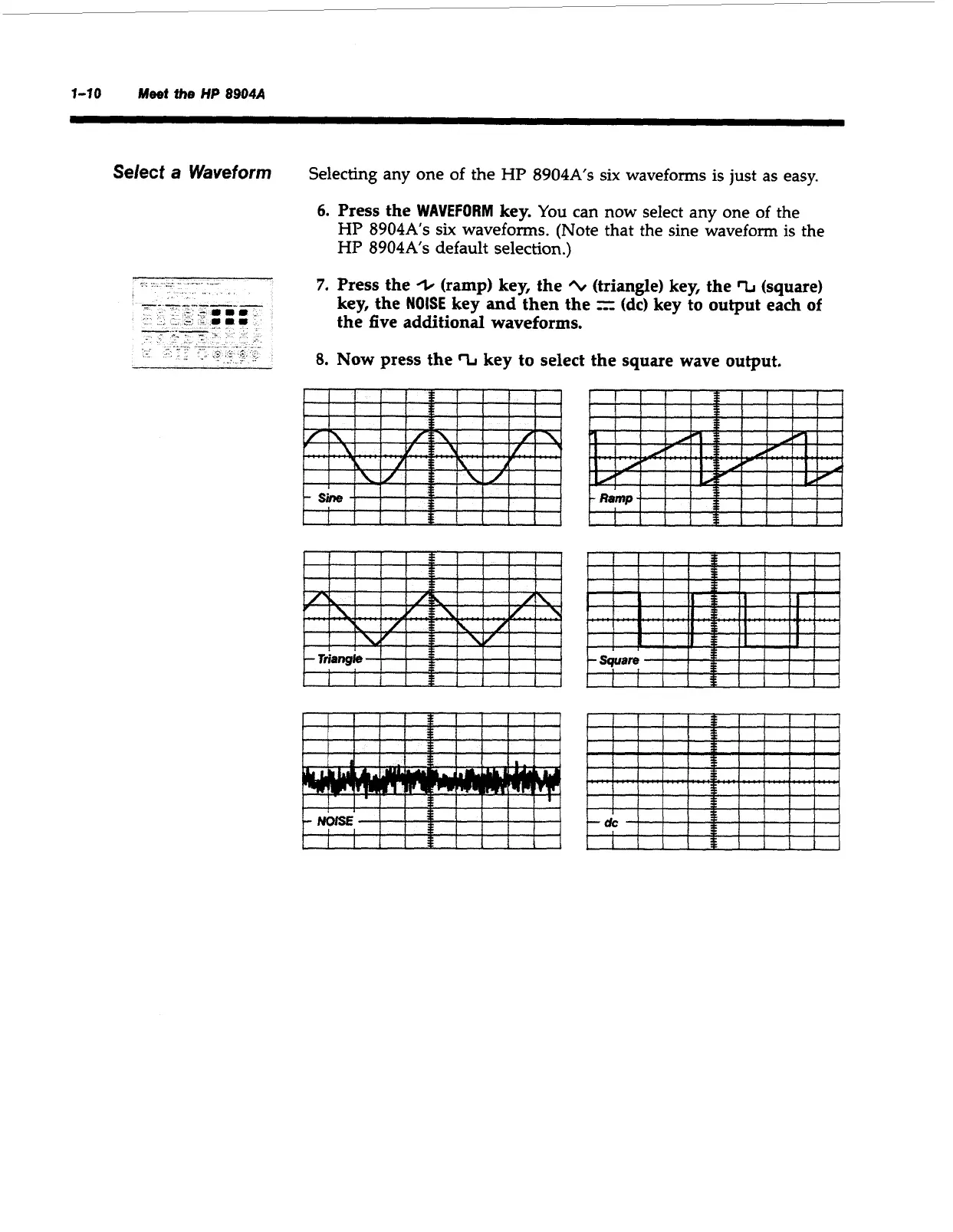
Selecting any one of the
HP
8904A’s
six
waveforms
is
just as easy.
6.
Press the
WAVEFORM
key.
You can now select any one of the
HP
8904A’s
six
waveforms. (Note that the sine waveform
is
the
HP
8904As
default selection.)
7.
Press the
+
(ramp) key, the
+t
(triangle) key, the
‘L
(square)
key, the
NOISE
key and then the
=
(dc)
key to output each
of
the five additional waveforms.
8.
Now press the
%
key to select the square wave output.
Ramp
llfllll
IlltDIltl
tlllSIIII
Artisan Technology Group - Quality Instrumentation ... Guaranteed | (888) 88-SOURCE | www.artisantg.com

Table of Contents

Other manuals for HP 8904A

Related product manuals