1-1
1
Meet
the
HP
890411
Now
Vary
the
Phase
The
HP
8904A
allows you to vary the phase of your waveforms from
0
degrees to
359.9
degrees in step sizes specified by you.
9.
10.
11.
12.
13.
14.
Set the oscilloscope to trigger on the line voltage.
(You
may
need to adjust the oscilloscope’s triggering in order to get a stable
display.)
Press the
PHASE
key and the
INCR
SET
key on the
HP
8904A.
Notice that the HP
8904A
has placed an “is” in its display next to
F‘
H
A
S
E.
This is to let you know that the value now being
displayed is the increment set value rather than the current phase
setting.
Press
45
and the
deg
key to enter an increment step size
of
45
degrees.
Now press the
0
key.
(Notice that the displayed waveform shifts
each time the phase of Channel
A
is incremented. This is due to
the resulting change in Channel
As
phase relationship with the
line voltage signal that is being used to trigger the oscilloscope.)
Press the
0
key and the
deg
key to return the
HP
8904A‘s
phase
setting to
0.0
degrees.
Set the oscilloscope to trigger on Channel
A
again rather than
the line voltage.
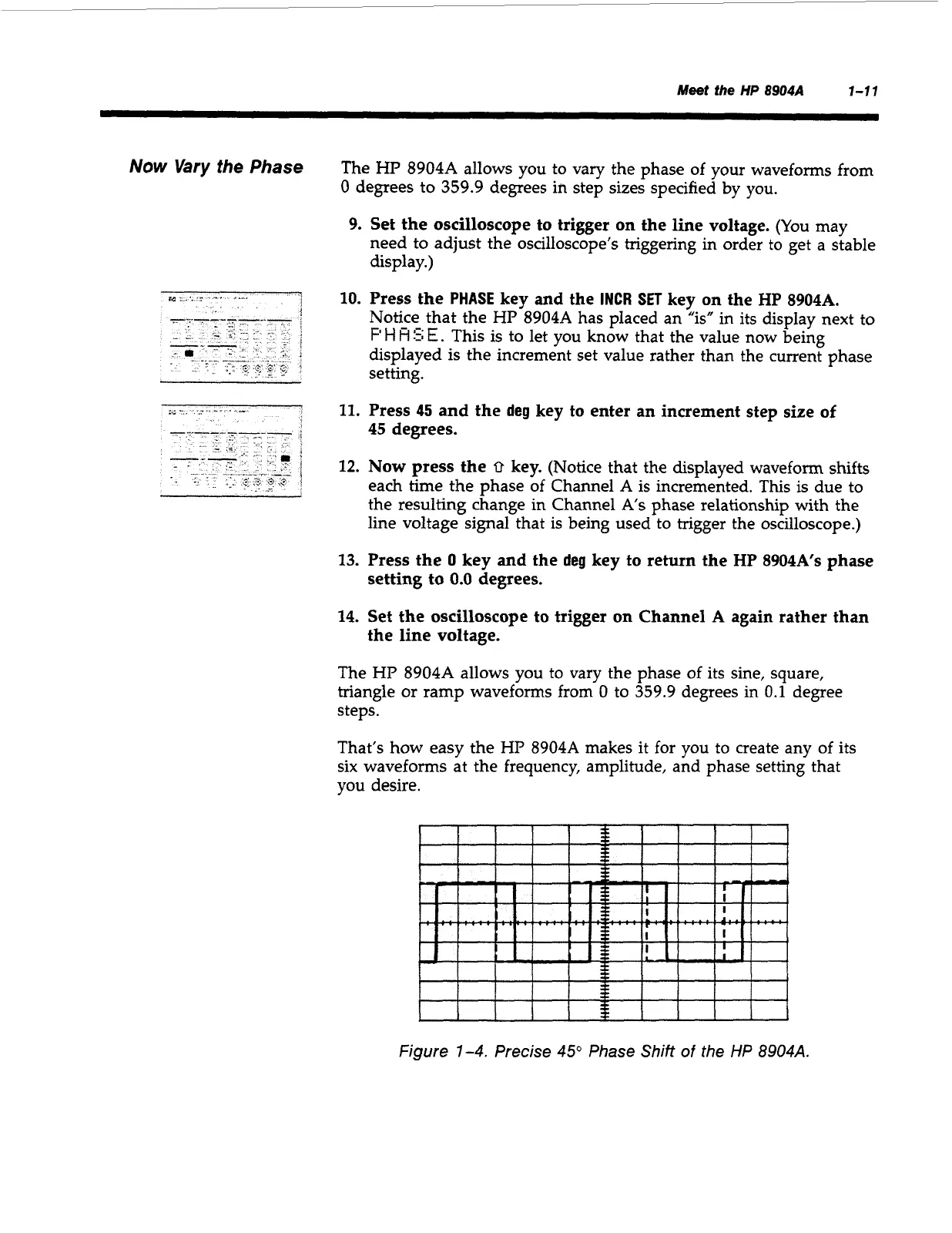
The HP
8904A
allows you to vary the phase of its sine, square,
triangle or ramp waveforms from
0
to
359.9
degrees in
0.1
degree
steps.
That’s how easy the HP
8904A
makes it for you to create any of its
six waveforms at the frequency, amplitude, and phase setting that
you
desire.
I
I
I
I
1
I
1
I
Figure
1-4.
Precise
45”
Phase Shift
of
the
HP
8904A.
Artisan Technology Group - Quality Instrumentation ... Guaranteed | (888) 88-SOURCE | www.artisantg.com



 To Next Page