Before removing the bottom cover, prepare the computer for disassembly (see Preparation for
disassembly on page 38).
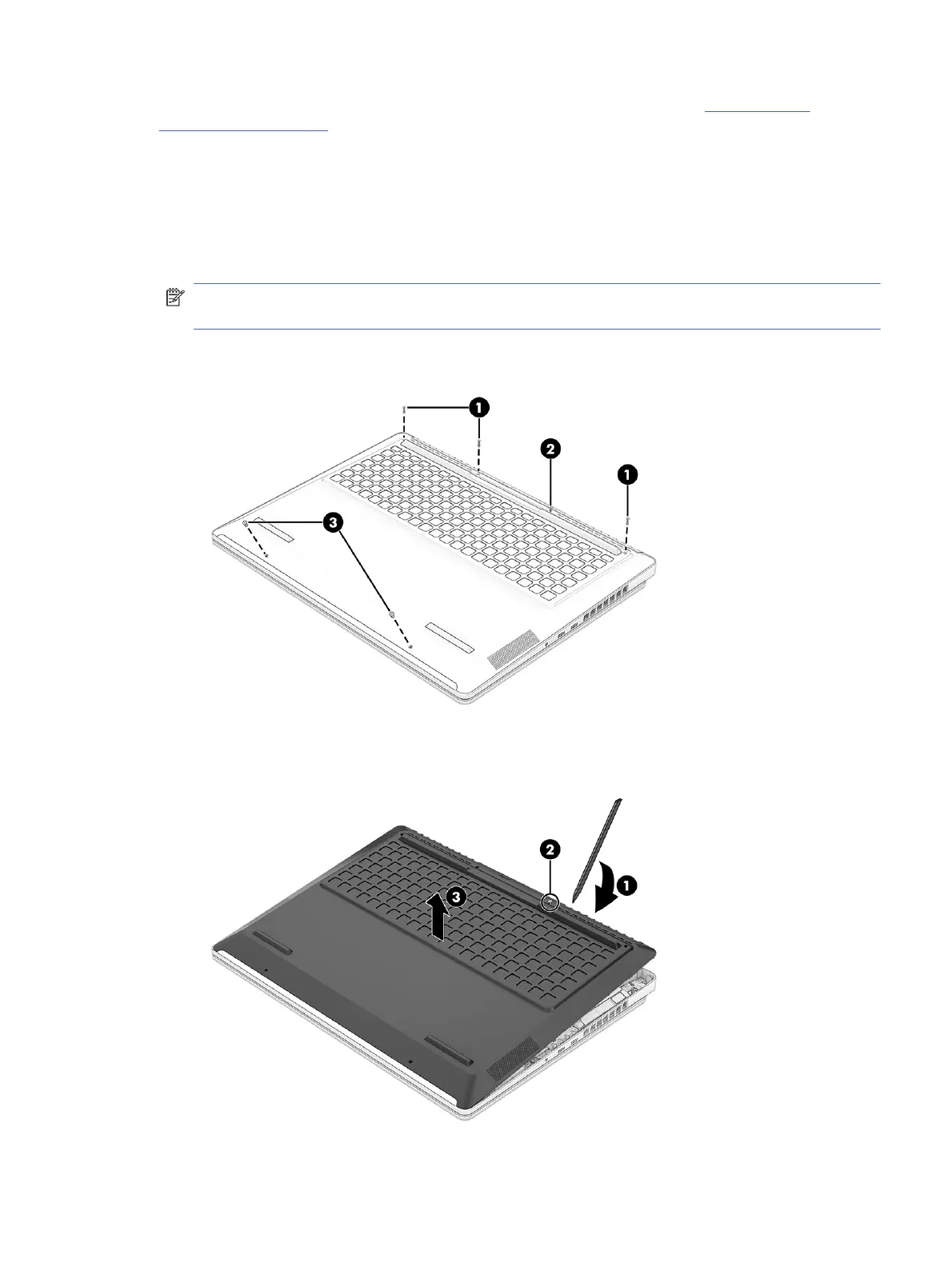
Remove the bottom cover:
1. Position the computer upside down.
2. Remove the three Phillips M2.5 × 7.0 screws (1) from the top of the bottom cover.
3. Loosen the captive screw (2) at the top of the bottom cover.
NOTE: The bottom cover includes a captive (not removable) screw that causes the cover to pop
up when you loosen the screw. After the cover pops up, do not continue to loosen the captive screw.
4. Remove the two Phillips M2.5 × 4.0 screws (3) from the bottom of the bottom cover.
5. Insert a tool (1) into the seam near the captive screw (2), and then release the bottom cover (3).
Bottom cover
39



 To Next Page