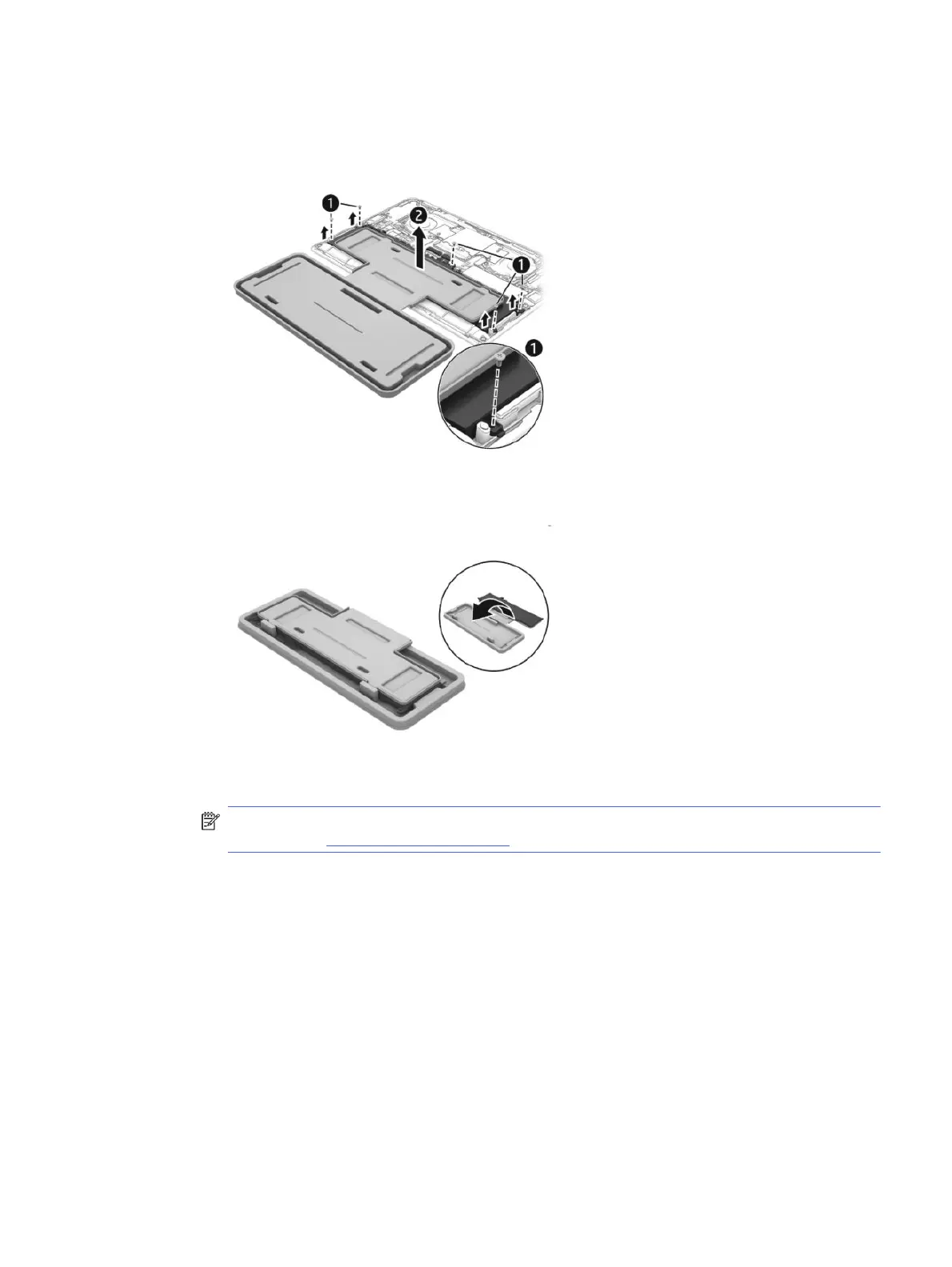
g. Remove the Phillips screws (1) that secure the battery to the computer. Number of screws and
screw locations might vary.
h. Lift the top of the tray (2) to remove the battery from the computer.
i. Rotate the battery up and over into the cavity of the containment tray.
NOTE: Please recycle responsibly. For more information about recycling programs, see the
HP website at http://www.hp.com/recycle.
2. Install the battery using the revive kit:
a. Open the containment tray that includes the new battery.
Installing a new battery
45



 To Next Page