NOTE: 'Allow the user' options are available only in the Administrative Mode.
2. Click Finish save your settings and close the dialog box.
XenApp
1. To add a XenApp connection, click Connections > Add.
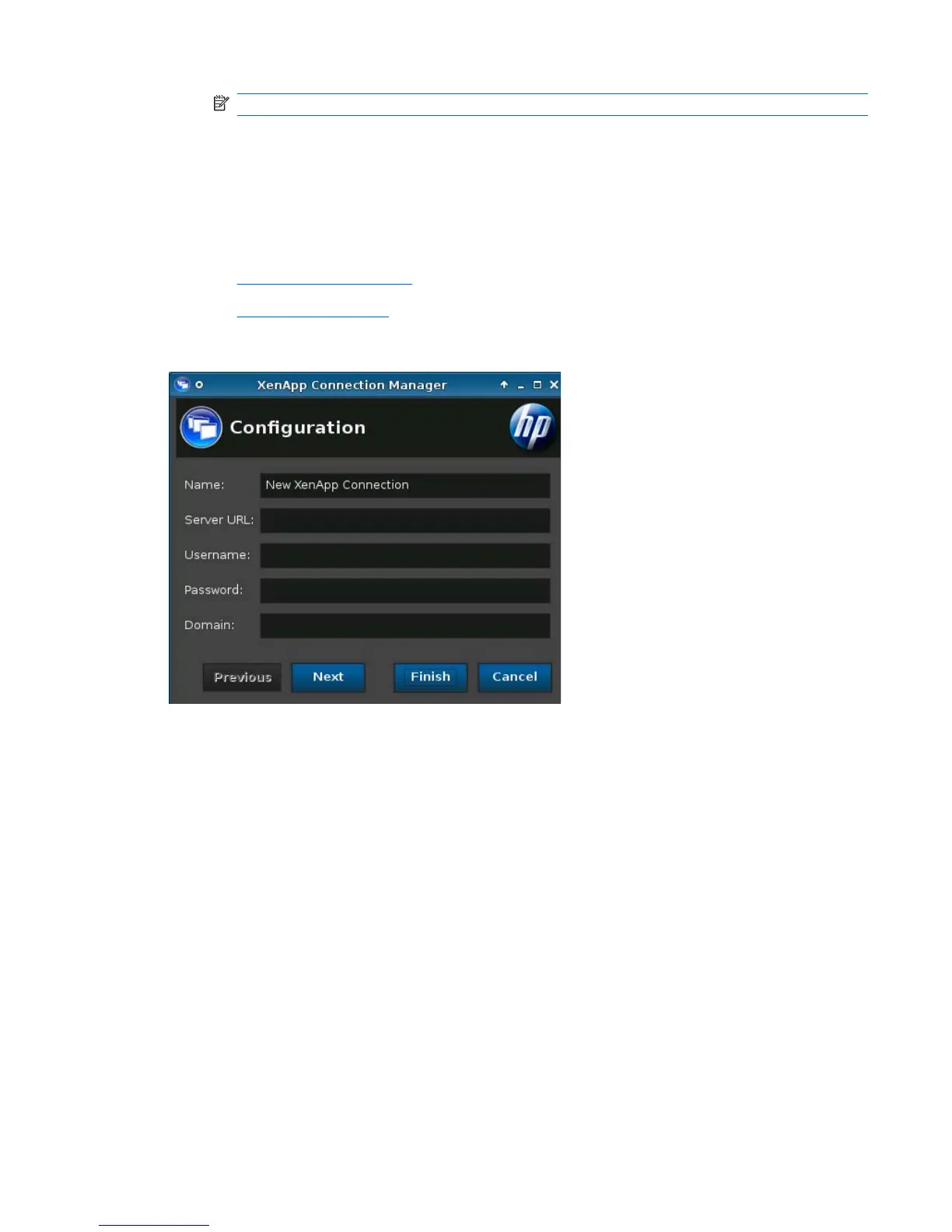
2. Select XenAPP and set the following options:
●
Configuration on page 51
●
Advanced on page 52
Configuration
1. Set the following options:
●
Name
●
Server URL
●
Username
●
Password
●
Domain
2. Click Next to advance to the next window or click Finish save your settings and close the dialog
box.
ENWW Connections 51




 To Next Page