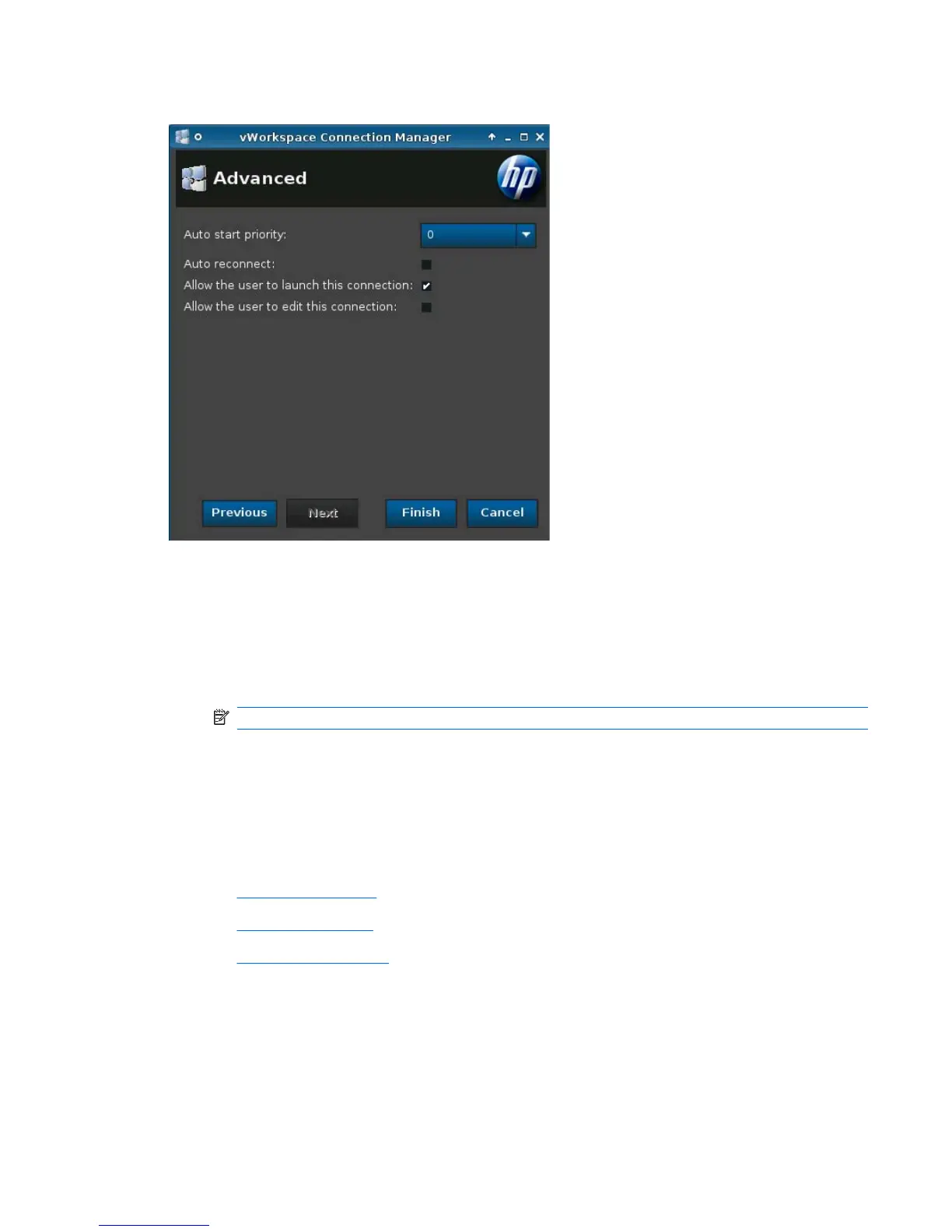
Advanced
1. Set the following options:
●
Auto start priority
●
Auto reconnect
●
Allow the user to launch this connection
●
Allow the user to edit this connection
NOTE: 'Allow the user' options are available only in the Administrative Mode.
2. Click Finish save your settings and close the dialog box.
VMware View
1. To add a VMware View connection, click Connections > Add.
2. Select VMware View and set the following options:
●
Network on page 62
●
Options on page 63
●
Advanced on page 64
ENWW Connections 61




 To Next Page