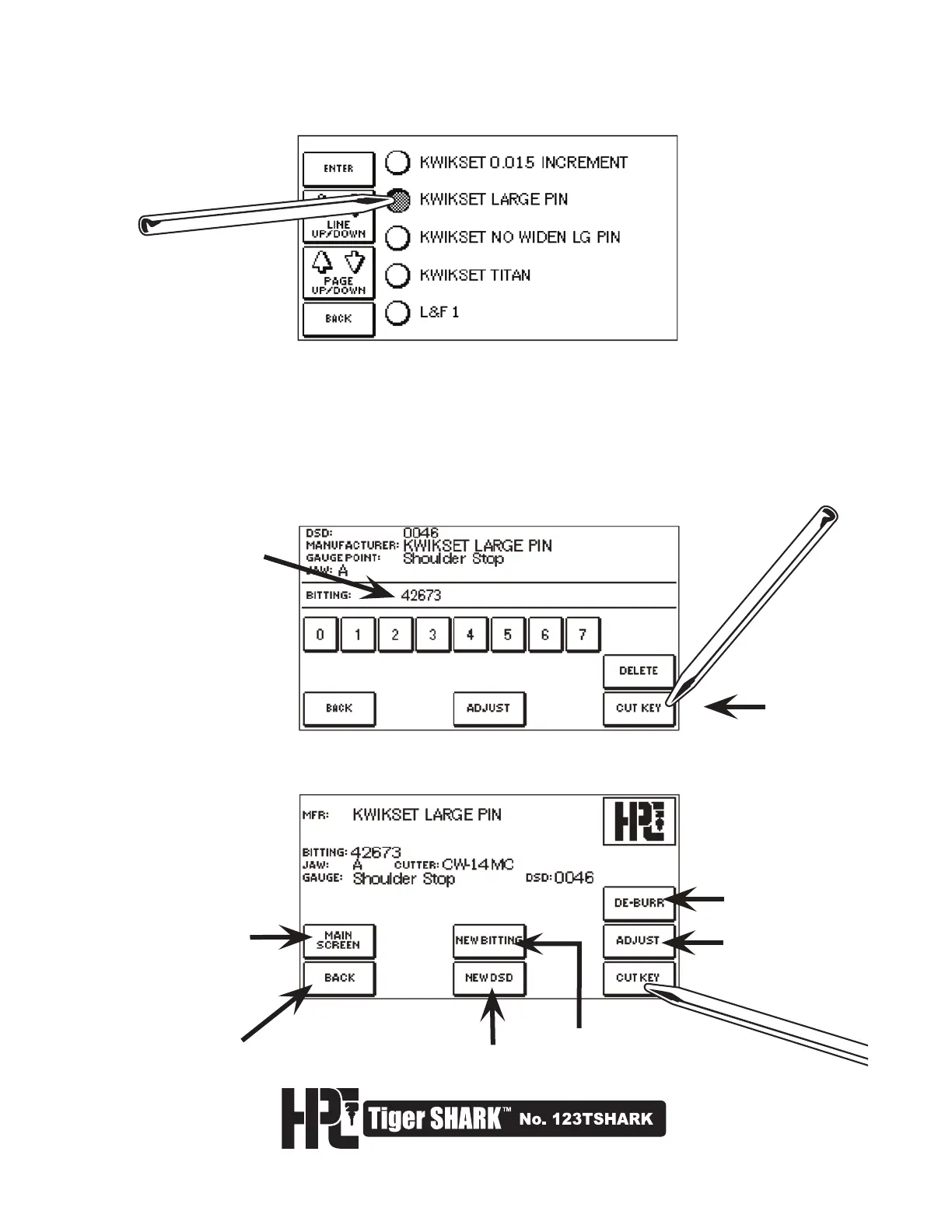
4. Select the DSD required by clicking on name.
LINE UP/DOWN will scroll through this page/screen.
PAGE UP/DOWN will scroll manufacturers alphabetically by full page.
5. The next screen confirms the cutter and jaw to use, the gauge point, and bittings
to be cut.
6. Enter the bitting of the key using the number buttons. Press CUT KEY to go to the
CUT SCREEN.
7. Load key blank, and press CUT KEY to start cutting process.
Go back to the
main Tiger SHARK
™
screen
Go back to
BITTING-ENTRY
screen
To select
another DSD
To cut another key
in this DSD
Activate
De-Burring
Brush
Adjust DSD
Cut Key



 To Next Page