4.2 Cutting by Code
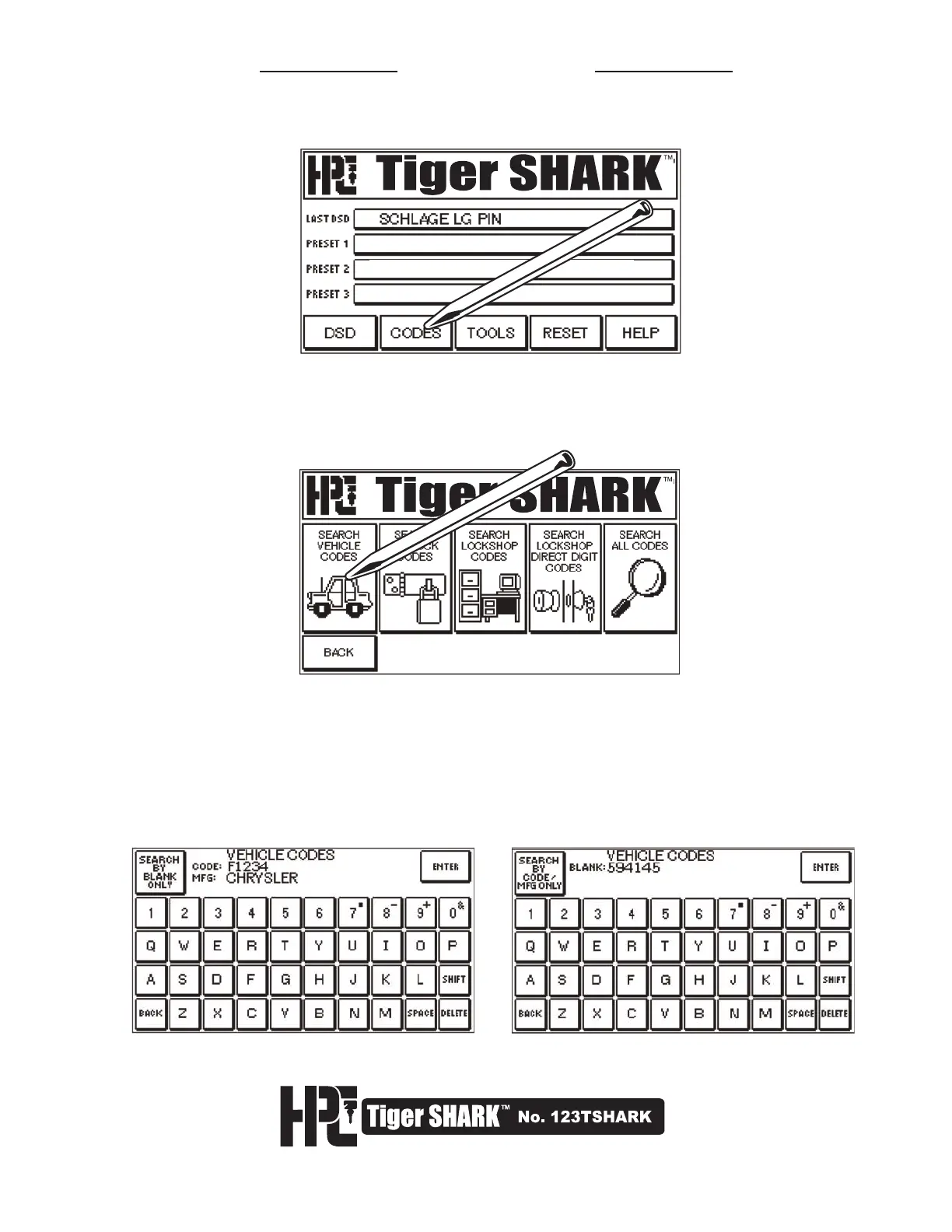
1. To cut by Code, select CODES from the main Menu Screen.
2. Next, select the type of Codes you wish to search. For example: Vehicle Codes. If
for some reason the type of key is not known, it is also possible to search the entire
database by using the SEARCH ALL CODES button. However, this will increase the
search time.
3. Searches can be done by code number and/or manufacturer, or by key blank number
(original, Curtis, Ilco, Ilco EZ and Silca). The Search Screen will allow you to search by
Code or by Manufacturer. Type in information with Stylus and then press ENTER.
The SEARCH BY key in the upper left will alternate between CODE or KEY BLANK
Search Screens.



 To Next Page