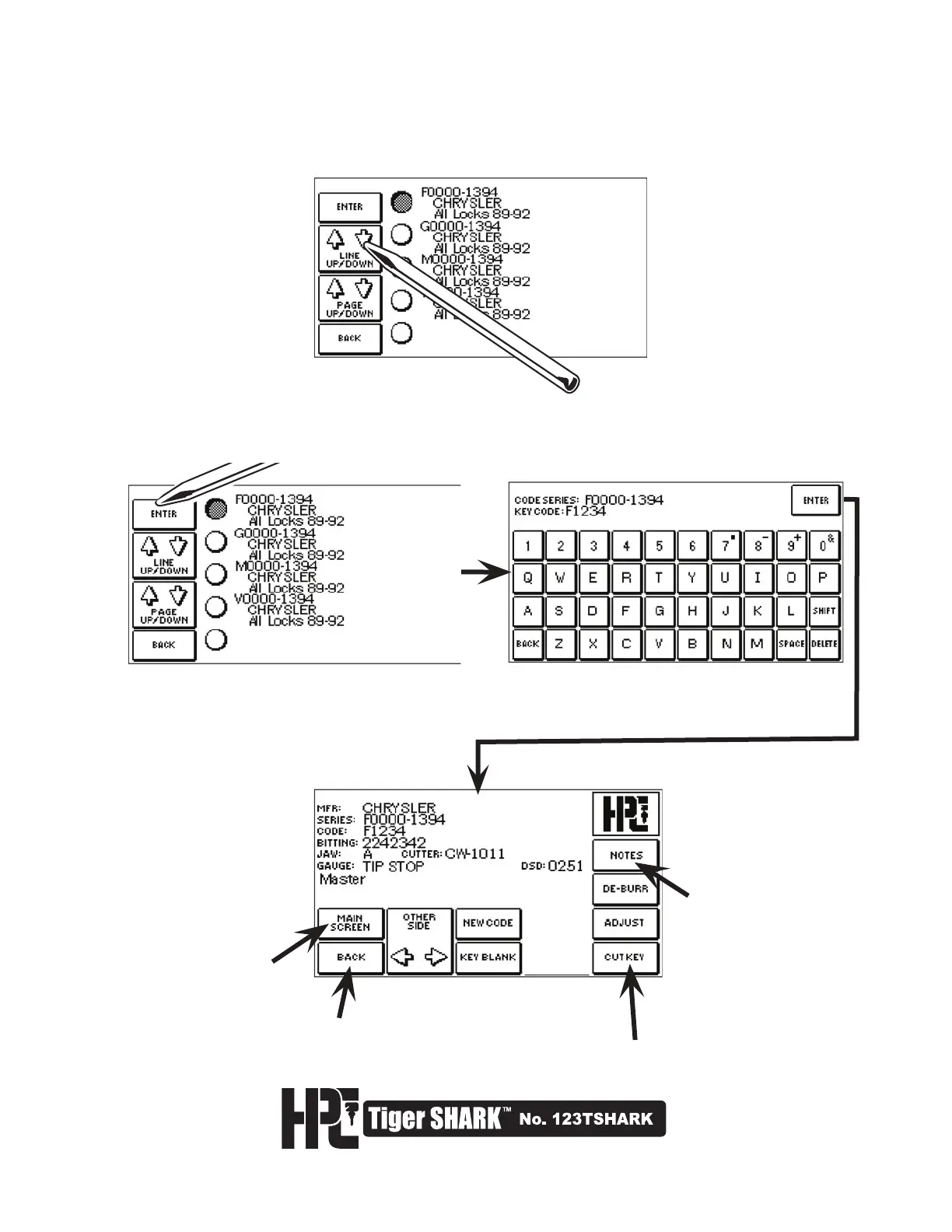
6. The CUT SCREEN displays the CUTTER, JAW and GAUGE POINT. Press CUT
KEY to activate the cutting process.
will display
important
notes for this
series
will display the
opening screen
will display the
previous screen
will cut the key
4. The screen will display all code series that match the search criteria entered. Select the appropriate
series. Use LINE UP/DOWN to scroll through the current page. Use PAGE UP/DOWN to scroll through
the pages, if there are more than 5 results from the search.
5. Select the appropriate series. If searching by key blank or manufacturer, the screen will prompt you to
enter the code number. Once the code number is entered, the screen will display the CUT SCREEN.



 To Next Page