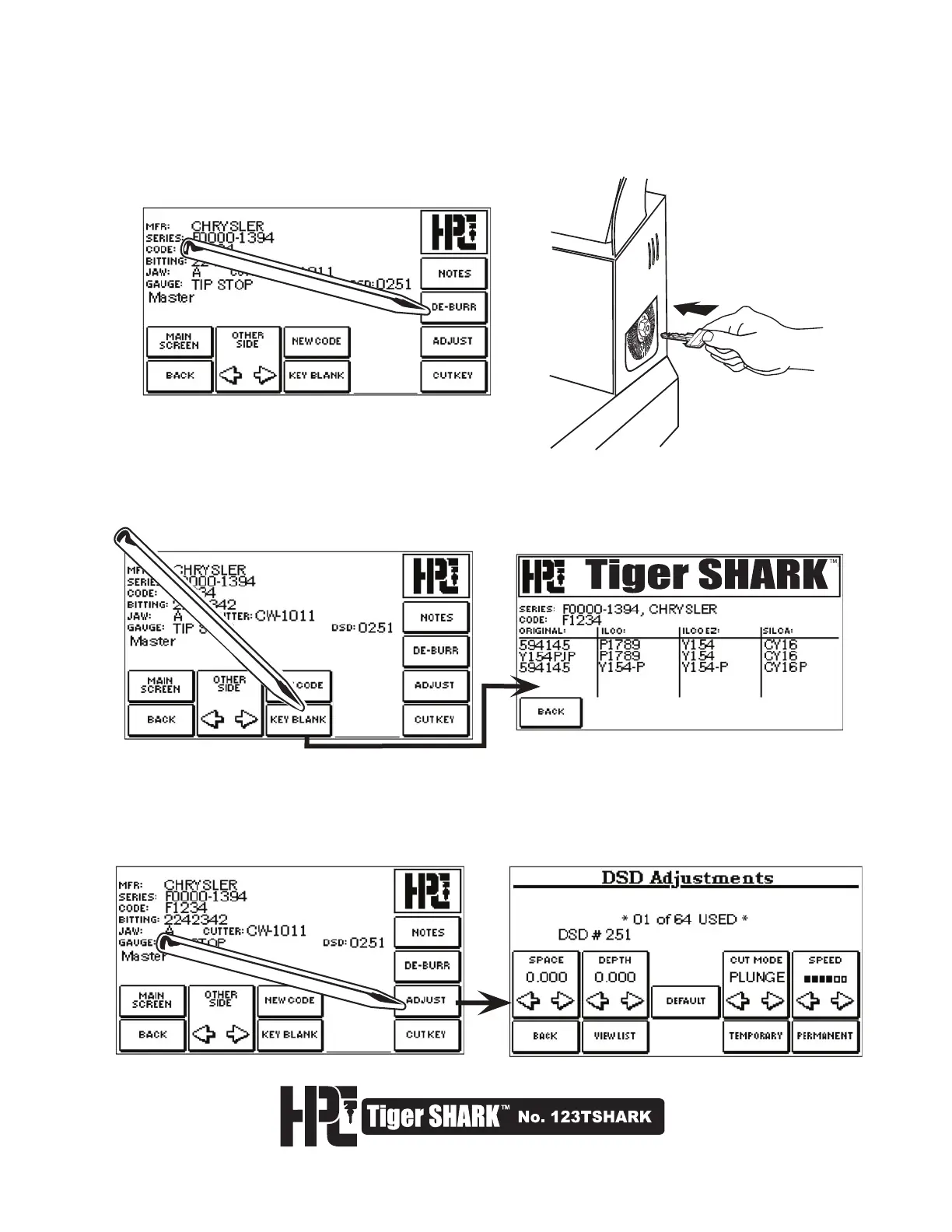
7 Choosing DE-BURR from the CUT SCREEN will activate the Deburring Softie
™
Brush on the right side of
the machine. Press the DE-BURR button twice and hold; the deburring brush will continue to turn for as
long as it is depressed. Hold the newly cut key firmly, and position key to deburr using the
Softie
™
Deburring Brush.
8. Choosing KEY BLANK from the CUT SCREEN will display compatible key blanks for the code which
you have chosen. Use the BACK key to return to the CUT SCREEN.
9. Choosing ADJUST from the CUT SCREEN (prior to cutting the key) will display the DSD
ADJUSTMENTS Screen. Please refer to Section 5.2 in this manual for instructions on using
the Adjustments feature.



 To Next Page