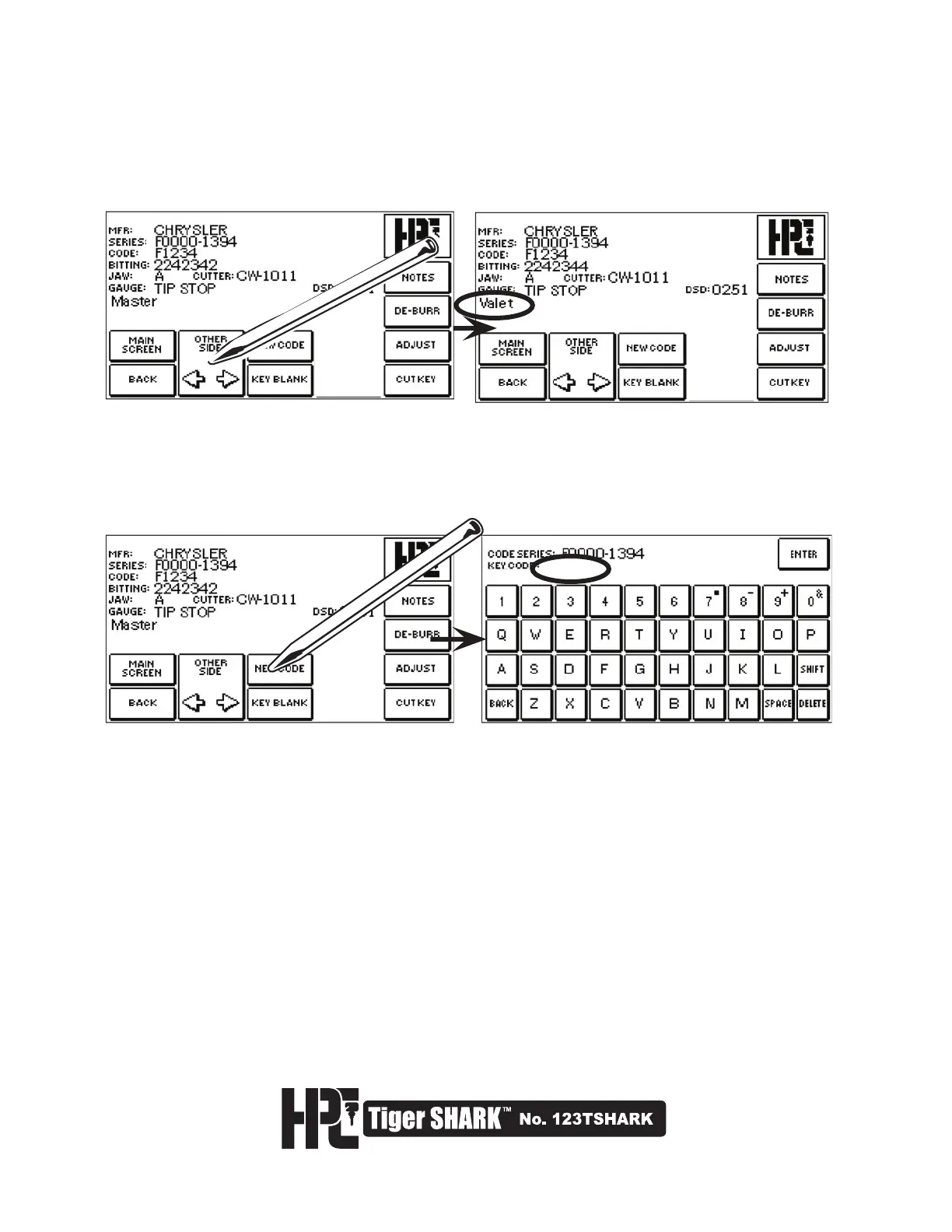
10. When cutting double-sided different keys, choosing OTHER SIDE will display the code for the other side
of the key. It will also display the code for a Valet Key, where applicable. To cut the second side of a
double-sided same key, simply reverse the key blank and press CUT KEY again.
11. To cut another key in the same code series, press NEW CODE. The screen will display the CODE
SERIES SCREEN. Here you may enter a code which occurs between the indicated code series.
Selecting ENTER will return you to the cut screen for that new code number.



 To Next Page