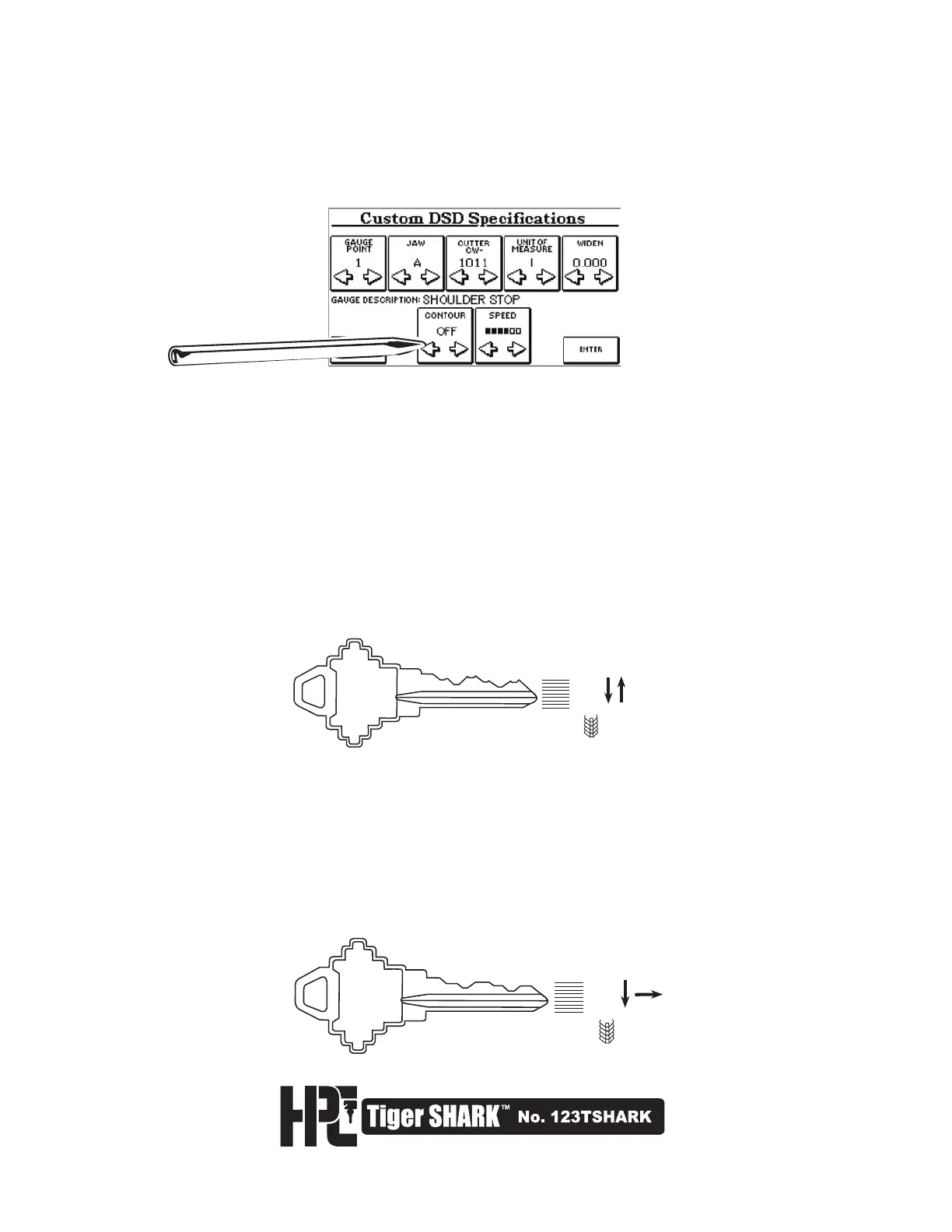
5. The Custom DSD Specifications Screen will appear as shown here. This screen allows the user to adjust
the GAUGE POINT (1-shoulder, 2-left side of jaw, 6-extended tip gauge, 7-standard tip gauge), JAW TYPE,
CUTTER, UNITS OF MEASURE (inch/metric), WIDENING (.020" widening means .065" flat; .020" plus .045",
standard cutter flat), CONTOUR, and SPEED.
6. Adjusting the CONTOUR setting determines the type of cut your machine will execute. The Tiger SHARK
™
defaults to a Plunge cut when the CONTOUR displays OFF. When CONTOUR is ON, your machine will
execute a CONTOUR cut.
4 7 2 5 9 5
1
2
3
4
5
6
7
8
9
CUTTER
MOTION
4 7 2 5 9 5
1
2
3
4
5
6
7
8
9
CUTTER
MOTION
The Plunge Cut (CONTOUR OFF) is the default cut style. It is made when the cutter comes straight down into
the blank, backs off, and moves in again to make the next cut after the carriage has moved to the next cut
position.
A Contour Cut (CONTOUR ON) eliminates peaks between cuts. It is created when the cutter moves forward to
make the first cut, and then moves straight laterally to the next position before moving in to cut the next depth in
the sequence.



 To Next Page