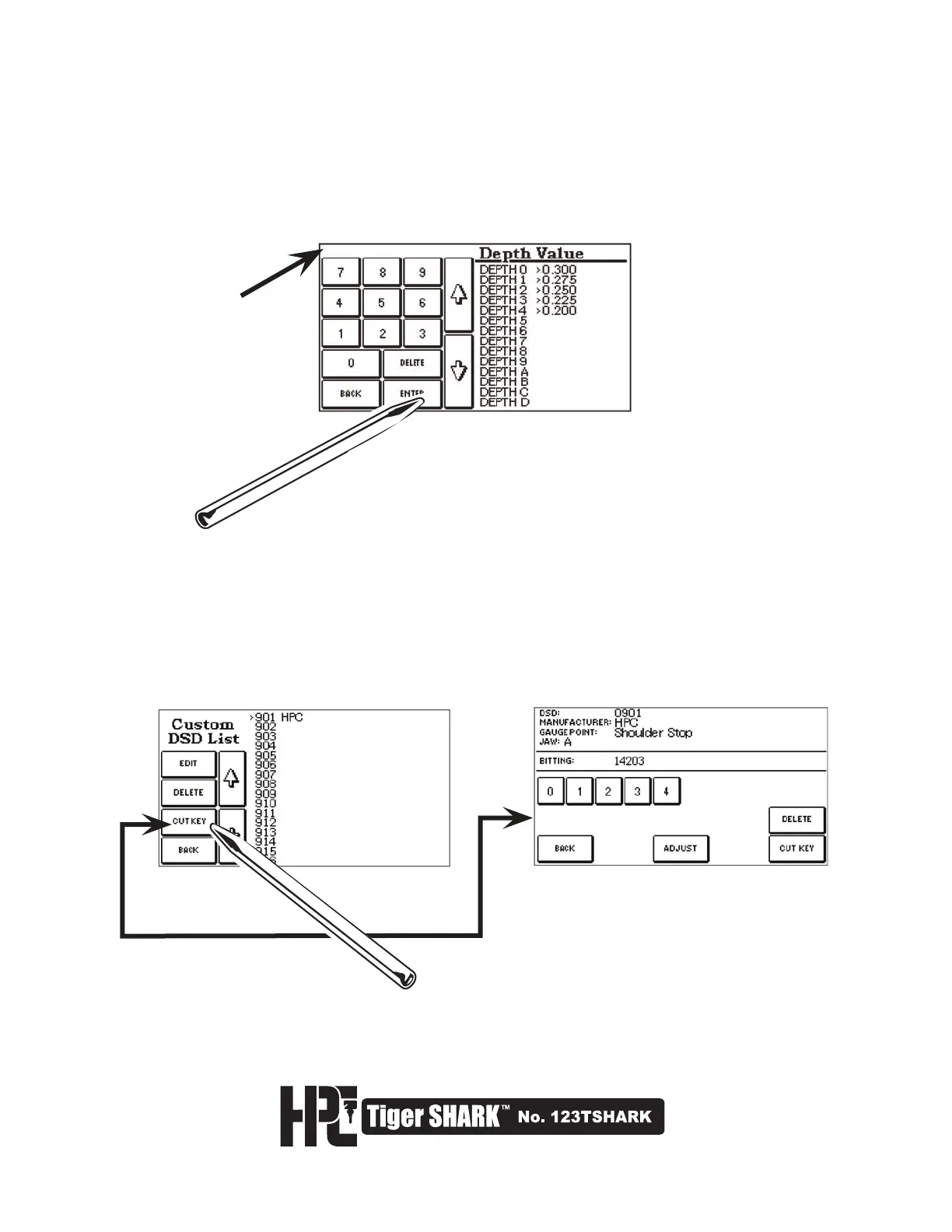
9. At this screen, enter Depth Values one at a time by typing in a number in thousandths of an inch or
hundredths of a millimeter (depending on which unit of measure was selected). Use the up and down arrows
to edit the values of the depths. Selecting DELETE will erase the value you have entered. When you have
entered the desired depths, press the ENTER key.
10. The newly added Custom DSD is now DSD #901. To use any new DSD Number you have created, refer
back to Section 4.1 or select the CUT KEY button from the Custom DSD List Screen as shown here. Refer to
page 21 for information on how to cut the key. Selecting DELETE will erase the DSD you have entered.
Watch this space for
warnings about
invalid data.



 To Next Page