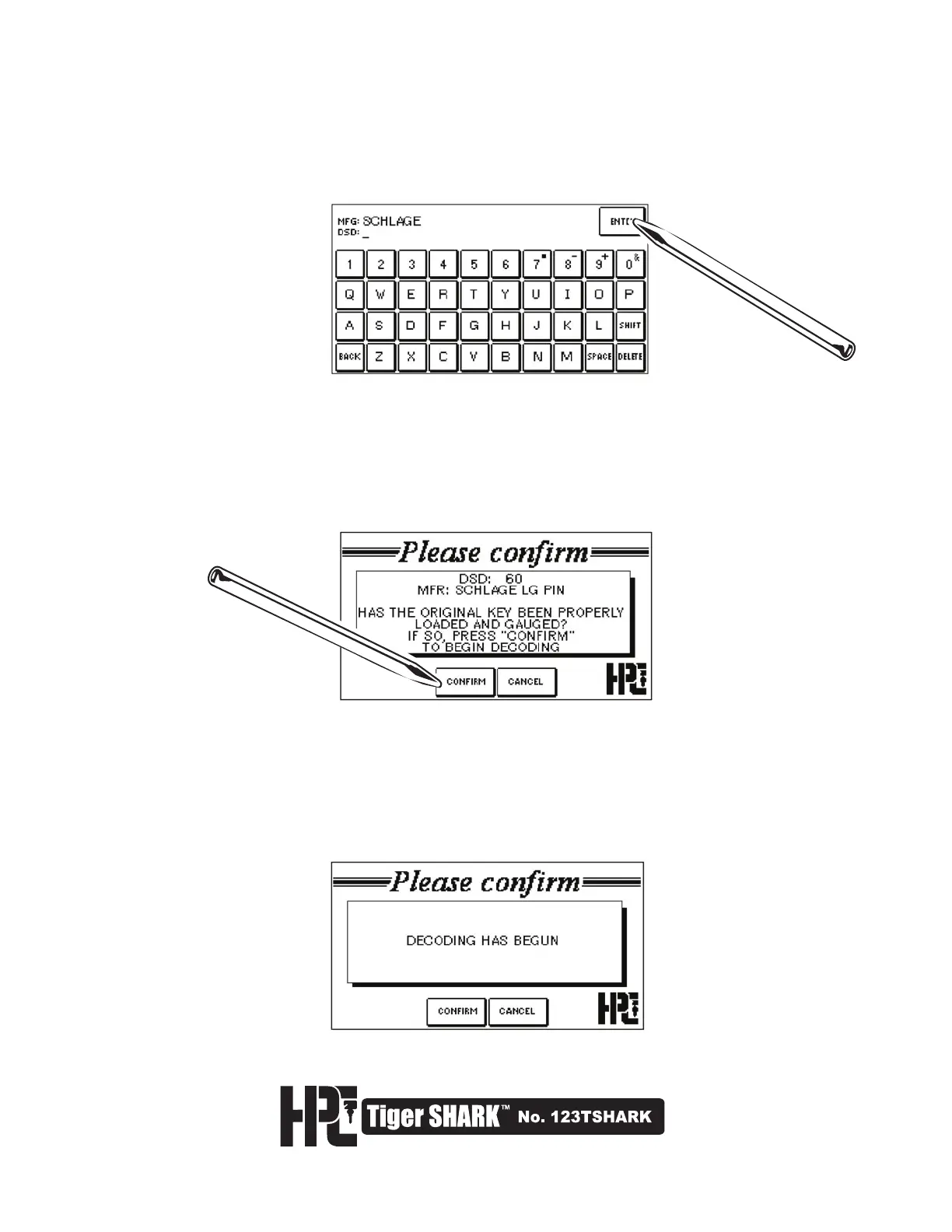
8. You need to select the appropriate DSD number for the key to be decoded. You can search by
Manufacturer by typing in the lock manufacturer’s name. Select ENTER. If there is more
than 1 DSD listing for the manufacturer entered, a list will be displayed. Select the appropriate
DSD. If you know the appropriate DSD number, simply enter it in the DSD field, and
select ENTER.
9. A confirmation screen will appear displaying the DSD and Manufacturer. If the original key has
been properly loaded and gauged, select CONFIRM to decode the key.
10. The Tiger SHARK
™
will now begin to decode the key. The Decoder Plate will touch off on each
cut 3 times. The following screen will appear until the key has been decoded.



 To Next Page